Advertisement
Featured image of OctoScreen: All You Need to Know
A U-Turn for UI
OctoScreen: All You Need to Know

OctoScreen is a popular OctoPrint plug-in that allows you to use a display with your Raspberry Pi. Read on to learn about the plug-in!

by Jackson O'Connell
Featured image of Lychee Slicer (SLA Printers): How to Get Started
Easy as Lychee Pie
Lychee Slicer (SLA Printers): How to Get Started

Lychee Slicer is great slicing software that is packed with features for the novice and expert. Read on to get started!

by Gregory Siqueiros
Featured image of OctoPrint Filament Sensor: All You Need to Know
End of the Line
OctoPrint Filament Sensor: All You Need to Know

Adding an OctoPrint filament sensor is easy and could prevent a lot of wasted time and material. Check out our guide for all you need to know.

by Lucas Carolo
Featured image of Cookiecad’s New Doodle Mode Tool Lets You Draw 3D Prints Freehand
Draw'n a Part
Cookiecad’s New Doodle Mode Tool Lets You Draw 3D Prints Freehand

The colorful filament manufacturer’s new design tool is an easy way to bypass a boring afternoon by doodling something you can print. And there are prizes up for grabs in a celebratory launch competition.

by Matthew Mensley
Featured image of Carveco’s Upcoming Carveco AI Tool Lets You Touch Memories
What a Relief
Carveco’s Upcoming Carveco AI Tool Lets You Touch Memories

New AI tool from the Carveco CAM software team crafts machinable 3D reliefs from images or prompts, no experience necessary.

by Matthew Mensley
Featured image of ‘CAD Illiteracy Is a Barrier’: How Stratasys Plans to Simplify 3D Printing for Everyone
Can Software Be Simple?
‘CAD Illiteracy Is a Barrier’: How Stratasys Plans to Simplify 3D Printing for Everyone

Maybe the future of manufacturing isn't expert software, but simple apps that could make 3D printing as easy as ordering a photo mug.

by Carolyn Schwaar
Featured image of PrusaLink: All You Need to Know to Get Started
Get Connected!
PrusaLink: All You Need to Know to Get Started

PrusaLink is the first step to controlling your Prusa printer fully remotely. Read on to learn how to get started!

by Baskar Suryanarayanan
Featured image of PrusaSlicer: Negative Volume – Simply Explained
Negative Volume, Positive Feature!
PrusaSlicer: Negative Volume – Simply Explained

Bypass CAD programs with this handy tool! Learn about PrusaSlicer Negative Volume and how to use it to its fullest potential.

by Gloria E. Magarotto
Featured image of 10 Good Reasons to Use Marlin Firmware
Bob Marlin or Marlin Brando?
10 Good Reasons to Use Marlin Firmware

Marlin is the most popular 3D printer firmware for a reason. Discover all the reasons why you should use it on your desktop 3D printer.

by Lucas Carolo
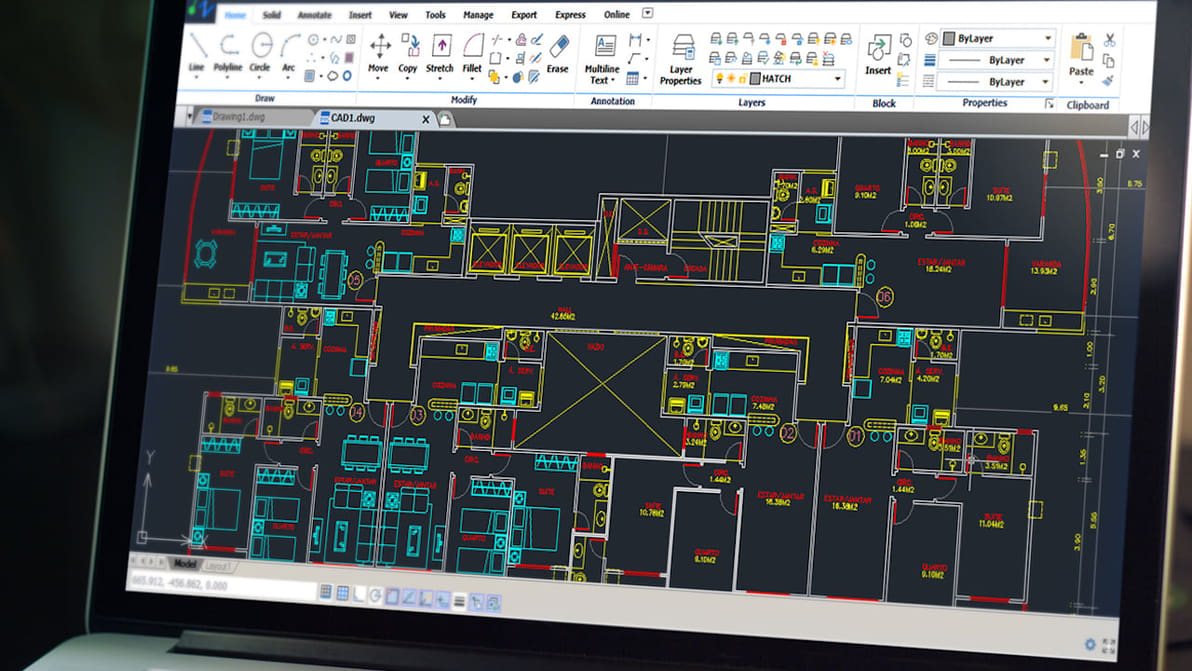
Featured image of How to Learn AutoCAD: 6 Easy Ways
Start with a Line
How to Learn AutoCAD: 6 Easy Ways

AutoCAD is a fundamental but complex program and starting to learn it can be hard. Here are the best way to learn AutoCAD on your own!
by Lauren Fuentes
Advertisement
Advertisement
Featured image of Fusion 360 & CNC: All You Need to Know
CAD/CAM Fusion
Fusion 360 & CNC: All You Need to Know

Fusion 360 is a highly recommended tool for CAM. Read on to find out how to use Fusion 360 for CNC and other types of manufacturing!

by Lauren Fuentes
Featured image of Repetier Host: All You Need to Know to Get Started
Slicing on Repeat
Repetier Host: All You Need to Know to Get Started

Repetier Host provides a comprehensive slicing solution. Learn everything about it to get ahead in the 3D printing game.

by Pranav Gharge
Featured image of G-codes & M-codes: The Differences
Alphabet Soup
G-codes & M-codes: The Differences

G-codes and M-codes are essential for 3D printers and other CNC machines. Read on to learn all about these codes!

by Jackson O'Connell
Featured image of Prusa Mini Firmware: All You Need to Know
Affirmative Firmware
Prusa Mini Firmware: All You Need to Know

If you want to change or update your Prusa Mini's firmware, read on to see your choices and how to install them.

by Jackson O'Connell
Featured image of This Free App Puts Live Prusa Print Status in the Mac Menu Bar
At a Glance
This Free App Puts Live Prusa Print Status in the Mac Menu Bar

New unofficial Prusa MacOS desktop app brings your locally connected 3D printer directly to your Mac’s status bar, giving you at-a-glance updates, webcam feed, and even one-click Home Assistant triggers right from your desktop.

by Matthew Mensley
Featured image of PrusaSlicer Update Boosts Cornering Speed & Fixes Annoying Surface Flaws
Junction Function
PrusaSlicer Update Boosts Cornering Speed & Fixes Annoying Surface Flaws

PrusaSlicer's 2.9.4 release uses new 'Junction Deviation' motion planning to take corners like a race car, all while fixing a critical bug for notably smoother prints.

by Jonny Edge
Featured image of Autodesk’s New AI-driven Neural CAD “Completely Reimagines” 3D Design
Fusion of Technology
Autodesk’s New AI-driven Neural CAD “Completely Reimagines” 3D Design

Autodesk's new AI-powered Neural CAD could change 3D design by moving beyond traditional parametric systems to create models from simple prompts.

by Jonny Edge
Featured image of Kiri Engine’s Free 4.0 Update Gives You Unlimited Photogrammetry Exports
Start Your Engine
Kiri Engine’s Free 4.0 Update Gives You Unlimited Photogrammetry Exports

Kiri Innovations has released a jam-packed update to its popular 3D scanning app, which brings expanded and improved functionality to all users, free and paid.

by Matthew Mensley
Featured image of Tinkercad Updates Change Export Behavior, Adds Group Tools
Group Love
Tinkercad Updates Change Export Behavior, Adds Group Tools

We recently reported on Tinkercad’s update adding object grouping, but there’s more. Changes to grouping extends to exports, too, letting you configure multiple-component assemblies, set up for color-printing, and object-based modifiers.

by Matthew Mensley
Featured image of Artec 3D’s Latest Software Update Cuts Scan Processing Time by 70%
20th Anniversary
Artec 3D’s Latest Software Update Cuts Scan Processing Time by 70%

Already a popular all-in-one software for 3D scanning, photogrammetry, reverse engineering, and quality inspection, Artec Studio is now better integrated and easier to use, the company says.

by Carolyn Schwaar
Advertisement
Advertisement