This is How Professionals Get Real-Looking, Full-Color 3D Prints

Want to create photorealistic 3D prints? We've compiled the top full-color printers for color, detail, and speed to help you produce striking results.
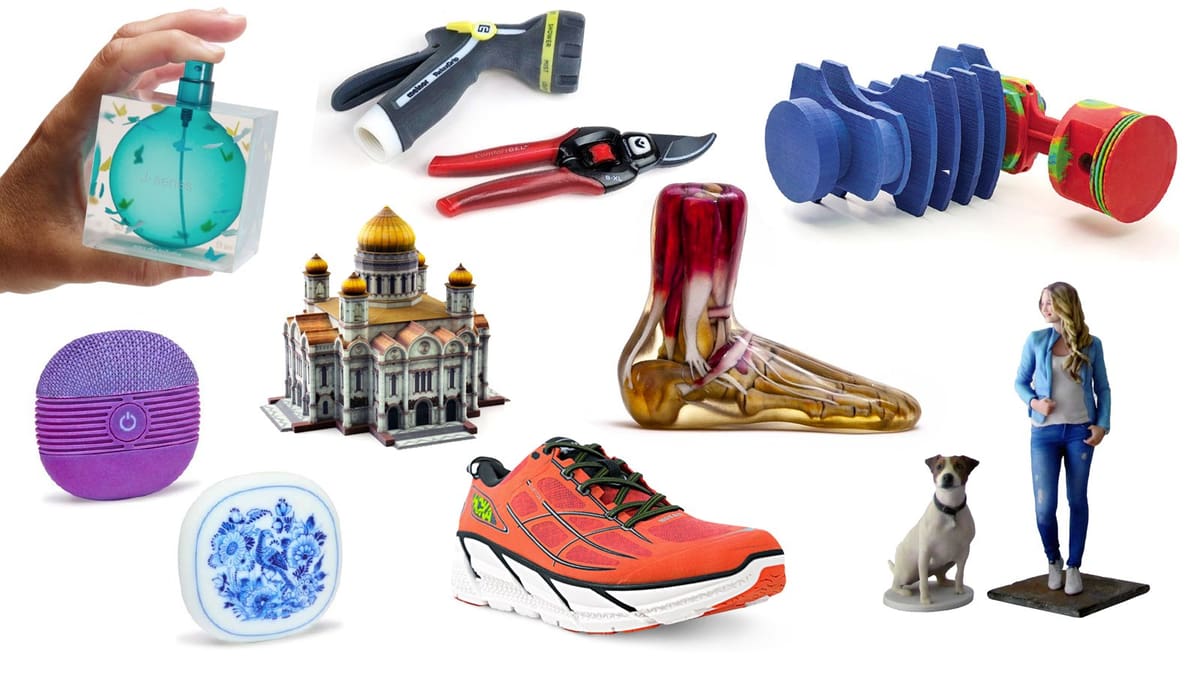
Full-color 3D printers can produce realistic product prototypes, accurate medical models, stunning figurines, and color-accurate artwork replicas. Advances in technology make it easier for everyone, from industrial designers to medical professionals, to generate wonderfully colorful models from their digital designs almost at the push of a button.
Before we dive into the printers, let’s get specific about color.
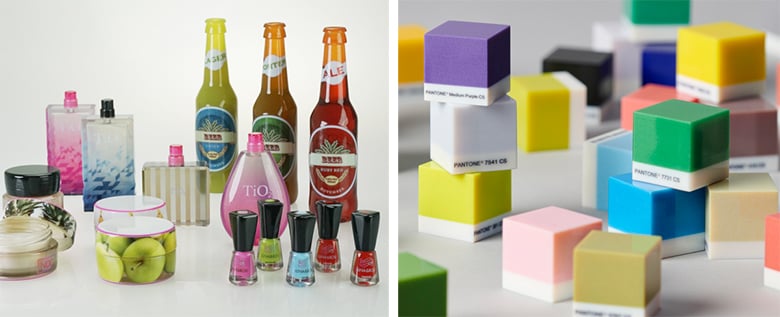
Here at All3DP, we make a crucial distinction: we define full-color as being able to produce thousands of colors from your 3D printer in a single print. We’re talking about achieving accurate skin tones and Pantone matching just like when you color 2D print on paper. This isn’t about switching between different spools of filament, it’s about mixing colors at a microscopic level to create a spectrum of reproducible shades, and it’sonly possible with a handful of professional machines we detail below.
A similar term, multicolor, refers to models made using multiple materials, usually two to eight (or more) different filament colors, automatically switching from one color to the next. This technology is accessible on consumer machines, such as with Bambu Lab’s Automatic Material System and Prusa’s Multi-Material Unit.
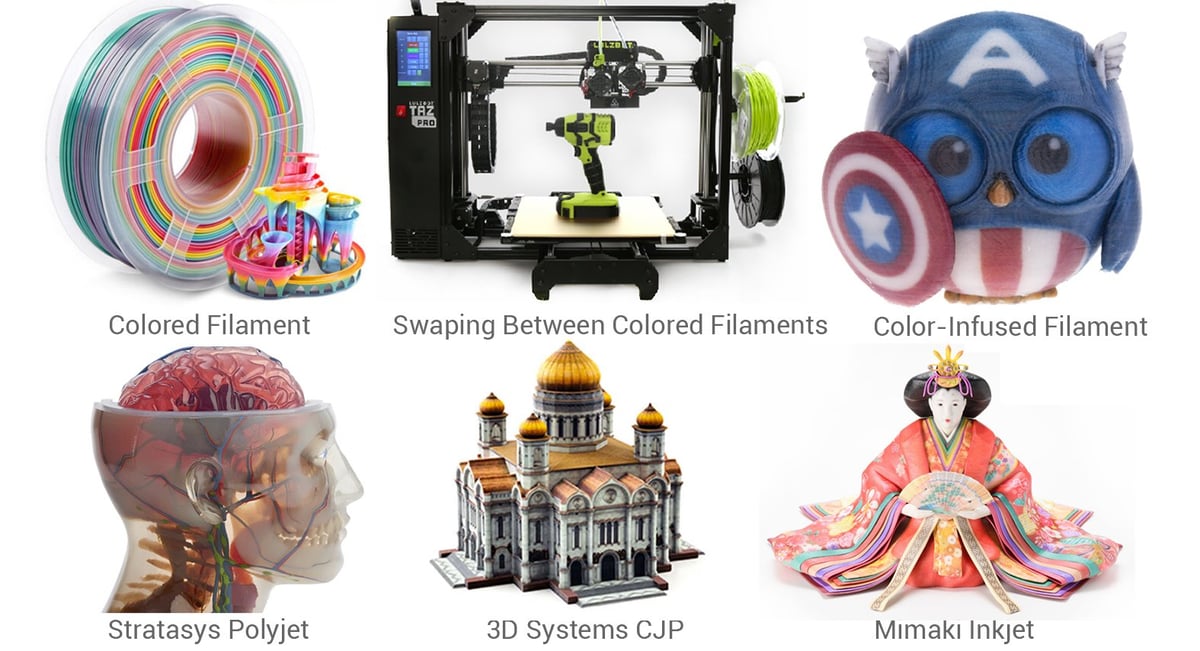
If you want full-color 3D printing there are, generally, only three printer makers to choose from: 3D Systems, Stratasys, and Mimaki. HP discontinued its Jet Fusion 380 full-color printer in 2022 and Rize, which once offered a full-color printer named XRize, closed up shop in 2021. There are some start-ups looking to get into the full-color game, but it’s a complex technology already dominated by three formidable manufacturers.

Although full-color 3D printing options are an investment — the most affordable on our this list of professional machines is $46,000 — third-party 3D printing services put the technology within reach on a per-project basis. Printing services will typically have one of the three brands we cover (or still use the once-popular HP offering called Multi-Jet Fusion or MFJ), so it’s a good idea to know the technology before you order full-color prints from a service because the results will be slightly different.
If you’re looking to get into full-color 3D printing, let’s see how the three options compare.
| Brand | Color Technology | Price | Layer Hight | Number of Colors | Materials | Build Size |
|---|---|---|---|---|---|---|
| Stratasys J55 Prime | PolyJet | From $100,000 | 18 microns | more than 640,000, Pantone validated | photopolymers | 140 x 200 x 190 mm |
| 3D Systems ProJet CJP 660Pro | ProJet ColorJet Printing (CJP) | From $60,000 | 100 microns | 4.8 million | polymer powder | 254 x 381 x 203 |
| Mimaki 3DUJ-2207 | Mimaki Inkjet | From $46,000 | 28 microns | over 10 Million | photopolymers, soluble support material | 203 x 203 x 76 mm |
Full-Color 3D Printing: The Basics
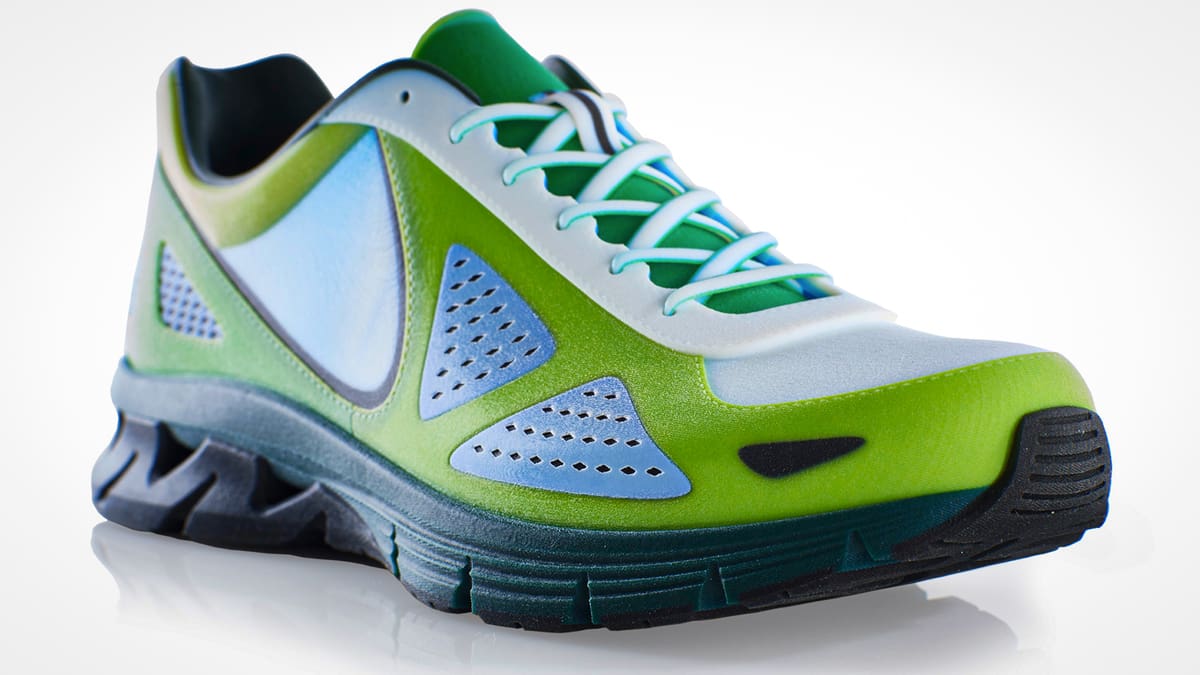
In a nutshell, full-color 3D printing is exactly what it says on the label: the ability to 3D print objects in multiple colors at once, just like printing out a color photo on your 2D paper printer. It has been considered the Holy Grail of 3D printing, with several industries anxiously awaiting further technological developments.
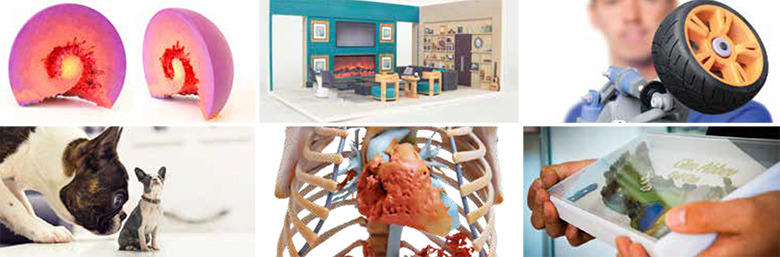
3D printing in color is particularly useful for product prototypes, in addition to art replicas and figurines. Various industries benefit from the ability to produce high-quality products with sharp detail in various and exact colors without the time-consuming labor of hand painting. Plus, parts that may experience wear will retain their color because it’s not just surface color.
There are several technologies for achieving this result, and you should understand the differences between them if you’re in the market for a full-color 3D printer or even a full-color parts. Each one works differently, so it’s important to consider their suitability for your particular applications to be able to pick the right printer. In fact, you could argue that comparing these printers is like comparing apples and oranges (or an apple, an orange, and a pear), but by the time you’re done with this article, you should know whether you need an apple or an orange.
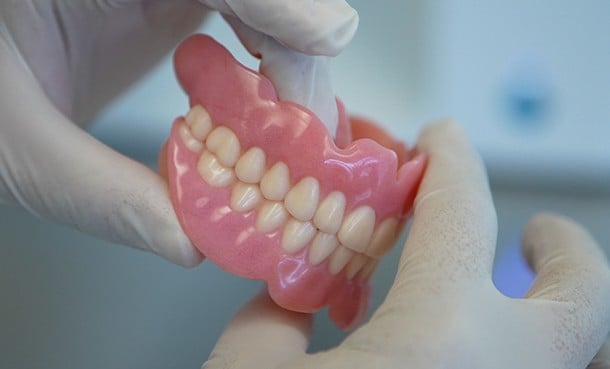
One of the hottest new trends in using full-color 3D printing for end use parts is in the world of dentistry. Facing pressure to produce high quality dentures while reducing costs and production time, dental labs across Europe are increasingly turning to Stratasys’ TrueDent system. The company claims it can produce “30 full monolithic, multi-shade dentures per print job using a single Stratasys J5 DentaJet printer,” or about 225 prints per day, cutting production time in half. And because it uses a machine instead of skilled workers, it also significantly reduces labor costs.
Beyond the benefits for the dental industry, patients come out as the biggest winners here. Not only do you get your dentures faster, this technology is able is able to print models with more accuracy while spending less time measuring and fitting with your dentist.
How Does Full-Color 3D Printing Work?
Some full-color 3D printers use inks or dyes applied to color the printing material during printing, while others mix already colored (CMYK) materials in the right proportions to create colors. Each of the three printers uses different color printing methods: 3D Systems calls its ColorJet Printing; Stratasys, PolyJet; and Mimaki simply Inkjet.
Stratasys J55 Prime
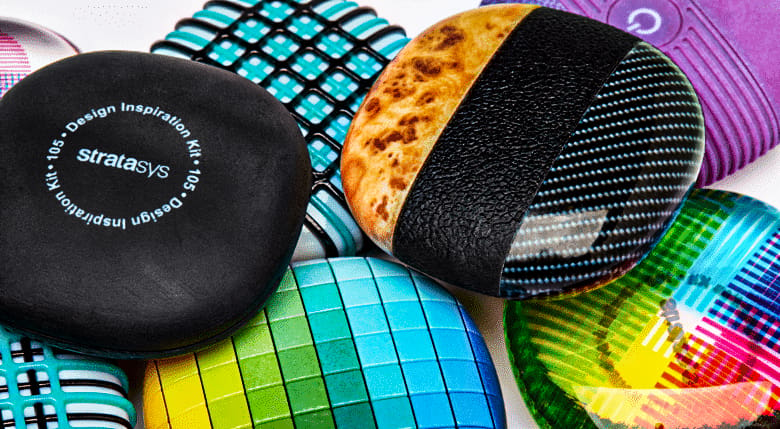
In the 3D printing business for over 35 years, Stratasys offers 28 3D printers spanning five technologies. When it comes to full color no other company offers more options than Stratasys at 7 3D printers.
Stratasys Full-Color 3D Printers:
- J55 Prime — full-color product prototypes & art
- J850 Prime — full-color product prototypes & art
- J826 Prime — full-color product prototypes & art
- J5 DentaJet — full-color dental models
- J850 Digital Anatomy — full-color medical models
- J5 MediJet — full-color medical models
- J850 TechStyle — full-color printing on textiles
Here, we focus on the company’s top option for product prototypes, the J55.
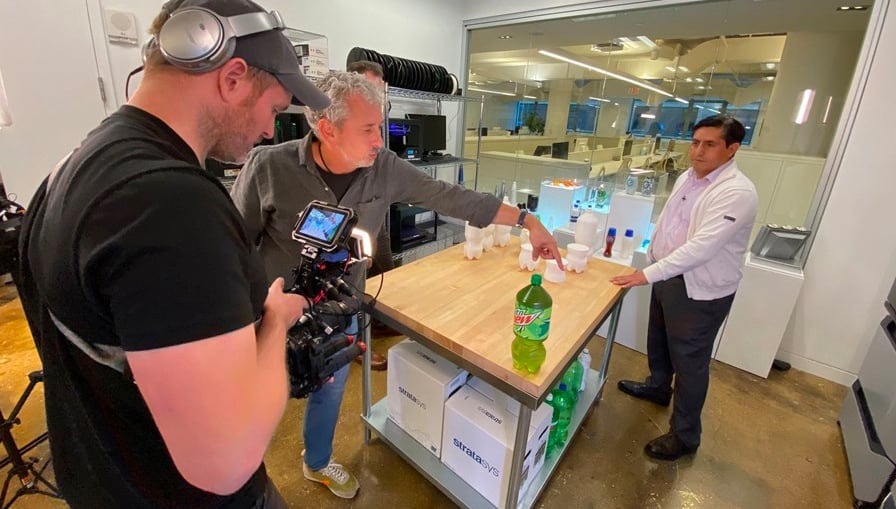
The Stratasys J55 is the only printer in our list with a multi-material option – giving you access to a palette of colors, textures, and gradients. You’ll also be able to imitate a variety of textures, from wood to fabric, and everything in between. It is capable of producing 500,000 colors and 2,000 Pantones, as well as transparent objects to simulate glass and plastic, making it an attractive option for prototyping. With Stratasys’ J55, you can also print with VeroUltraClearS, which is one of the clearest simulators of glass and plastic on the market.
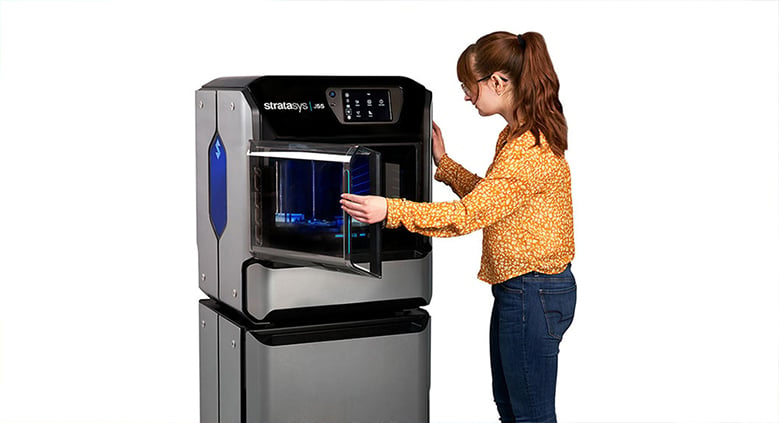
Similar to the J55, the J850 Prime can produce over 600,000 Pantone-validated color combinations, print seven resins simultaneously, and provide multi-material capabilities.
Technology
Stratasys uses its proprietary PolyJet printing technology in the J55, which is its entry-level full-color printer. The company’s J8 series (J826, J850) also all feature Polyjet technology and 500,000 colors but offer higher resolution, more material variety, faster speeds, and larger build volumes.
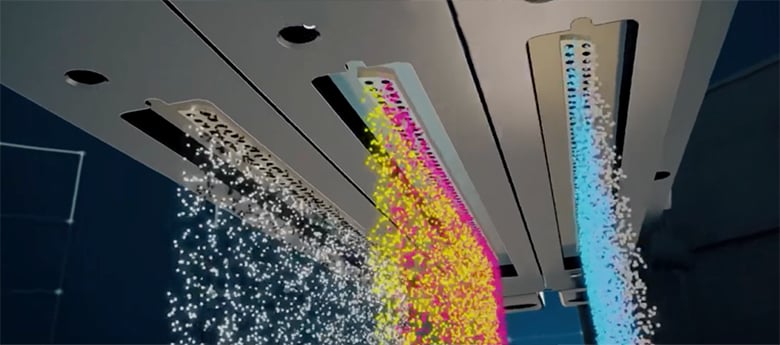
The Polyjet process uses liquid resin dispensed through inkjets. Photopolymer material in CMYK colors is added to the print bed layer by layer. In between, each layer is cured with UV light, allowing the user to adjust the transparency of each color.

As far as software is concerned, the J55 uses the Stratasys GrabCAD, enabling you to print directly from this CAD software without the need to convert and fix STL files. The J55 also supports the 3MF file format so you can directly 3D print in full color and multi-material textures directly from KeyShot 3D rendering software, saving you a lot of time.
It’s also worth noting that the J55 is not only office-friendly with its compact size, it’s also very quiet at 53 decibels (about the same as a household refrigerator).
Pros & Cons
+ Extremely fine detail
+ Multi-material capability
+ Compact dimensions
+ Color definition on digital model
+ Little post-processing required
– Requires support structures (although they’re hands-free and soluble)
– High printer and material costs
Case Studies
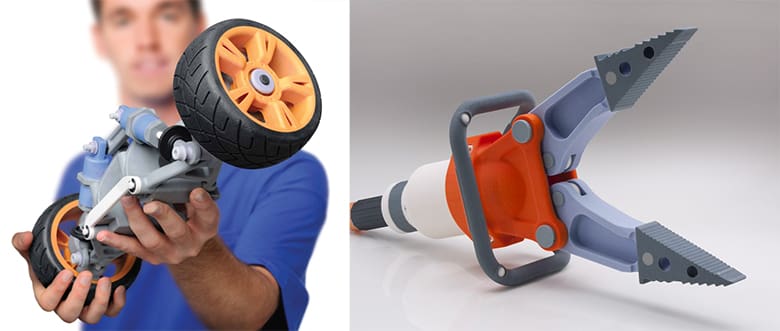
Cincinnati, Ohio-based product development firm Kinetic Vision faced the challenge of developing an alternative to its traditional consumer liquid packaging solution. Using the J55, Kinetic was able to produce prototypes of new packaging with semitransparent, full-color graphics printed directly on the part.
Priority Design, another Ohio-based product developer, harnessed the J55 to design and prototype a new type of handle for garden pruning shears. The printer allowed the company to quickly create multiple iterations of new handles and reduce post-processing significantly by printing colors and graphics directly onto the prototype.
3D Systems ProJet CJP 660Pro
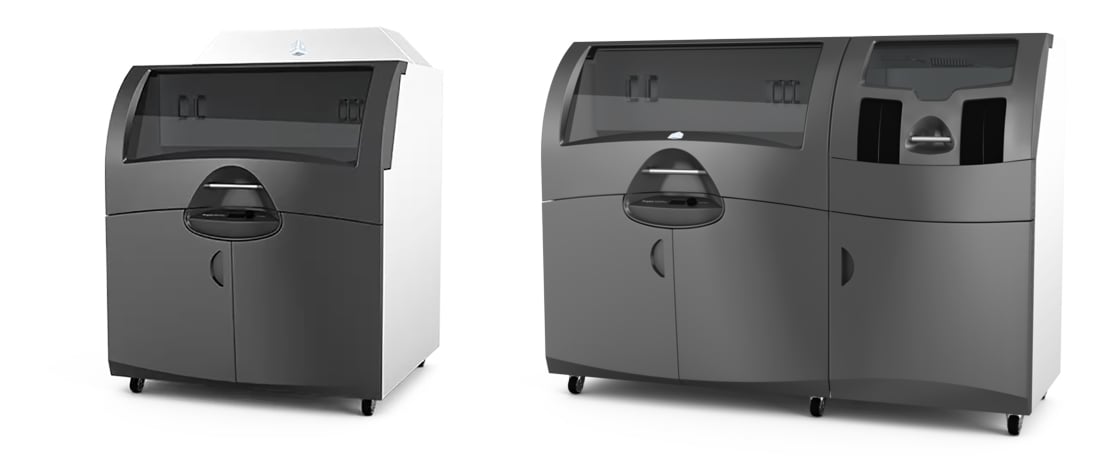
US-based 3D Systems is one of the leading additive manufacturing solutions companies on the market and offers a wide range of printers, materials, and 3D scanners serving nearly every industry. When it comes to full color printing, the company currently offers two models, the 660Pro and the 860Pro, although there have been other models in the past, such as the smaller CJP 260Plus and CJP 460Plus.
3D Systems Full-Color 3D Printers:
- ProJet CJP 660Pro – full-color product prototypes & art
- ProJet CJP 860Pro – full-color product prototypes & art
The company’s ProJet CJP (ColorJet Printing) technology creates photo-realistic parts in full CMY color with small feature details and the ability to use full texture and UV mapping to better emulate the look, feel, and style of product designs.
3D Systems says its ProJet CJP printers produce parts at a relatively low cost because you don’t need supports and the unused core material (a polymer powder) can be reused. Parts can be sanded, drilled, tapped, painted, and electroplated, creating a wide range of options available for finished part characteristics.
Technology
3D Systems’ CJP is an additive manufacturing technology that involves a core material in the form of a powder polymer, and a binder. The core material is spread in thin layers over the build platform with a roller, after which color binders (in cyan, magenta, and yellow) are selectively mixed and jetted from inkjet print heads, causing the core to solidify. The build platform then lowers with every subsequent layer, resulting in a full-color three-dimensional model. Note that there are no heat, light, or lasers used in this process.
Pros & Cons
+ Fast print speed
+ Design freedom – no supports
+ Material recycling
+ High-quality surface finish
+ Consistent mechanical properties
– Limited material options
– Small surface details may be lost
Case Study
Glassware maker ARC North America uses the ProJet 260Plus to create full-color prototypes of its latest glassware designs shaving weeks off prototyping and reducing costs by up to 90%, the company says. The level of detail and full-color capability of the prints allows companies and their customers to better evaluate the look, feel, and style of product designs. In ARC’s case, the ability to accurately depict designs, logos, and text that will decorate the final product is a major benefit.
Mimaki 3DUJ-2207
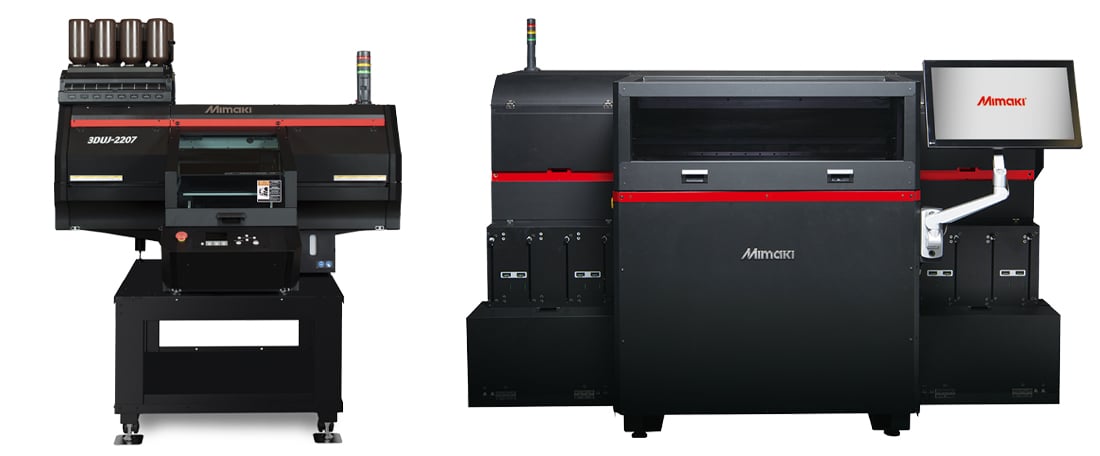
Mimaki, founded in 1975, has a long history in 2D color printers. In 2015, the company started producing 3D printers, releasing the 3DUJ-553in 2017 and the 3DUJ-2207, its other full color printer, in 2020.
Mimaki Full-Color 3D Printers:
- 3DUJ-2207 – full-color product prototypes & art
- 3DUJ-553 – full-color product prototypes & art
Mimaki says its 2207’s color system enables it to produce more than 10 million potential color combinations, as well as translucent and transparent parts. Its waveform control, circulation, and variable dot technologies ensure stable and precise ink delivery with smooth, finely detailed color reproduction.
Compared to Mimaki’s previous printers, the 2207 provides a more compact option than the Japanese firm’s older machines. It can be loaded into an elevator without disassembling, has a small footprint and a quiet design with a deodorizer, making it very office friendly.
Its water-soluble support material allows for easy post-processing, and as an additional bonus, the printer features a camera for live printing status checks.

Technology
Mimaki’s proprietary technology was originally developed for its 2D UV flatbed printers. It uses inkjet print technology to deposit UV-curable liquid resin in white, clear, and CMYK, along with soluble support materials on a bed layer by layer. Each layer is then cured by UV light.
The machine uses white or clear liquid resin as the base material and then instantly jets color to coat the base. After it’s completed, a roller flattens the material layer and the process repeats until the print is finished.
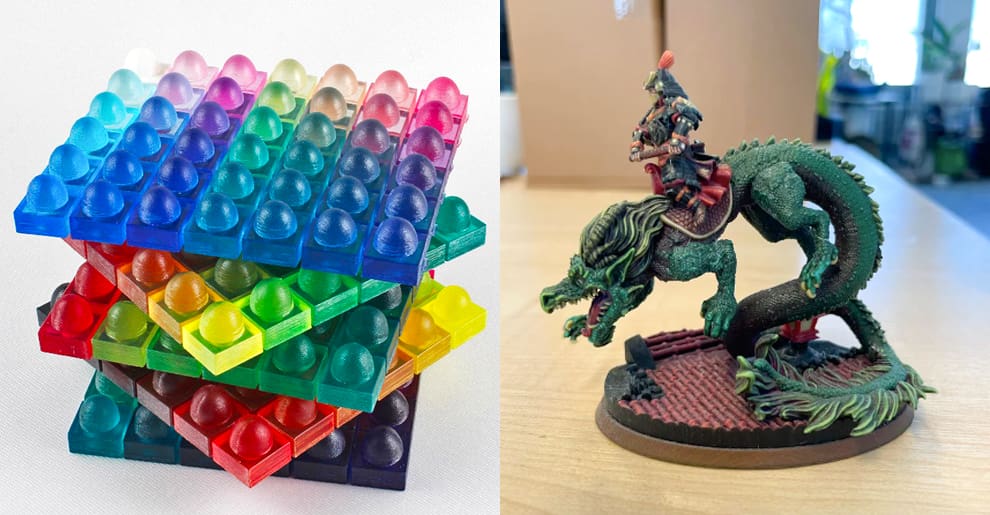
The Mimaki technology is able to achieve a wider range of colors than any other in our list, which is ideal for skin tones, as you can see in the video below, and fine art.
Pros & Cons
+ Superb color reproduction
+ Comparatively affordable machine
+ Good print detail
+ Water-dissolvable supports
+ Small footprint good for office environments
– Required supports
– Only prints in one material
Case Study
Doctors at the University of Florence used the Mimaki 3DUJ-553 full color printer to 3d print human parts in precise color detail to help their medical students learn, replacing the need to use real cadavers. According to the physicians in charge of the project, getting the colors to match accurately was incredibly important as it plays an essential role in distinguishing between the different anatomical structures. This was only possible because of the large range of colors the 553 is able to create.
An example of its lifelike capabilities is illustrated below:
Materials for Color Printing
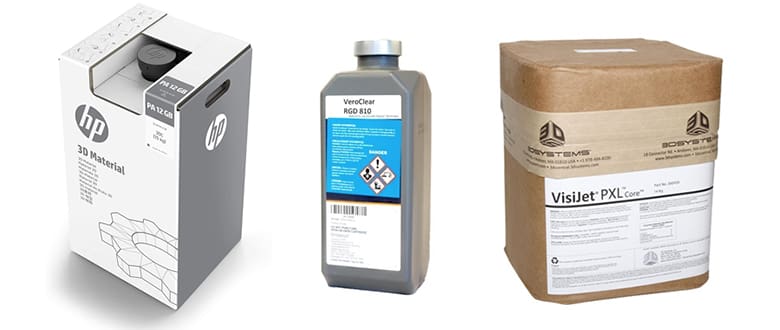
Let’s take a closer look at the materials that go into each of these machines as they are certainly not interchangeable. More importantly, materials play a significant role in the cost to run your machine so keep in mind how many materials, coatings, sealants, and inks you’ll need and their cost.
3D Systems uses a base material called VisiJet PXL in all of its color printers. It is a type of plastic powder, and what’s interesting about this material is that you can coat it with three distinct toppings (ColorBond, StrengthMax, and Wax) to change its properties. For example, VisiJet PXL plus the company’s ColorBond quick-curing coating creates strong and vibrant prints. In fact, 3D Systems even provides mechanical specs for their materials, such as tensile strength, elongation at break, flexural strength, etc. Each of these stats will change depending on which coating is applied.
There’s a fourth coating option called Salt Water Cure, which is eco-friendly and economical, but it’s only for monochrome prints.
Stratasys color printers use liquid photopolymers, similar to resins, in CMYK that, when combined, create colors similar to an inkjet printer. The material is called VeroVivid, and when combined with the company’s other materials, such as Vero white, black, or clear shades, it allows for any transparent or opaque combination. Materials in the Vero family share similar mechanical and thermal properties, and Stratasys does offer mechanical specs, including shore hardness, water absorption, tensile strength, etc. For quick prototypes, Stratasys also offers the DraftGrey, rigid material with a medium opacity and smooth finish, for the J55.
Mimaki takes a two-material approach that includes UV-curable liquid resin (in white and clear with CMYK inks) and water-soluble support material. The company says its resin ink has the same strength as ABS, making it possible to drill holes and attach screws. In addition, overcoats can be used on the final prints to create different looks.
Post Processing and Polishing
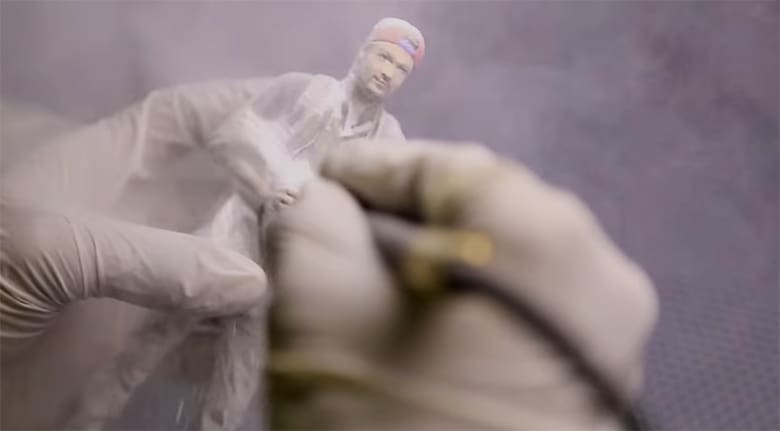
Once your color part is finished printing, you’re not done. There’s typically some post-processing and polishing to get the desired vibrancy and texture. How complex and time-consuming this process is, depends on the printer and technology. Let’s take a look.
The powder-bed technology solutions from 3D Systems requires that leftover powder be removed from the final print. Then parts are removed from the bed of powder they’re in, polished and then optionally coated with a sealant to bring out the colors.
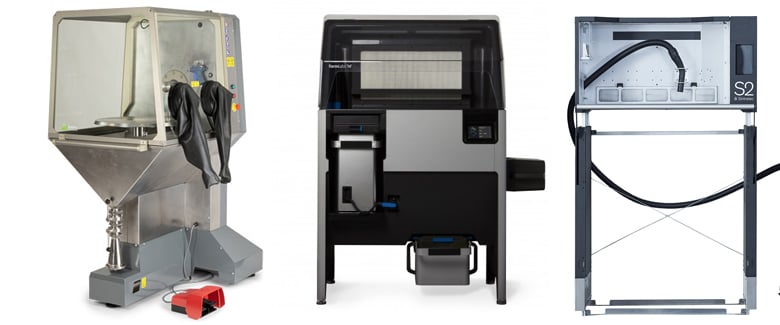
A cleaning station like one of the ones pictured above, is where you can clean your prints by hand, with bead and air blasting.
3D Systems offers its own Core Recycling Station (~$12,000) and Cleaning Station, but you can pair it with other brands of cleaning stations.
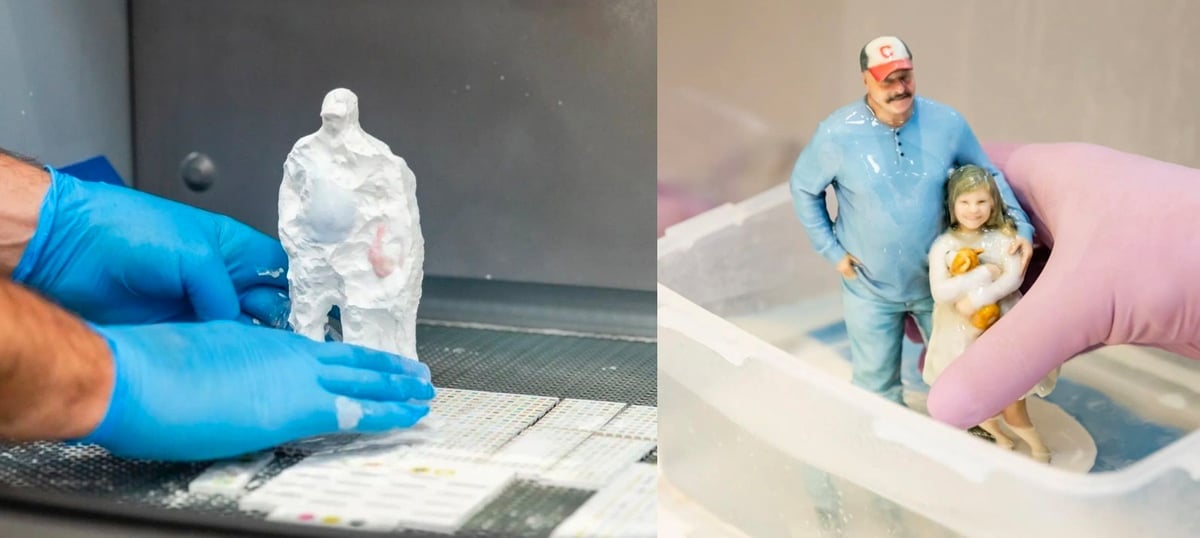
Stratasys and Mimaki use liquid plastic technology, so you don’t dig parts out of a bed of powder. Instead, after printing, you easily dissolve the supports in water (if there were any supports required). Then, with both Stratasys and Mimaki, there are just some minimal cleaning. Optional polishing and coating with sealants can boost the color vibrancy.
Category Winners
Each of these printers shines in its own niche, and they are all great choices for full-color 3D printing. However, not everyone can be great at everything. Let’s take a look at who takes the lead in color reproduction, print detail, and printing speed.
Best Color
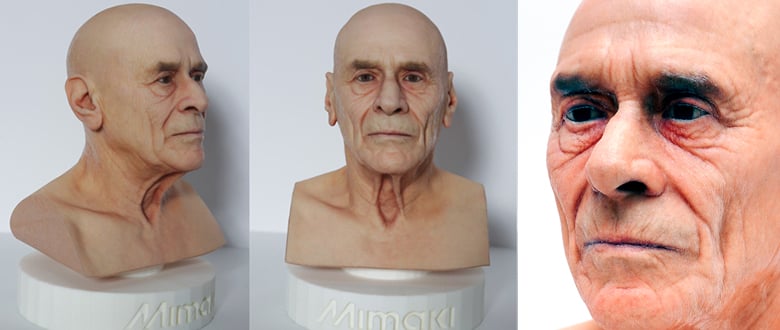
The Mimaki 3DUJ-2207 has the ability to produce a mind-blowing 10 million color combinations and has the least of the whiteish top layer that each of the other printers produce (although, if you add a polishing step, this is no longer an issue). In fact, none of the competing printers can reach Mimaki’s number of colors, which enables an amazing range of subtle variations of skin tones and finely tuned color gradation that you can see in the lifelike figures above. Mimaki adheres to the standards of the International Color Consortium, so your color results are pretty much guaranteed to be consistent no matter which Mimaki 3DUJ-2207 printer you use. Stratasys also offers Pantone verification on nearly 2,000 colors, so you’re guaranteed to have a final part that is an exact Pantone color, but we’re going to call this category for Mimaki!
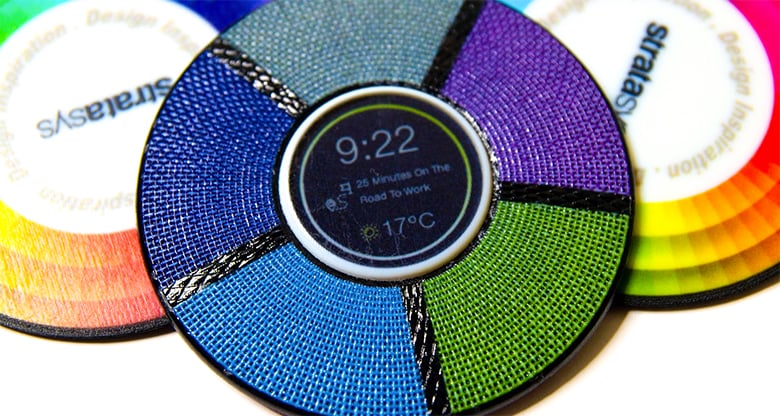
Best Print Detail
The Stratasys J55 takes the cake in print detail with a layer thickness of only 18 microns, yet Mimaki comes in second place with 28 microns. Certainly, the J55’s detail leaves the 3D Systems’ 100-micron-thick layers in the dust, but still, the differences are not very noticeable to the naked eye. The fine detail contributes to how well the J55 can simulate different material finishes, such as rubber, fabric, and wood.
Best Printing Speed
Declaring the victor is not as straightforward when it comes to printing speed. A lot depends on what you’re printing, so it’s worth giving manufacturers an example of what you expect to print, and they should be able to give you a rough estimate in hours.
3D Systems says its maximum vertical build speed is 28 mm per hour. Stratasys does not report printing speed for the J55, but the printer can cut printing times by producing multiple parts lined up over the print head pass without affecting the total time. Mimaki only reports that the 2207 is 3 to 4 times slower than its larger 3DUJ-553 printer.
Due to the lack of clear information, we are calling this race for 3D Systems!
Full-Color 3D Printing Services

Although having one of these impressive printers in your office or workshop will no doubt be a great benefit for any company, they do all require a significant up-front investment. As such, buying a full-color 3D printer may not always be financially possible. If you’re simply looking to complete a one-time or occasional print job that doesn’t warrant buying a machine of your own, there are many third-party printing services that do own these fantastic machines.
Finding the right company for your needs can be a challenge, though, so using a 3D printing price comparison service, like Craftcloud, is an easy way to shift through the metaphorical haystack to find the needle you’re looking for.
If you’re interested in one of the three technologies we cover, be sure to ask your service company which full-color printing technology they offer. Craftcloud, for example, offers MultiJet Fusion and PolyJet,
The Growing Business of Full-Color Miniatures

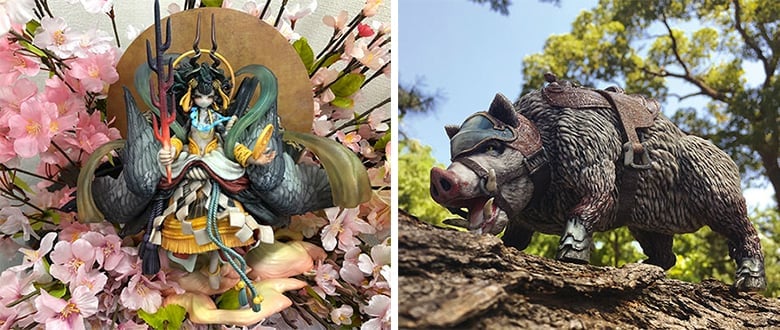
With one professional full-color 3D printer, you can launch a business. In fact, it’s becoming more popular to 3D print custom figurines of people from photos or 3D scans. There are also a growing number of companies that will print gaming character figurines in full color.
Hero Forge, the popular site for custom 3D printed tabletop miniatures, launched a Kickstarter campaign in 2020 to launch a full-color offering and raised $1.7 million, presumably to purchase one or more full-color 3D printers. But the company is more than a service, it has a configuration portal so you can quickly assemble your miniature.
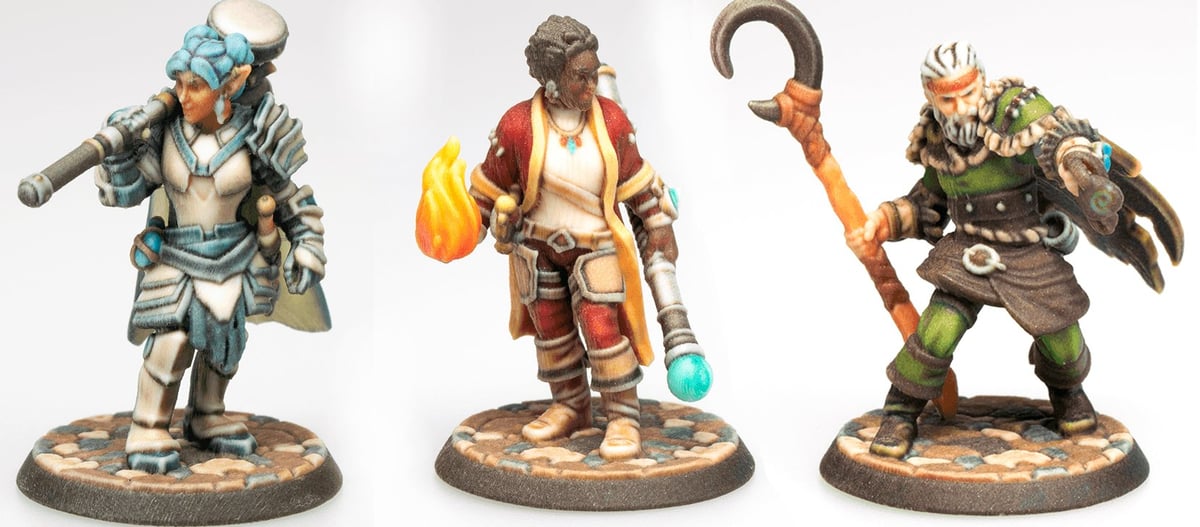
Companies, such as MiMe, create personalized 3D printed figurines (on a 3D Systems CFP) from digital data captured in either an in-person body scanning session or via photos.
Main photo caption: orange shoe print from 3D Systems, purple and blue/white disk from Stratasys, building with gold dome from 3D Systems, clear and blue perfume bottle from Stratasys, foot model from Mimaki, blue/orange auto component from 3D Systems, woman and dog figurines from fineprint3D.de printed on a Stratasys, garden tools printed on Stratasys by Priority Designs.
License: The text of "This is How Professionals Get Real-Looking, Full-Color 3D Prints" by All3DP Pro is licensed under a Creative Commons Attribution 4.0 International License.