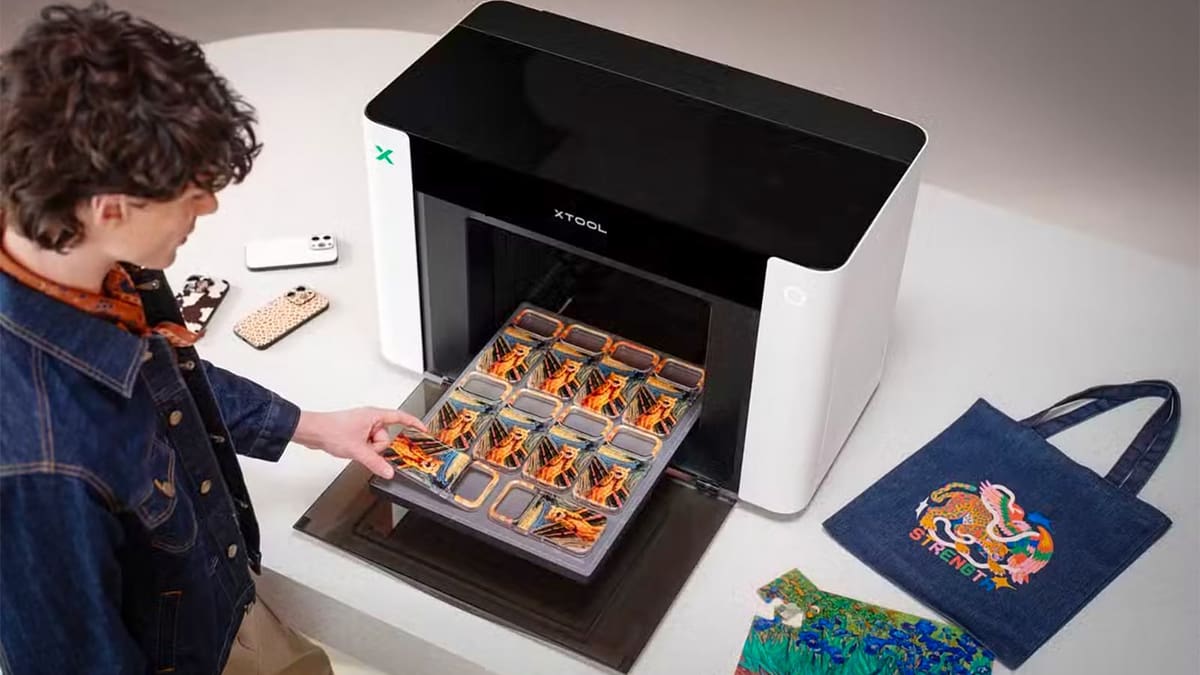
xTool 01 Omni: Is This Multi-Surface Desktop System the Ultimate Custom Print Shop Shortcut?

The modular dual-head printer is designed to decorate everything from acrylic and metal to T-shirts and transfer decals, with pre-order pricing starting at $1,699.
xTool just unveiled the O1 Omni, a desktop printing system that combines four decoration processes in a single machine: UV, direct-to-garment (DTG), direct-to-film (DTF), and UV-DTF printing. No, it doesn’t 3D print parts and models like the printers you may be used to, but it’s part of a new wave of machines for a new type of maker.
The company describes the O1 Omni as the world’s first “4-in-1 Omni Printer,” positioning it as an alternative to operating separate machines for rigid objects, clothing, and transfer decals. According to xTool, the printer can work with materials including wood, acrylic, glass, metal, and fabric. It can also produce water-resistant UV-DTF decals for curved or irregularly shaped objects.
At the center of the system is a dual-printhead architecture offered in several factory-configured versions — one version doesn’t do everything. Buyers can choose a UV-focused configuration with either one or two UV printheads, or a hybrid setup combining UV and textile-printing hardware.
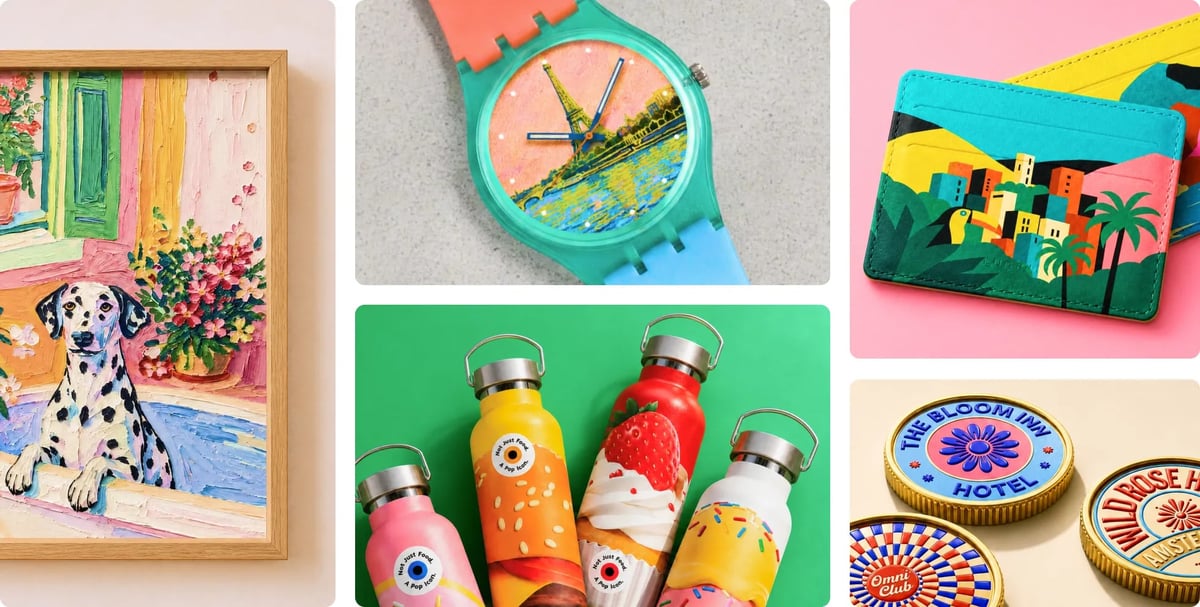
The dual-UV version is intended to improve production speed over xTool’s other models and support more advanced effects. xTool says it can use soft, flexible, and hard white inks, as well as fluorescent inks that become visible under black light.
Scanning Instead of Eyeballing
One of the O1 Omni’s headline features is xTool’s Pixel-Scan imaging system. It combines a contact image sensor, or CIS, with laser-based surface sensing to capture a one-to-one representation of objects placed inside the printer.
Unlike a wide-angle overhead camera, the CIS system is intended to avoid lens distortion and alignment errors around the edges of the work area. xTool says this enables a jig-free “drop and print” workflow in which users can place objects freely, scan them, and position artwork directly over the resulting image.
Laser sensing also checks the height of the workpiece and automatically sets the printhead clearance, which should reduce the risk of collisions with uneven or raised objects.
When paired with an optional rotary attachment, the system can create a digital model for what xTool says is around 90% of common cylindrical objects, including mugs and tumblers. Users can then preview the artwork wrapped around the virtual object before committing to a print.
Raised Textures and Lenticular Effects
The O1 Omni is not limited to conventional flat color printing. xTool says the UV configurations can build raised textures up to 7 mm thick. The accompanying xTool Studio software includes a library of more than 2,000 textures, according to the company, as well as tools for generating reliefs and lenticular images. The latter are designed to produce graphics that appear to move or change as they are viewed from different angles.
The software also connects the printer with compatible xTool laser machines. You could, for example, print a full-color graphic with the O1 Omni before sending the same design to a laser cutter to cut its outline. Automatic object and contour recognition is intended to reduce the need to realign the design manually.
Accessories for Roll Printing and Cylindrical Objects
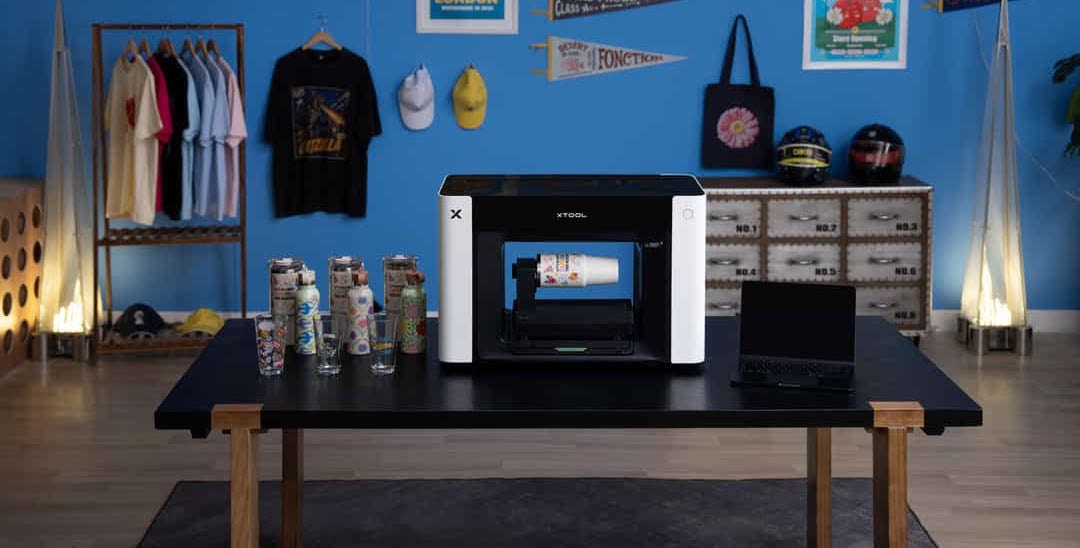
xTool is building a modular accessory range around the printer. Announced options include a rotary attachment, an apparel printing tray, a roll feeder, and laminator integration.
As with the core printer, the usefulness and total cost of these workflows will depend heavily on which accessories are included with each package and which must be purchased separately.
Price and Availability
The xTool O1 Omni is being offered in three configurations:
- O1 Omni Single UV Edition: $1,699 during pre-order; $2,499 MSRP
- O1 Omni Dual-Head UV Edition: $2,699 during pre-order; $3,299 MSRP
- O1 Omni UV + DT Fabric Edition: $2,799 during pre-order; $3,499 MSRP
Customers can place a refundable $50 deposit to secure the pre-order price. The deposit is deducted from the final purchase price.
xTool says shipping is expected to begin as early as August 2026, although final delivery timing may vary by order and region.
The entry-level price is aggressive for a desktop UV printer, let alone a machine designed around several printing processes. However, prospective buyers will need to examine the final package contents, ink costs, accessory pricing, print speeds, and maintenance requirements before determining whether the O1 Omni can genuinely replace multiple dedicated machines.
On paper, though, its ability to move between rigid objects, garments, transfer films, raised textures, and cylindrical products gives it an unusually broad range of potential applications for makers, personalization businesses, and small print shops.
You May Also Like:



License: The text of "xTool 01 Omni: Is This Multi-Surface Desktop System the Ultimate Custom Print Shop Shortcut?" by All3DP is licensed under a Creative Commons Attribution 4.0 International License.