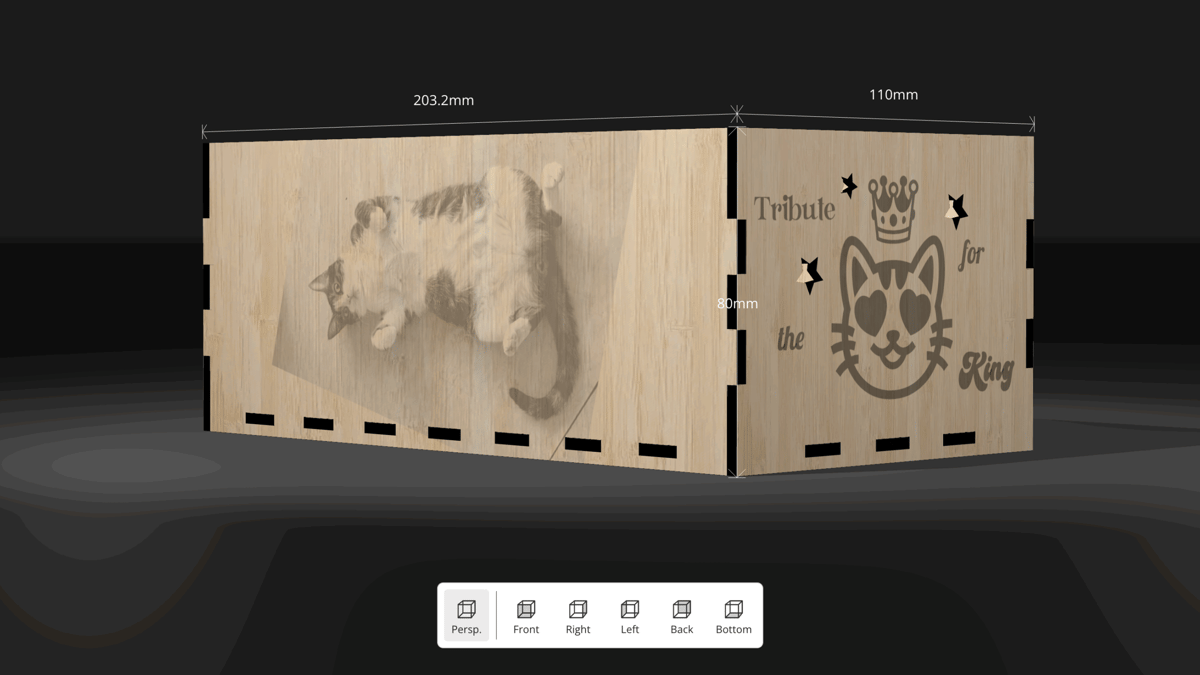
This New Bambu Lab Tool Is Great for Messy Makers… and Cats

Laser Box Maker is a feature-rich MakerLab tool that lets users easily generate and decorate laser-cut boxes.
With Bambu Lab’s foray into laser cutting and engraving, MakerWorld has launched a new tool for laser projects: the Laser Box Maker. The tool allows for the creation of customized boxes that can be easily exported to the H2D for engraving and cutting, while users with other laser engravers can download the SVG file.
Laser Box Maker has a clean interface and is easy to use. The box design is visible in the viewport, with a toolbar on the left and setting panels on the right. Users can view a 3D rendering of their box in the “3D Design” tab and 2D drawings of the individual pieces in the “2D Design” tab. The dimensions of the box can be easily set in the right panel, along with details about your machine’s laser power and the material you’re planning to cut and engrave.
Now, if all of this sounds a little familiar, you’re not wrong. MakerCase and Boxes.py are parametric box generators that have been around for a while. Both have a larger selection of box designs than Laser Box Maker, and users have a bit more control over the design. For instance, the finger joints are configurable in both web applications.
Where Bambu Lab’s Laser Box Maker excels is its ability to decorate the box with images, text, emoji, and shapes. Context menus for each design element appear on the right panel and allow for fine-tuning and further customization. This is especially handy for images, as the context menu includes image editing tools, such as cropping, lighting, and transformations.
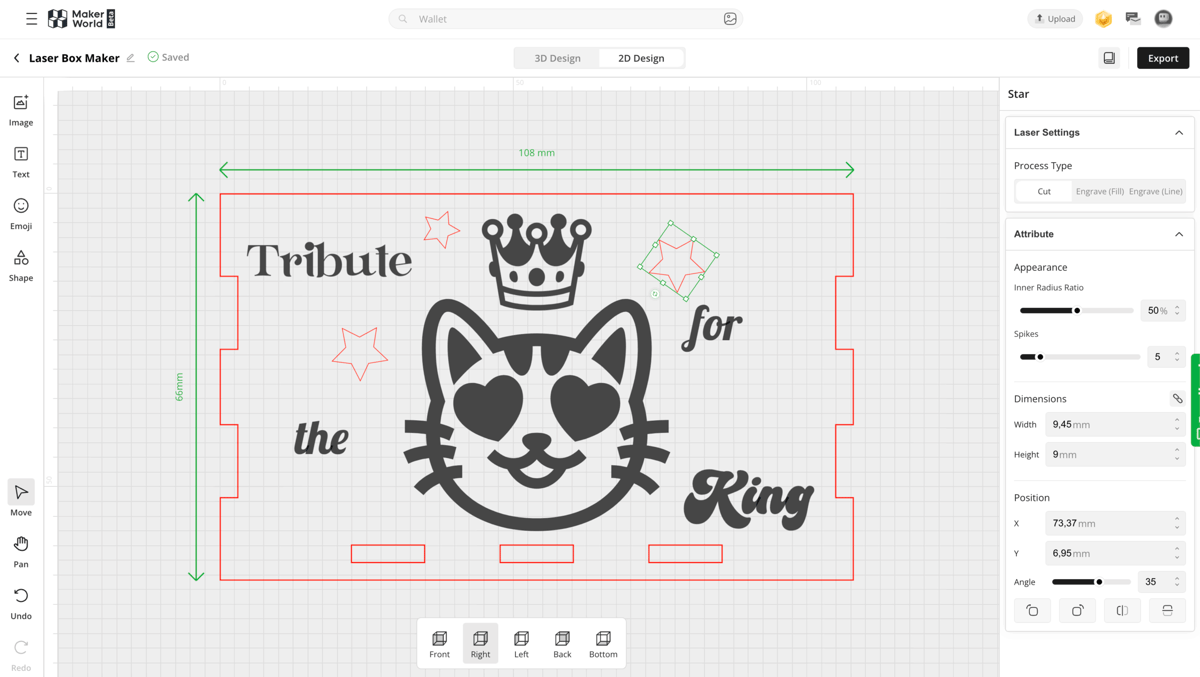
Moreover, you can decide whether to cut, “Engrave (Fill)” (which is raster engraving), or “Engrave (Line)” (i.e., vector engraving) each of the design elements you add. Images, however, can only be raster engraved, but you can determine the laser power for the image engraving.
As lovely as Laser Box Maker is, I must admit that I found one thing particularly annoying: It’s not possible to copy and paste a customized design element. For each star in the design above, I had to go back to the Shape tool, select the star, configure the number of points, scale it down, then rotate it. Bambu Lab, if you’re listening: Just give us a simple copy and paste to make our lives easier.
For messy makers like me, storage boxes are great for keeping tools and sundry items in one place, but as I’m in the midst of Marie Kondoing my life, yet another storage box will only be enabling. Fortunately, my office mate Jonny has a cat, who goes by the name Montgomery.
Every cat parent knows exactly what’s going to happen to their laser-cut box: It is a truth universally acknowledged, that a bored cat must be in want of a box. So, I’ve decided to cut and engrave a gift for Monty. Once we’re all done with it, we’ll post the final result – and hopefully photos of Monty sitting in it – to our socials.
You might also like:
License: The text of "This New Bambu Lab Tool Is Great for Messy Makers… and Cats" by All3DP is licensed under a Creative Commons Attribution 4.0 International License.