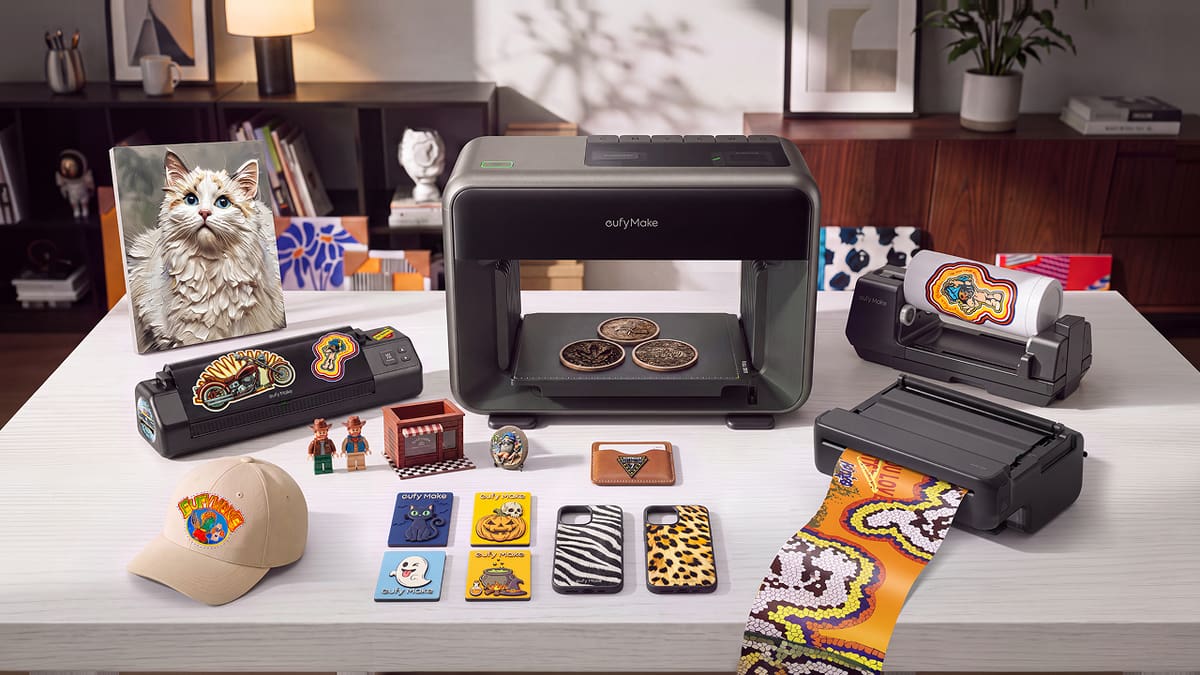
2x Faster Speed: Anker eufyMake E1 Update Unlocks Bidirectional Printing & More

Bidirectional printing, a guided design flow, and flexible ink arrive in a multitude of updates for Anker eufyMake's desktop UV printer.
Headlined by a new bidirectional printing mode that can reduce print times by up to 75%, the latest E1 release is designed to make printing faster while also smoothing out the broader user experience. Beyond the speed gains, the update refines key steps across design preparation and job setup, helping make the path from concept to finished print more efficient and intuitive.
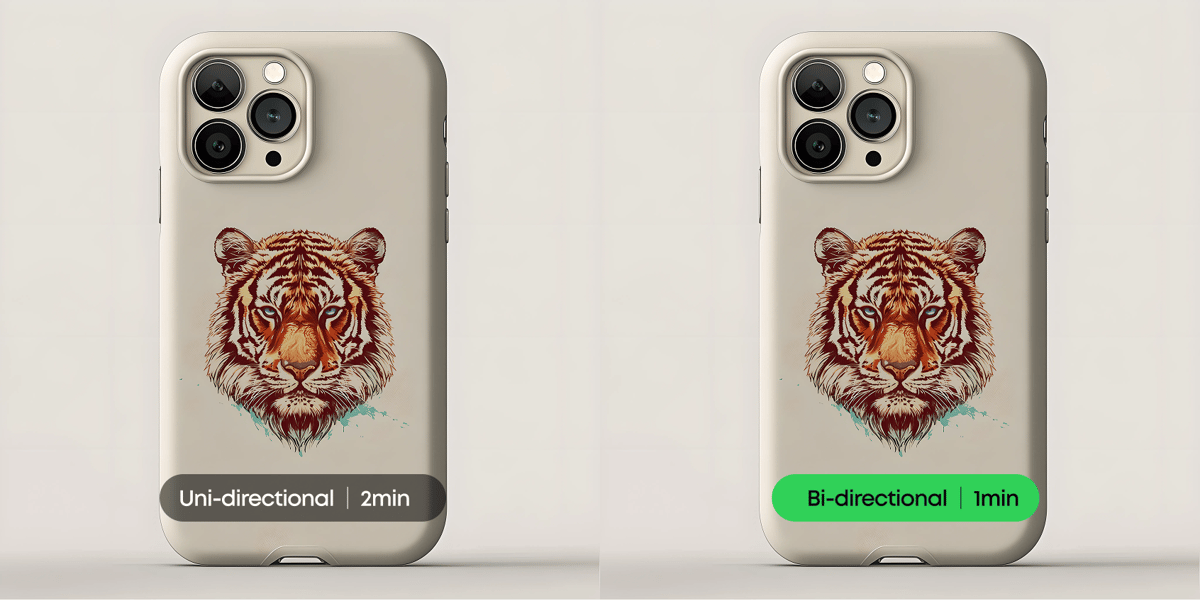
Bidirectional Printing Is Officially Here
Anker eufyMake has finished testing and validating Bidirectional Printing, and the feature is now live. Instead of laying down ink in a single direction, the E1’s printhead now prints as it travels both ways. Bidirectional Printing can reduce print time by roughly 40% to 75%. In most settings, it cuts print time by around 50%, effectively doubling printing speed compared with unidirectional printing..
For now, the mode works with flat printing only. The feature requires firmware 4.0.9 and PC software 4.3.3 or later, and is now also available in the Anker Make App.
Interactive Design Flow Guides First-Time Users
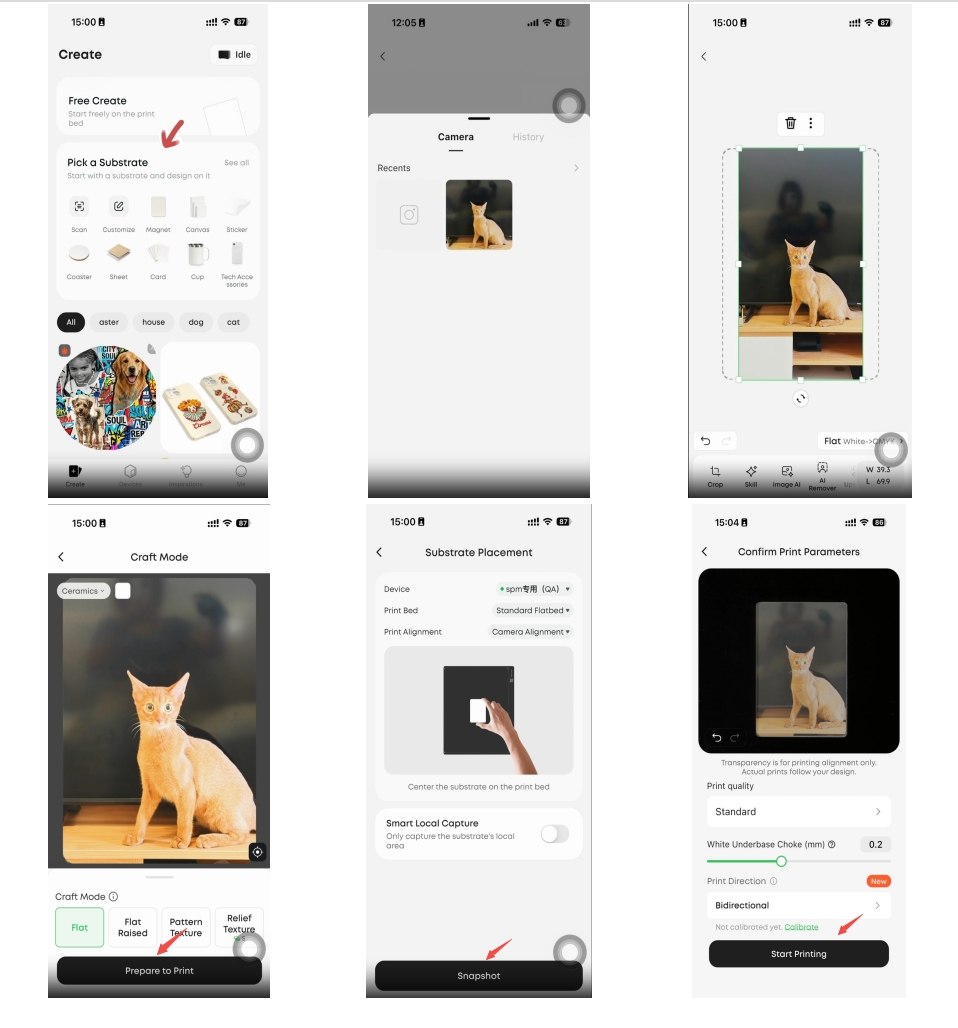
Preparing a first UV print means making several decisions in a row. Users have to pick a surface, size the artwork to fit it, work out how to achieve the desired effect, and ensure everything is aligned. Tackling them all together can be overwhelming, but Anker eufyMake’s Interactive Design Flow feature breaks the job into stages and presents them in sequence, so users only have to deal with one decision at a time.
Users first pick a substrate: an official preset, a saved one, or a fresh scan of their own. They then create a design by uploading a photo and setting the print size. Next comes craft setup, where they choose Print Flat or Print Raised Texture mode; with an official substrate, all craft parameters are preset. Then Easy Align by placing the substrate in the center of the print bed and taking a snapshot that auto-aligns the print area to the substrate. Finally, all set; just print.
Know Your Ink Usage Before You Print
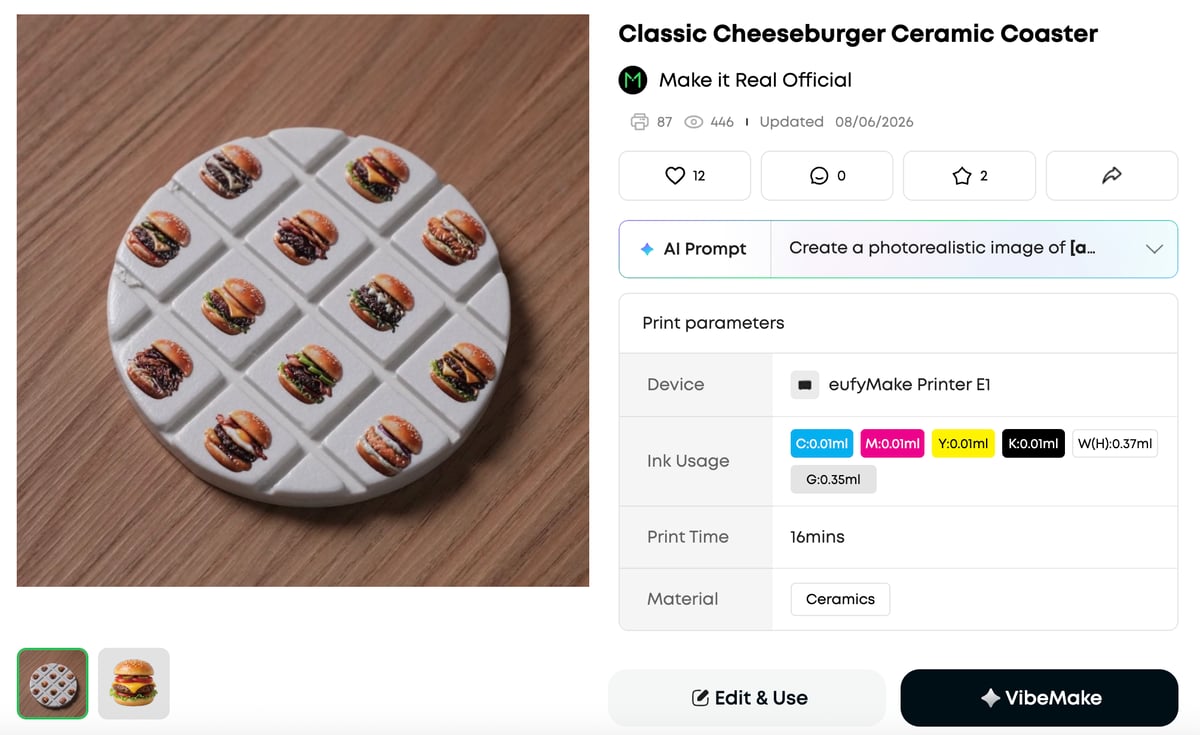
Project pages on Anker eufyMake’s Make It Real design platform now show estimated ink consumption for each color channel (C/M/Y/K/W/G), along with projected print time.
For users who want to estimate ink usage for their own designs, Anker Make Studio offers another option. By uploading an image to the software, users can preview projected ink consumption without running an actual print job. That makes it easier to plan materials and costs ahead of time, even for those who don’t yet own an E1.
Expired Ink No Longer Stops a Job
UV ink usually stays usable for 12 months after it is produced. Over time, some of its components can separate or sink, making clogs more likely and, in extreme cases, harming the printhead. Anker eufyMake initially blocked expired ink on the E1 outright, aiming to protect newer users from avoidable hardware damage.
But a blanket lockout isn’t always practical. For example, replacement ink doesn’t always arrive before a job is due, and a printer that refuses to run can bring work to a halt. Anker eufyMake has now lifted the restriction, leaving the decision with users.
To explore the Anker eufyMake E1 and its accessories, visit the Anker eufyMake UV printer page.
Two Black Friday Windows: Pick the One That Fits You
Anker eufyMake’s Black Friday runs in two windows this year. Here’s how to pick yours.
- Early Black Friday, Oct. 27 to Nov. 10: The basic bundle starts at $1,999 (was $2, 409), while the Deluxe Plus bundle goes for $2,899 (was $3,709). Buyers get a free Exclusive Material Discovery Kit, valued at $200, with materials you won’t find bundled together anywhere else, and which is only available in this window. You’ll also get your E1 sooner; skip the Black Friday shipping rush.
- The Black Friday Main Event, from Nov. 11 to Nov. 30: The same basic bundle drops to $1,799 and the Deluxe Bundle to $2,699, the best prices of the year. There’s no exclusive material kit at this window; if you don’t need the material kit and just want the lowest price, this is your window.
In both windows, All3DP readers can use our exclusive code, all3dp200, to take $200 off any order over $3,000. Both windows are coming. For more details, visit the Anker eufyMake website.