New BambuStudio Build Simulation Set to Eliminate Failed Prints, Mostly

Bambu Lab and Helio Additive bring industrial-grade simulation and optimization tools to desktop FDM users.
Software that simulates how your part will be 3D printed was once limited to top CAD programs for advanced additive manufacturing. But now, a new integration of this type of software is inside BambuStudio, the Bambu Lab slicer for all H-series and X-series desktop printers.
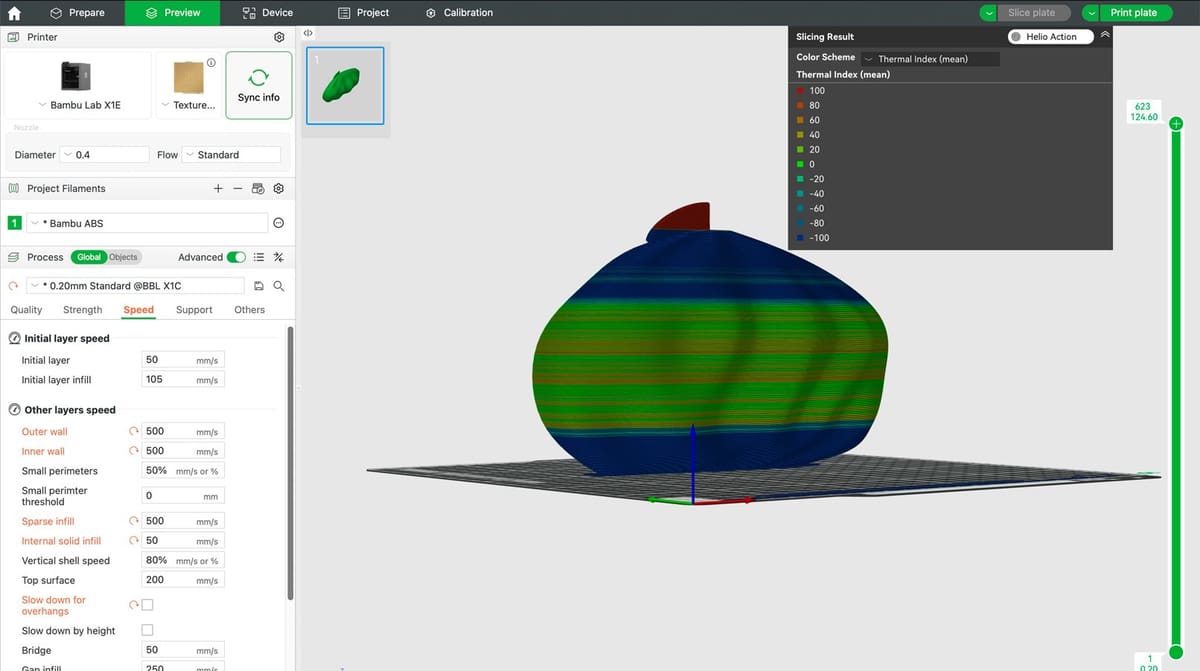
Available now, the integrated functionality developed by Helio Additive, called Dragon, considers all of your various print parameters and how they affect your print. For example, it shows thermal simulations so you can visualize the heat during printing according to your current print parameters, providing information about whether to adjust the speed or cooling fan. You can also compare build simulations using different parameters (infill density, supports, print speed, nozzle temp., etc.) to see which one might print faster or with reduced warping.
Simulations give the data you need to manually tune your print parameters for best performance, but there’s also an auto-tuning option in Dragon to deliver the best print with one click.
“We created Dragon to eliminate uncertainty in 3D printing,” said David Hartmann, CEO of Helio Additive. “Now, thanks to our partnership with Bambu Lab, desktop users everywhere can access the same intelligent simulation and optimization once reserved for industrial platforms.”
Dragon’s physics-based print simulation tools aim to deliver faster print speeds, stronger parts, dramatically reduced waste, and overall greater confidence in print success, without a lot of trial and error, Bambu Lab says.
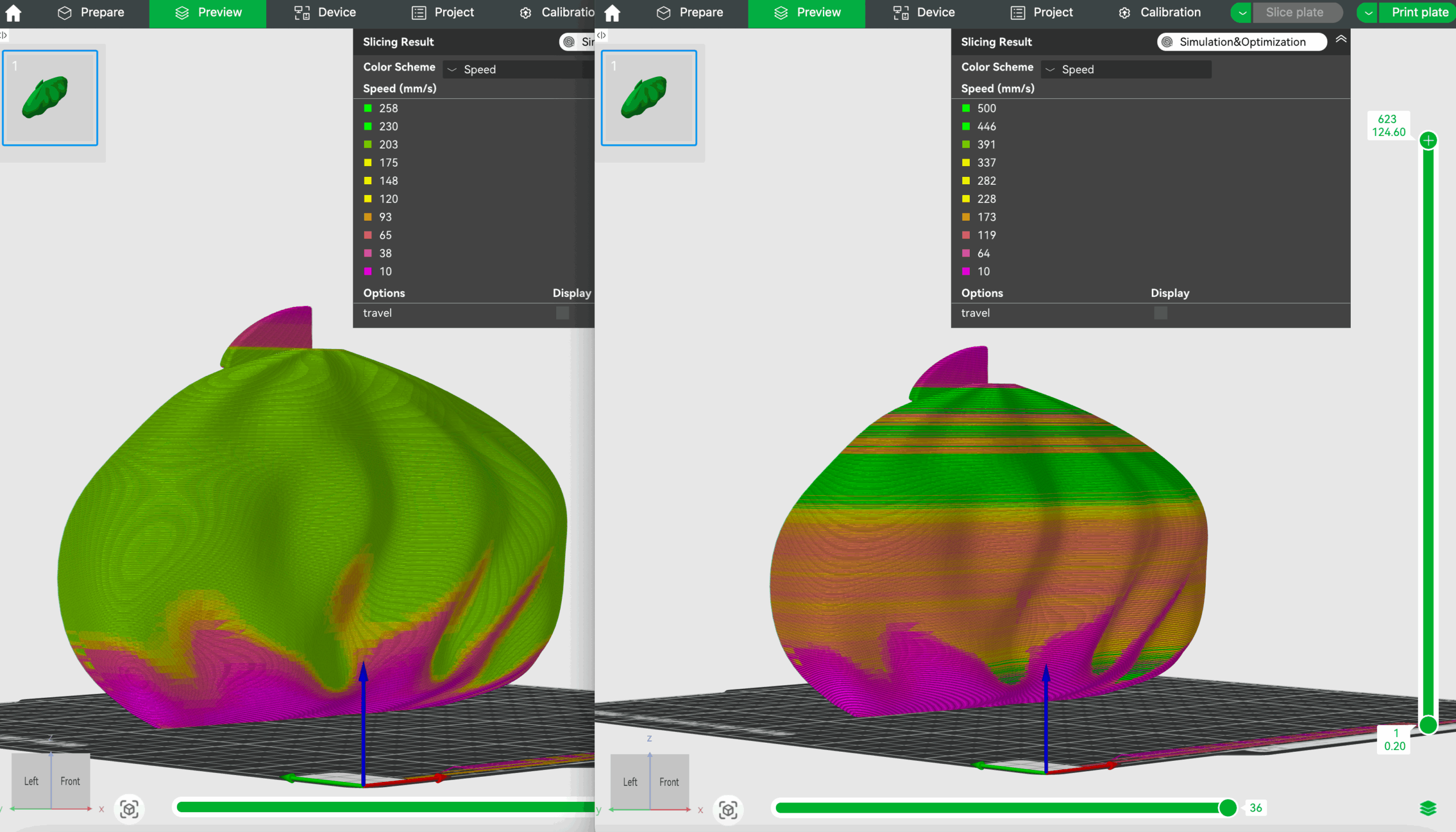
At launch today, Dragon supports about 20 high-performance materials. To activate Dragon in BambuStudio, visit wiki.helioadditive.com or open the latest version of BambuStudio and enable Helio in the settings menu.
Simulations take a fair amount of computing power and time, which is all hosted on Helio’s servers. All BambuStudio users on H-series and X-series printers will receive 25 free simulations per month, but for more demanding use cases, from Aug. 26th, users can upgrade to a $15/month subscription managed directly by Helio Additive. This subscription provides up to 35 “one-click” optimizations monthly.
For more, visit the Helio Additive Wiki.
License: The text of "New BambuStudio Build Simulation Set to Eliminate Failed Prints, Mostly" by All3DP Pro is licensed under a Creative Commons Attribution 4.0 International License.