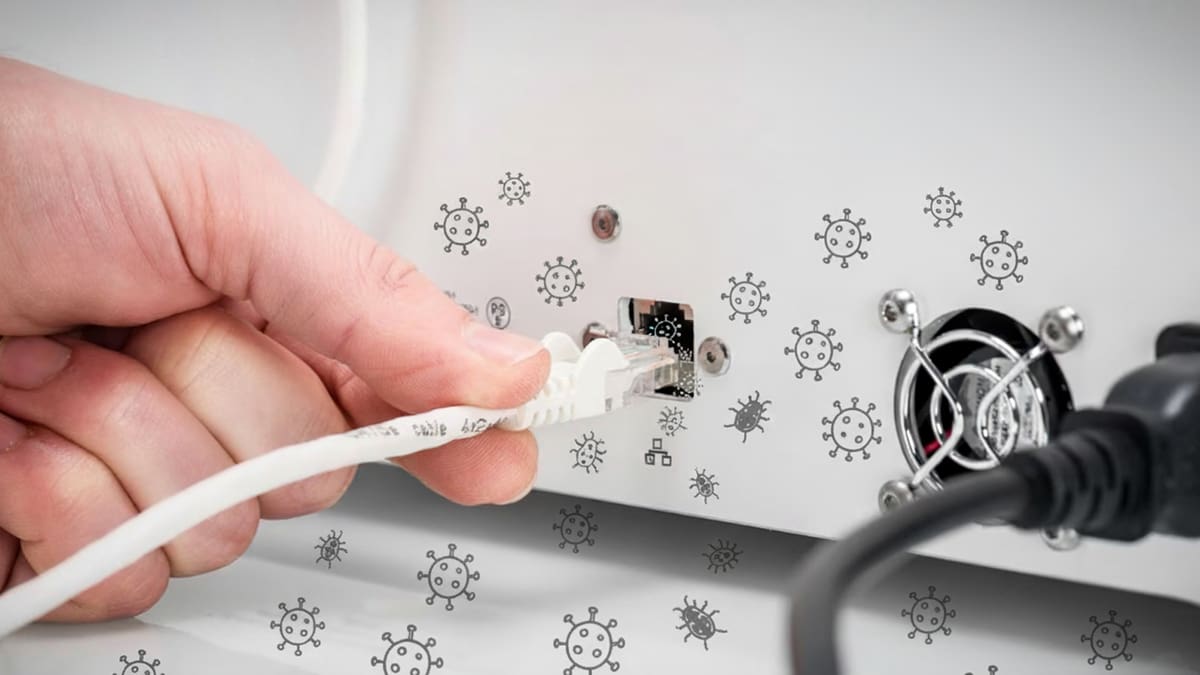
Is Your 3D Printer a Security Risk? You Might Be Surprised

Recent real-world attacks prove that your printer could be a prime target for hacking, viruses, and IP Theft. Understanding its weak points is the first step to protecting your designs, your network, and your physical prints.
Desktop 3D printers are no longer just hobbyist tools; they sit on corporate networks, in schools, and on the shop floors or major manufacturers—quietly running code that turns digital files into physical objects. But how secure are they? Recent research and high-profile incidents show that desktop FDM printers can become a surprisingly vulnerable attack surface, potentially leading to compromised parts, stolen IP, or worse.
But how much should the average maker worry about being vulnerable to viruses, malicious attacks, and ransomware from their 3D printer? As much as they worry about the security of their computers, because, at the end of the day, they are just as susceptible. The difference, of course, is that 3D printer compromises don’t just affect data; they can alter or destroy physical output.
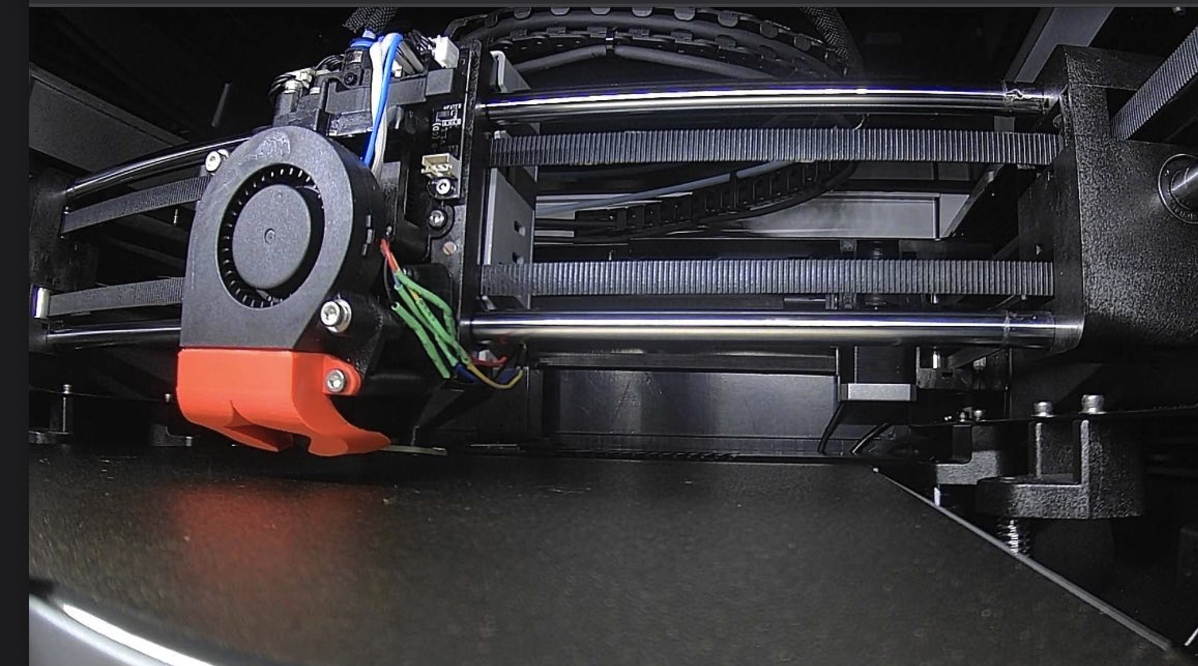
Security has surfaced as a hot topic in the desktop 3D printer space, not because there’s a tidal wave of new 3D printer hacks out there (yet), but that industries already under constant cyberattack — like aerospace, defense, and big multinationals — are increasingly relying on these desktop 3D printers for prototyping, factory tools, and even final parts.
For hobbyists, a printer hack might mean a failed print or some wasted filament. For companies, the risks are sharper:
- Intellectual property theft: Uploaded CAD files can be intercepted or copied.
- Sabotage: Altered toolpaths can produce structurally unsound parts.
- Network footholds: A compromised printer can provide lateral movement into corporate IT.
- Compliance risks: Printers handling sensitive or regulated designs must meet security standards just like any other endpoint.
The Use of 3D Printers Is More Widespread, So Is Hacking Them
Today’s security focus is primarily driven by compliance requirements in highly regulated industries, along with what security engineering expert and former U.S. State Department security advisor Eni Xhaferaj says is a “broader increase in real-world hacking attempts against 3D printers outside of these sectors.”
“FDM printers are now embedded in production lines just like other industrial control systems, but they don’t just hold the blueprint of a part; they capture speed, density, material composition, and other production specifics that are proprietary to manufacturers,” says Xhaferaj. “This data was once clustered in different processes, but now it lies all in one place, making certain part productions a single point of failure.”
Xhaferaj is the founder and CEO of Veethah Orbital, a company that designs and develops physical security solutions for some of the world’s most complex environments. He says a targeted attack against FDM printers as a weak point of the production architecture can have an outsized impact: “A compromised printer can interrupt supply chains, produce counterfeit or weakened parts that pass visual quality control for sabotage purposes, or leak designs that enable large-scale industrial espionage. That’s why a FDM printer used as part of the production backbone deserves the same threat model and mitigations we apply to any industrial controllers.”
Today, whether you’re a hobbyist protecting your workshop or a company safeguarding intellectual property, your 3D printer isn’t just a tool—it’s part of your network. And that means it deserves the same security attention as any other device connected to it.
A Wake-Up Call: Real-World Hacks
In early 2024, Anycubic owners around the world woke up to find their machines hijacked. Instead of printing models, the devices churned out a single file titled hacked_machine_readme.gcode. The culprit wasn’t a prankster in the slicer software but a flaw in Anycubic’s cloud server, which allowed attackers to push arbitrary files to connected printers. By March 2024, the company admitted the breach came from an exploited cloud vulnerability, which was later patched.
The lesson was that if the internet can talk to the printer, someone else can too. But cloud services are far from your 3D printer’s only vulnerability.

Malicious G-code: Attacks Hidden in Your Digital Files
A 2025 USENIX Security study (Security Implications of Malicious G-Codes in 3D Printing) highlighted another overlooked risk: the very files you print.
Researchers tested whether G-code could be weaponized to sabotage prints or spy on jobs—and the results were troubling. Out of 593 malicious commands embedded in test files, 278 were successfully executed on popular machines from Prusa, UltiMaker, Ender, and InnovatiQ.
What’s especially concerning is how easy it is to hide these attacks. A G-code or 3MF file downloaded from a model repository could carry hidden instructions that disable your printer, alter tool paths, or compromise part quality. And as the researchers pointed out, “there are no established security best practices” guiding firmware developers or vendors to detect these manipulations.
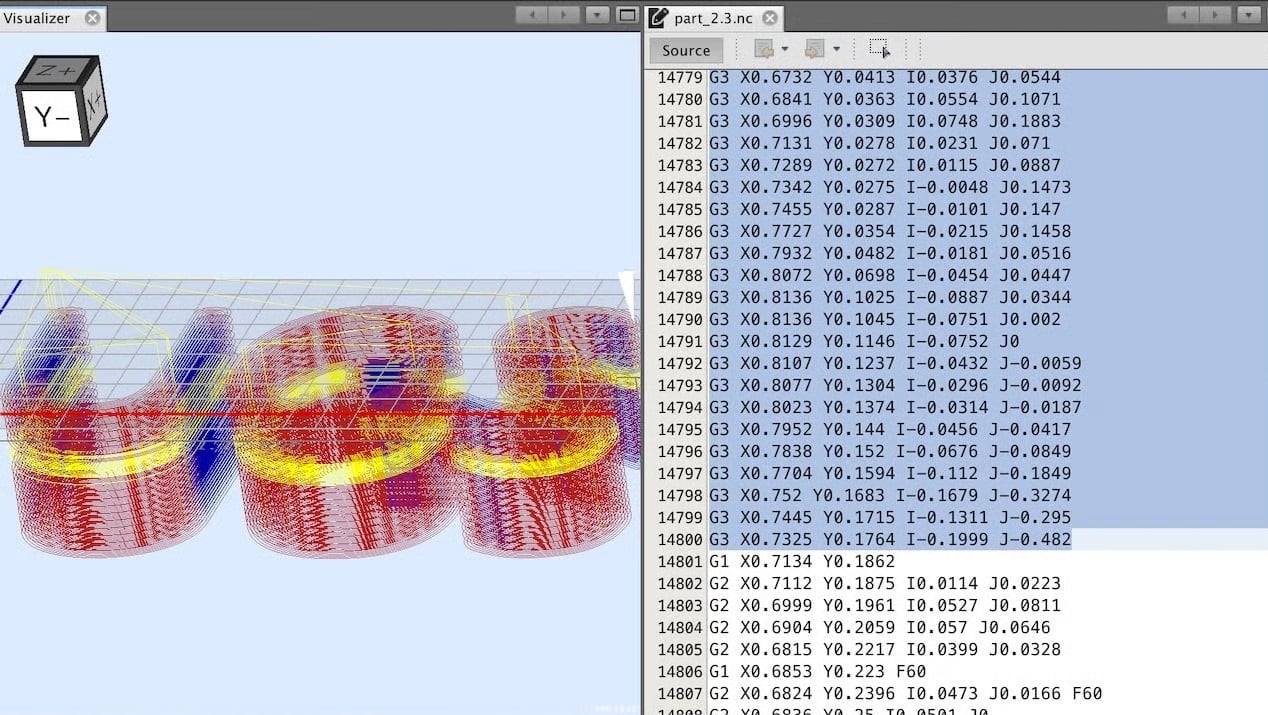
This isn’t entirely new, either. Earlier work in 2020 (Cyber-Physical Security for Additive Manufacturing Systems, 2020) showed that even STL files can be manipulated to subtly change part strength or geometry, raising alarms about intellectual property theft and sabotage in industrial contexts.
Vulnerabilities Beyond the Printer
It’s not just the printers themselves — slicer software can also be exploited. In 2024, UltiMaker Cura was found vulnerable to a crafted 3MF file that could execute malicious code on a user’s computer just by being opened. While UltiMaker patched the issue quickly, users who delayed updates were left exposed, proving that software in the 3D printing ecosystem can be just as risky as the hardware.
Building a More Secure Printing Environment
Printer manufacturers are now rushing to add safety features like removable Wi-Fi modules and encrypted data transfer to better serve industrial clients. But at the end of the day, responsibility for security isn’t soley on the shoulders of vendors; makers and businesses alike need to adopt secure environments and standard practices — just as they do with laptops, servers, and other connected devices.
So how exactly can printers be hacked? Which features actually add protection? And what practical steps can you take to keep your workshop or business safe? Let’s break it down.
Let's Look at Prusa, UltiMaker & Bambu Lab
To ground the abstract idea of security of 3D printers to reality, let’s look at three printers that come to my mind when I think of security these days: the new Secure Line from UltiMaker, launched this month, the Prusa Pro HT90, and the new Pro version of Bambu Lab’s new H2D.
UltiMaker’s New Secure Line
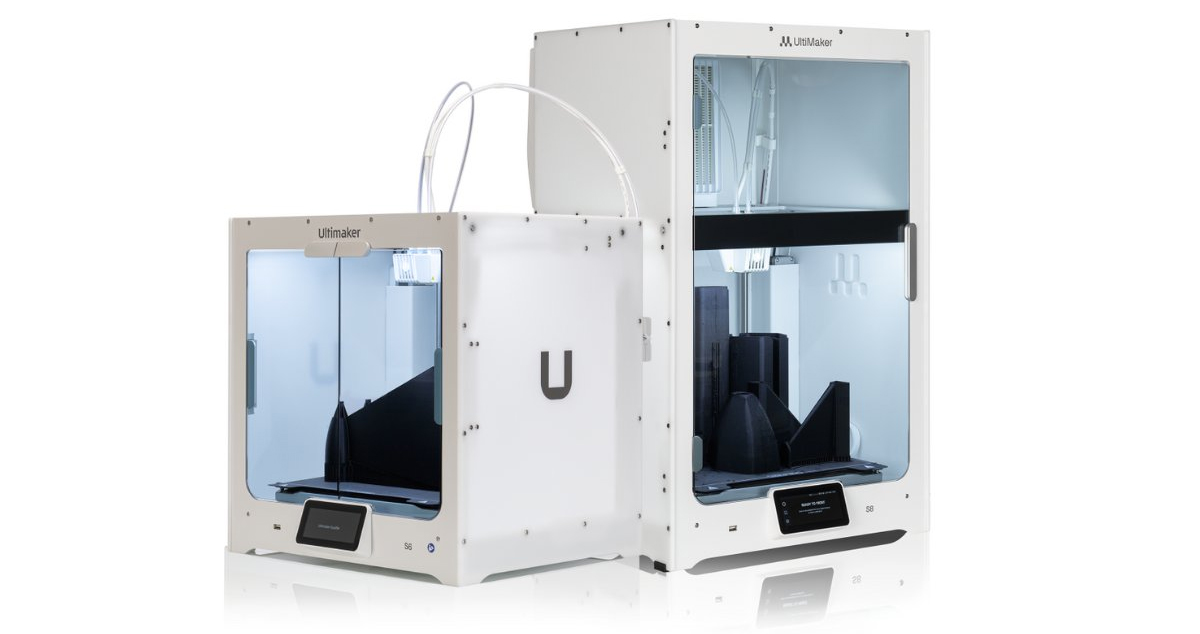
UltiMaker takes the extreme route with its just-launched Secure Line, completely stripping its S6 and S8 of any risky hardware or software, even the cameras. It’s the only desktop 3D printer purpose-built to be air-gapped out of the box, with tamper-resistant firmware and sealed hardware. UltiMaker explicitly claims it features encrypted, auditable file handling, as well.
“We see more companies focusing on the defense industry, and of course, there are very high security demands for this industry,” UltiMaker’s senior application engineer Jeremy Evers told All3DP. “They do not want to have hackers hijack the data sent, for example, to a 3D printer making drone replacement parts near the frontlines.”
What you lose in the Secure Line is the ability to remotely control the 3D printer, but again, that’s the point.
Prusa Pro HT 90
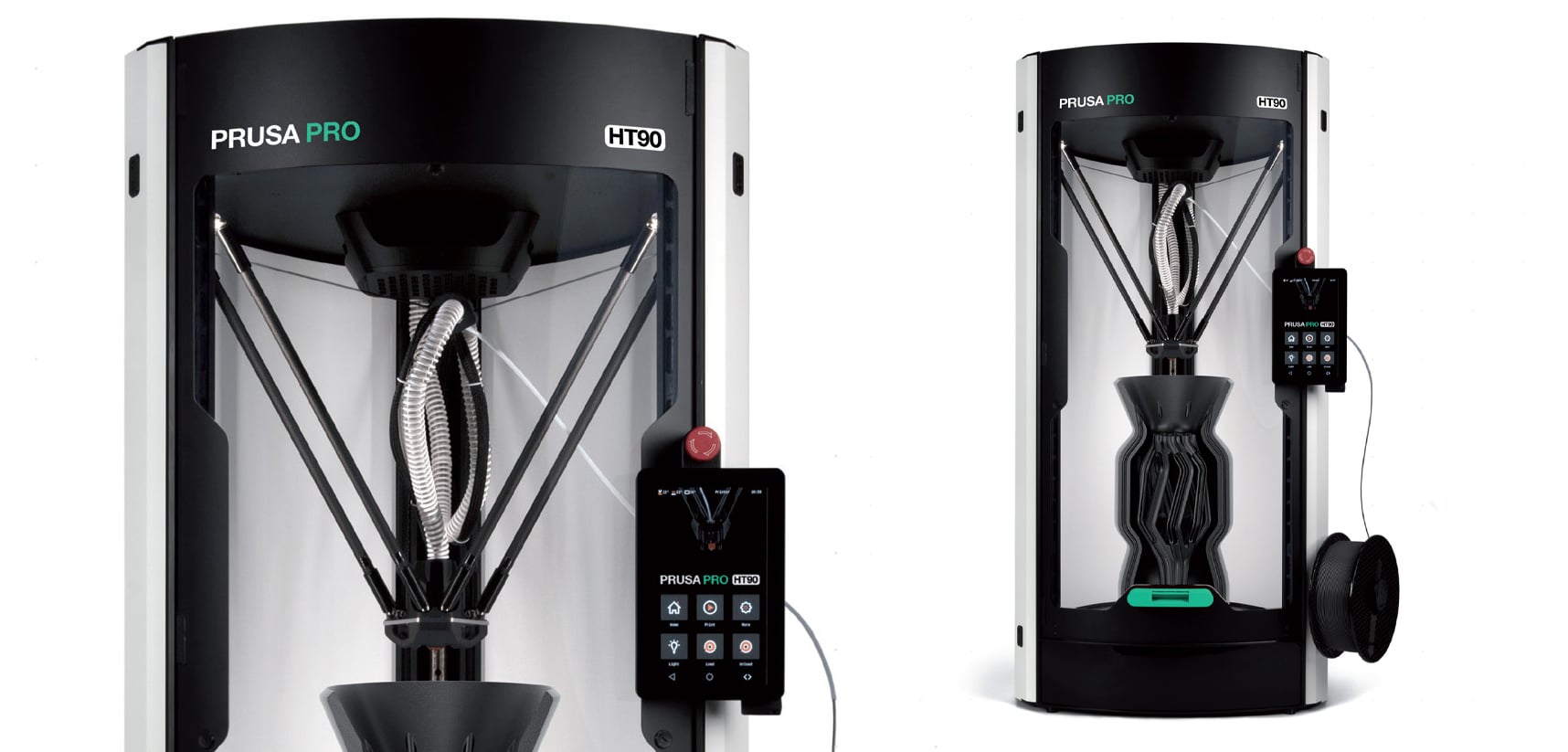
The Prusa Pro HT 90 was built for enterprise environments with security in mind, including options to run it completely offline by removing the Wi-Fi for secure cells, Prusa Chief Marketing Officer Rudolf Krcmar told All3DP. It’s a good fit if you want security-conscious options without giving up remote ops.
Prusa has robust security features on its other 3D printers as well, including encrypted communication with its cloud platform, Prusa Connect, two-factor authentication for your Prusa account, and a new camera with custom firmware.
Krcmar says that because Prusa’s software is open-source, the broader community can inspect the code for vulnerabilities or backdoors. Bugs and vulnerabilities can potentially be spotted and patched faster because more eyes are on the code. Yet, this doesn’t guarantee security. In fact, there have been documented hacks of Cura slicing software and OctoPrint fleet management software, which are both open source.
Bambu Lab’s H2D Pro
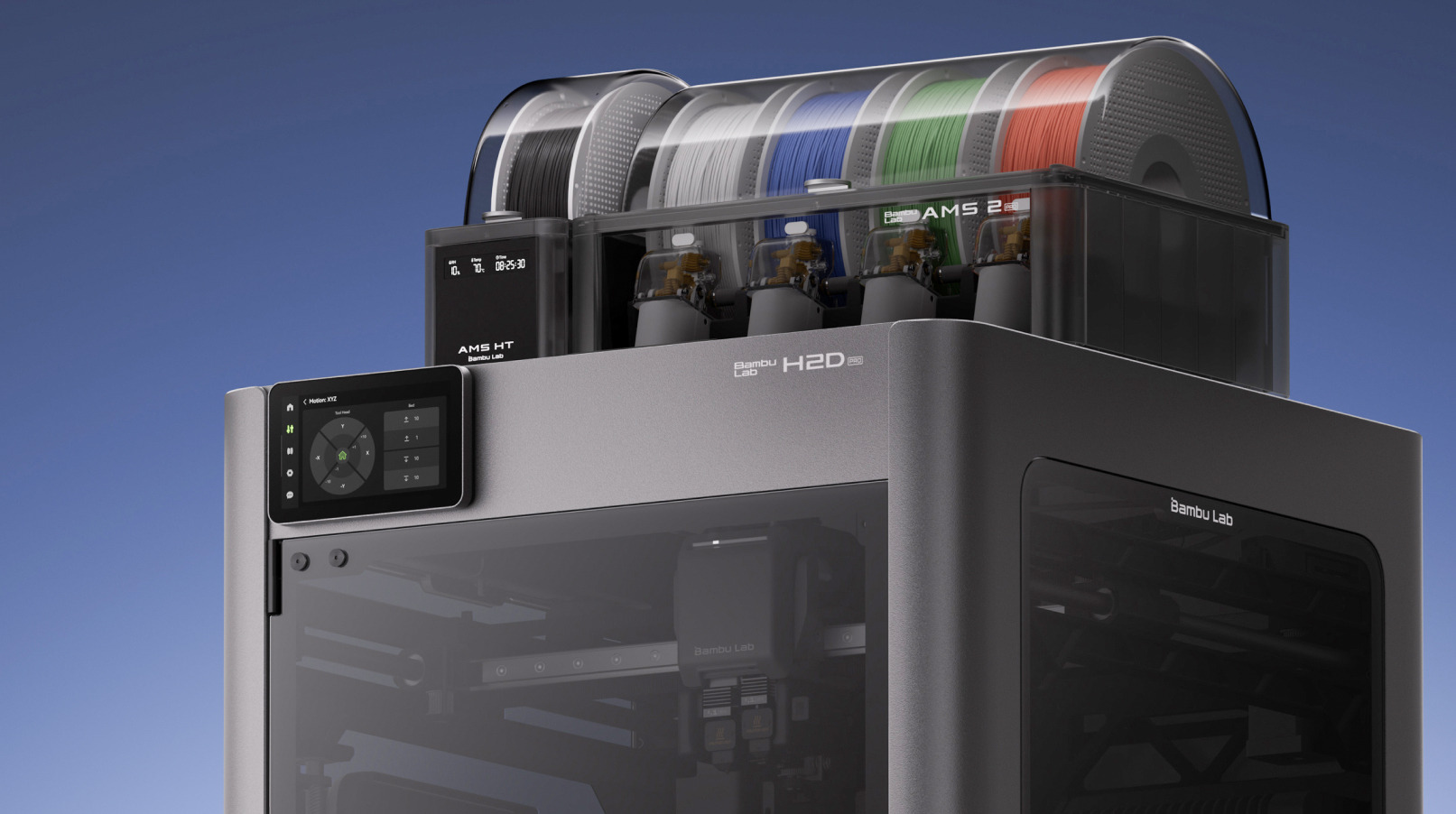
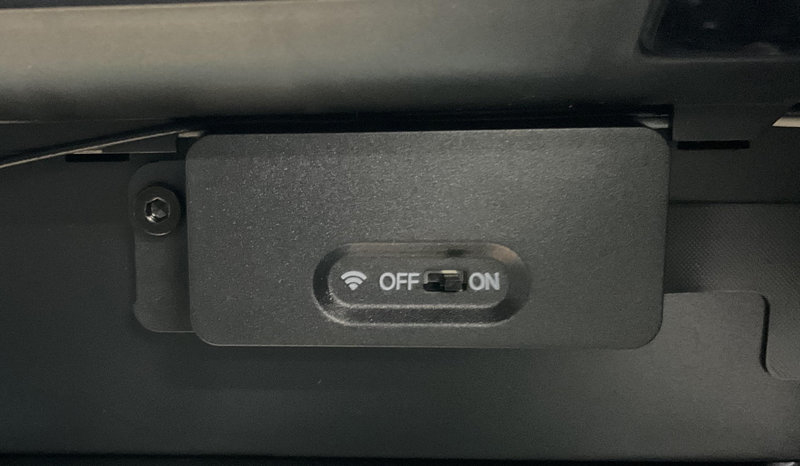
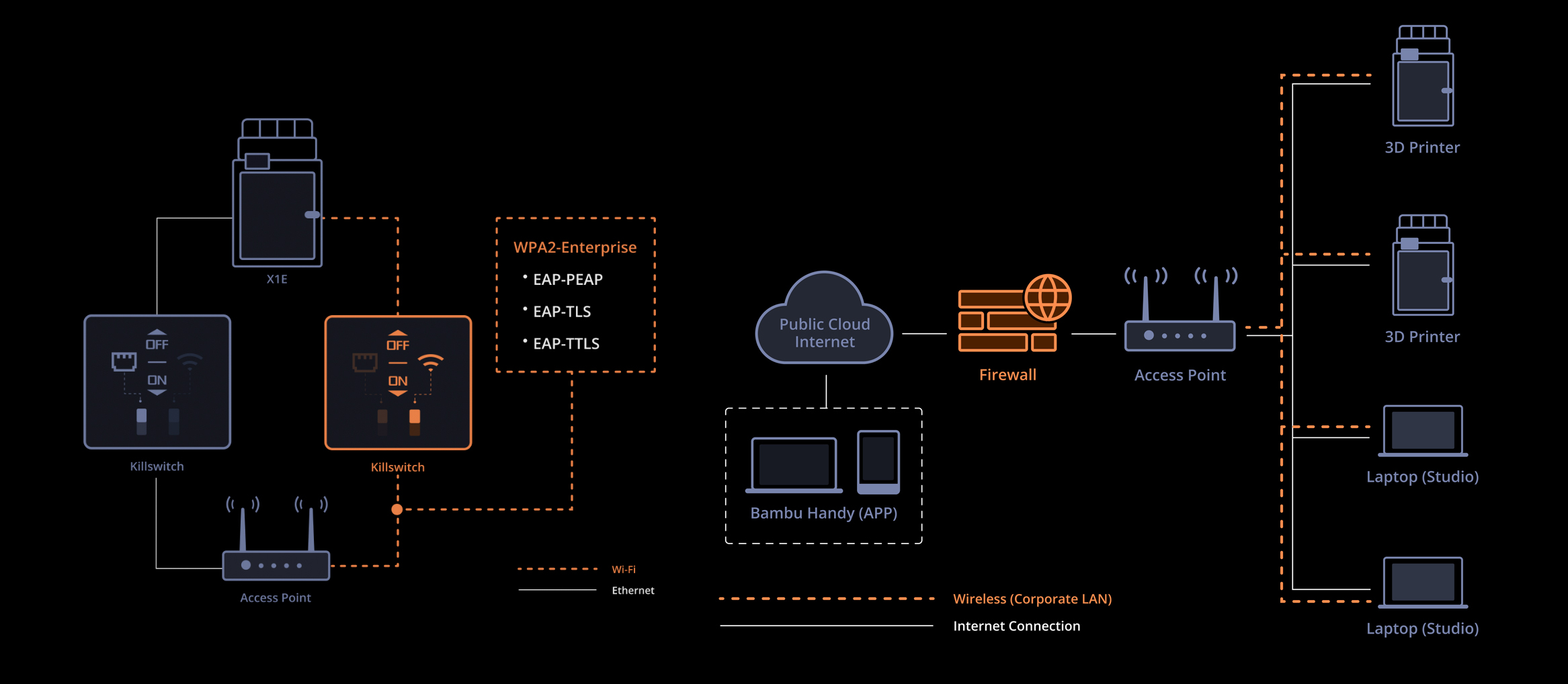
The Bambu Lab’s H2D Pro is also built for security-conscious customers with optional cloud connection and removable features to enable air-gapping. It’s probably the most IT-policy friendly option. You can even remove the comms board to hard-isolate when needed. It keeps modern management conveniences while adding 802.1X/WPA2-Enterprise Ethernet, and physical Wi-Fi and Ethernet kill switches.
There are various levels of connectivity on Bambu Lab 3D printer with the new H2D Pro and the older X1E being the two targeted for enterprise environments. They both have roughly the same security features, but the H2D Pro comes with support for companies in developing custom printer fleet management tools that meet their specific security requirements.
Other Ways Attackers Get In & How to Stop Them
Not all 3D printers come with strong built-in security. Some are fairly robust, while others leave the door wide open to attackers. The good news: whether you’re a hobbyist at home or managing machines in a business, you can take practical steps to reduce your risks.
Start simple—change default passwords, keep software updated, and turn off features you don’t need. If you’re running printers in a business or school, take it further: separate printers on their own network, use firewalls, and make sure firmware updates are verified.
Step 1. Decide: Online or Offline Printing?
The safest printers are completely offline, which is what’s called air-gapped. In this setup, the printer:
- Has no Wi-Fi or network connection.
- Lives in a locked room.
- Only accepts print jobs via USB stick or SD card.
This makes it much harder for attackers to reach your printer—but it also means less convenience. Most users, will sacrifice this level of security for the convenience and efficiency of a networked 3D printer enabling you to send print and monitor jobs from your laptop or smartphone.
If you connect your printer to Wi-Fi or a local network (LAN):
- Remember: your printer is only as secure as the network it’s on.
- Use strong Wi-Fi security (WPA2 or WPA3), and avoid open networks.
- If you don’t need vendor cloud services (like Bambu Lab Cloud, Prusa Connect, or Creality Cloud), turn them off to reduce risk.
- For businesses, consider putting printers on a separate network (VLAN) or behind a firewall to limit traffic, block unnecessary ports, and log suspicious activity.
- Installing a hardware firewall, which requires a small dedicated firewall appliance, between the 3D printer and the rest of your network will allow you to control and limit its network traffic.
Step 2. Lock Down Access with Passwords
Many budget printers ship with default login credentials (like admin / password). Leaving these unchanged makes your printer an easy target.
- Change all default usernames and passwords immediately.
- Enable two-factor authentication (2FA) if the printer or cloud service supports it.
- For shared environments (schools, labs, offices), require users to log in with unique accounts.
Step 3. Be Careful with Third-Party Software
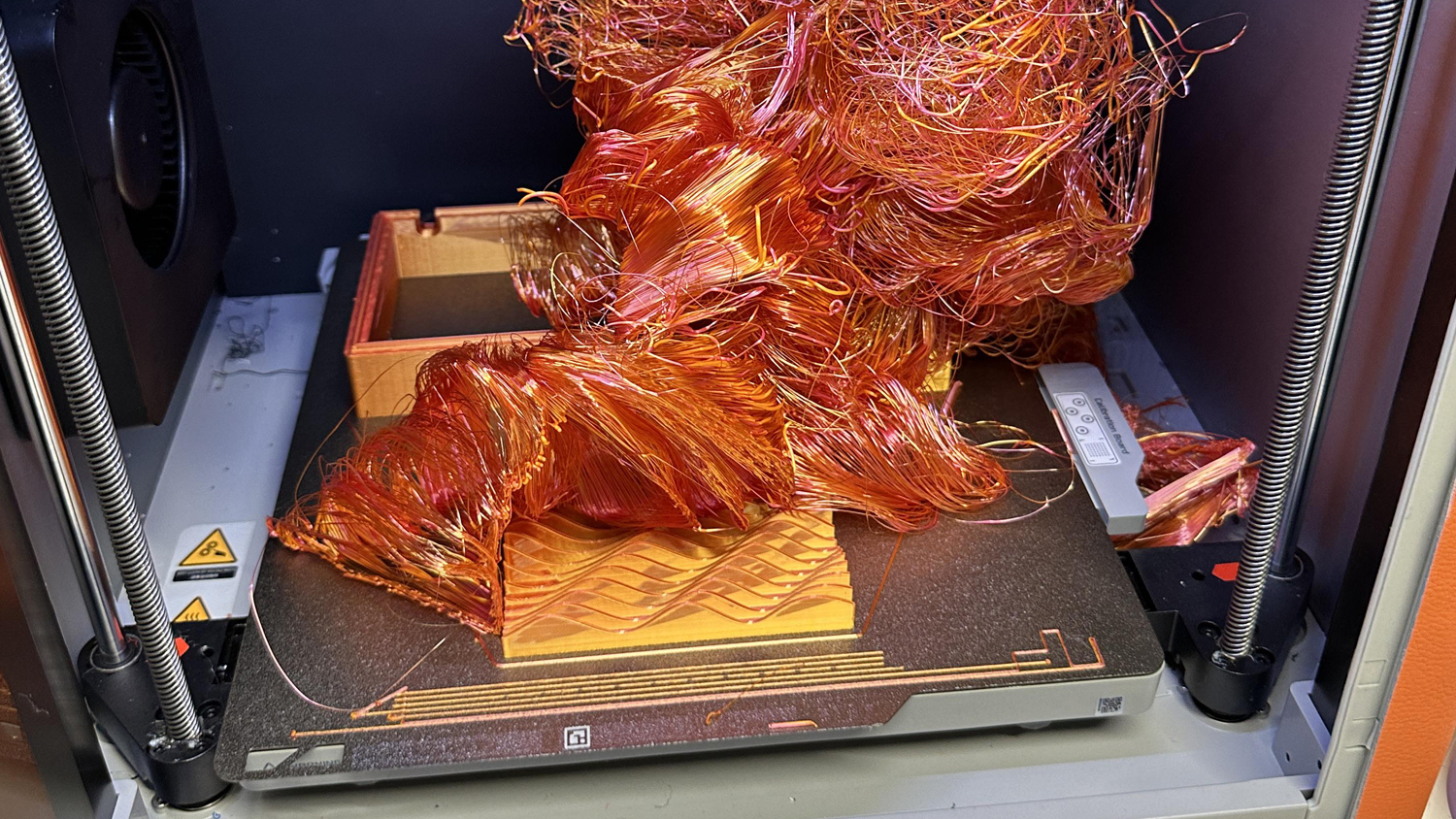
Tools like OctoPrint and plugins add convenience but can introduce vulnerabilities. In Sept. 2025, a bug in OctoPrint allowed attackers to run malicious code through cleverly named files. These issues are usually caught quickly and updates issued promptly.
Tips:
- Only install plugins you truly need.
- Keep OctoPrint (or similar platforms) up to date.
- Prefer vendor-approved integrations (like Bambu Connect) over unverified community add-ons.
Step 4. Update Smartly (But Safely)
Updates patch security flaws, but fake updates can also be used to install malware. Many users expect firmware updates, so a prompt or email saying “Your 3D printer needs an urgent firmware update” might not raise alarm.
- Look for printers that support digitally signed firmware. This ensures the file really came from the manufacturer and hasn’t been tampered with.
- Use encrypted downloads (HTTPS). Never download firmware from unofficial forums or file-sharing sites.
- Enable automatic update checks if your printer is online. If it’s offline, update manually using files from the manufacturer’s official website.
- Don’t click random “urgent update” links in emails—attackers often use phishing to trick users.
Remember that open-source software like Cura and OctoPrint that are downloaded from open-source hubs like GitHub are typically not signed and could require extra verification steps.
Step 5. Control Physical Access
Even if your printer isn’t on the internet, it can still be hacked through physical means, like USB sticks that contain viruses or malicious code.
- Don’t allow unknown USB sticks or SD cards to be used — they may contain malicious files.
- Place printers in locked rooms or enclosures to prevent tampering.
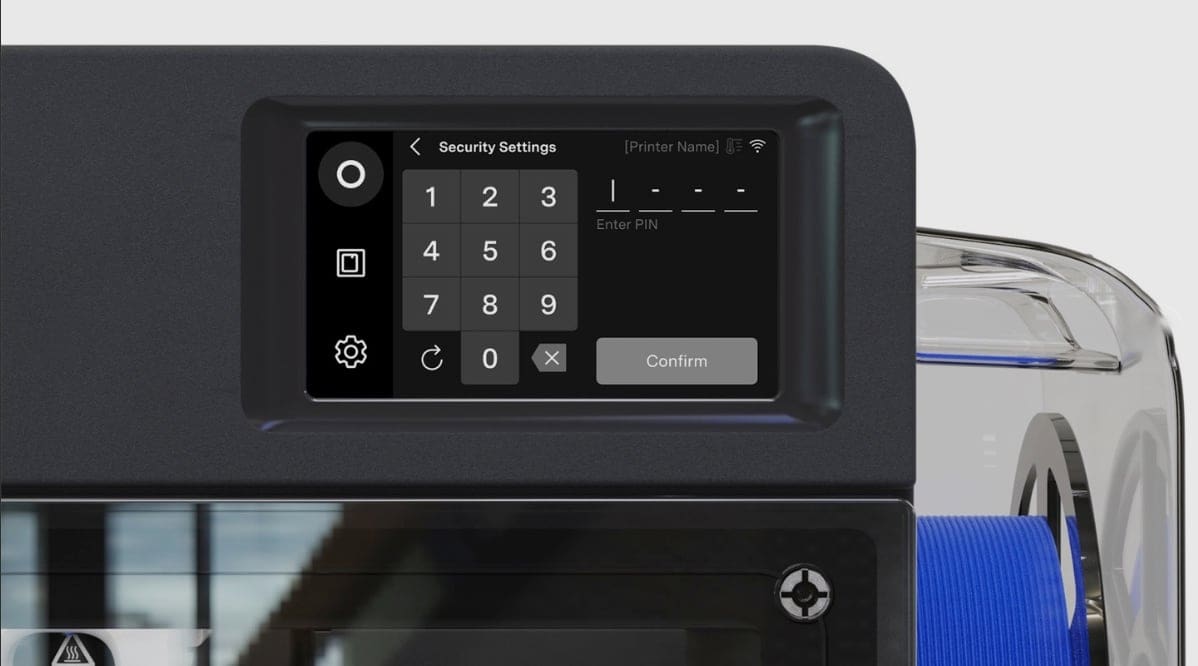
- Some printers support PIN codes for local access — turn this feature on if available.
Step 6. Watch Out for Hardware Risks
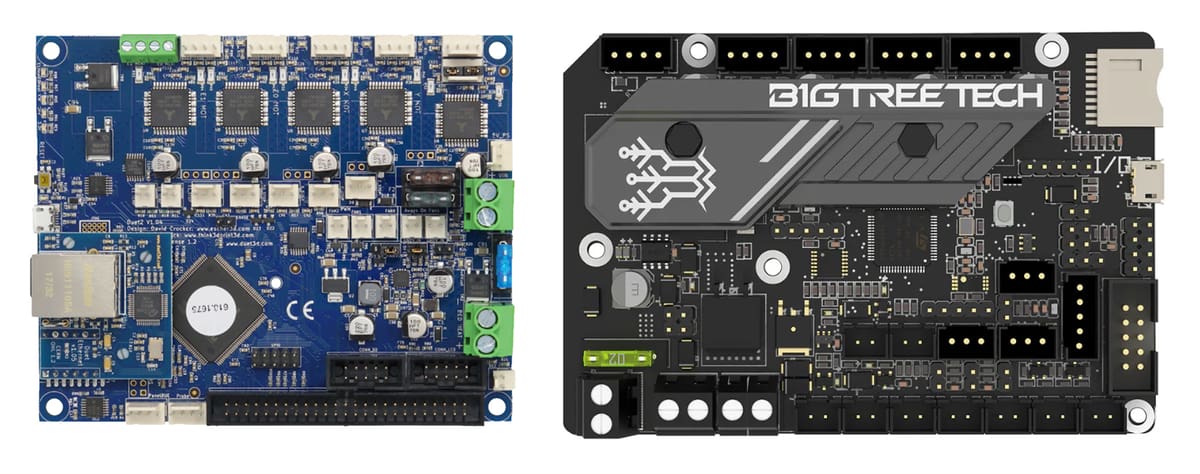
Attackers don’t always need to target you directly. Compromised parts, boards, or firmware (such as Marlin) could be introduced earlier in the supply chain. “Cameras and Wi-Fi modules are the obvious examples, but the more subtle risks live deep in motion controllers, stepper drivers, and embedded OS boards that could carry an implant for years before discovery,” says Xhaferaj . “Even non-critical industries are now demanding verified firmware provenance as part of their risk mitigation measures.”
Researchers have shown it’s possible to hide malicious code deep in a printer’s bootloader (the software that starts up the machine) chip.
What you can do:
- Buy printers and replacement components from reputable sources.
- Stick to verified firmware from the manufacturer.
- For businesses: request proof of provenance (basically, evidence the hardware or firmware is signed and trusted).
Step 7. Understand Cloud Service Risks
Cloud platforms make it easy to send jobs, watch webcams, and manage printers from anywhere — but if the cloud servers are breached, attackers could push malicious commands to thousands of printers at once.
To reduce risk:
- Disable cloud features you don’t use.
- Assume that files stored in vendor clouds could be exposed—don’t upload sensitive IP unless encrypted.
- If you must use cloud features, make sure the vendor uses HTTPS/TLS for file transfers and digitally signs all updates.
Step 8. Keep Everything Updated
Last but not least: updates matter. Once a vulnerability is public, attackers race to exploit it before users patch.
- Keep firmware, slicer software, and printer management tools up to date.
- Enable notifications for security advisories from your printer vendor.
- Treat updates like seatbelts—they may be annoying sometimes, but they’re your best protection.
3D Printer Security Features Defined
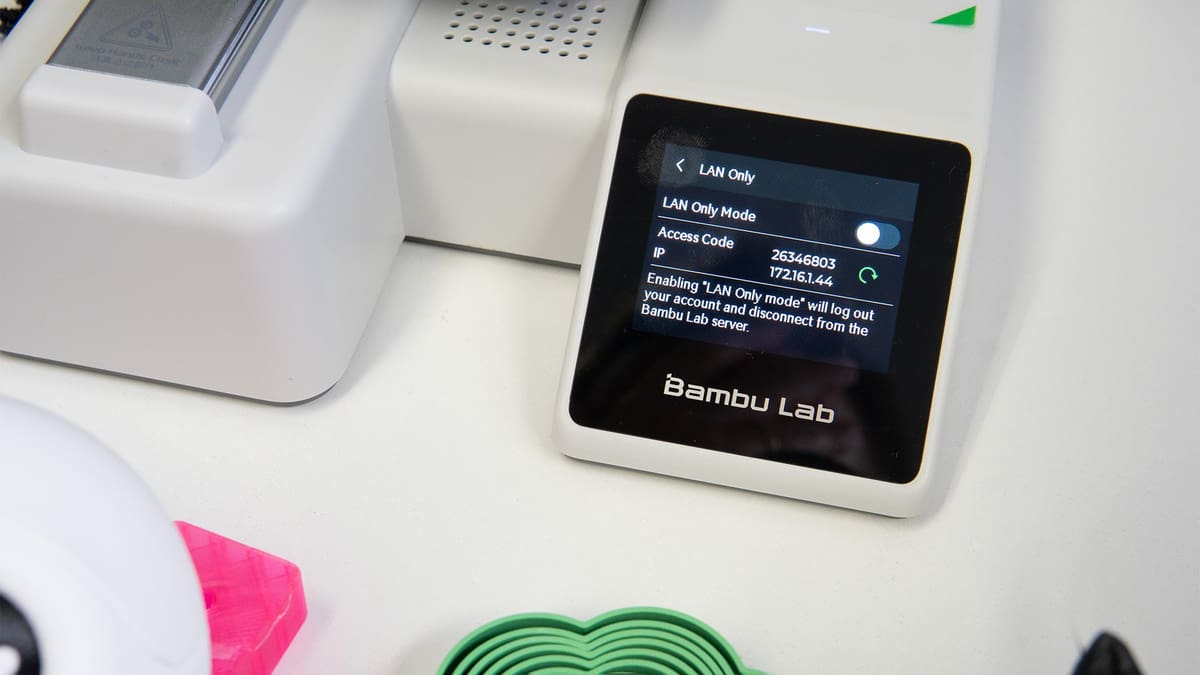
If you’re shopping for a 3D printer with security features, there’s a growing number of options that can get confusing. Let’s define what some of these features are and what they do.
- LAN-Only Mode / Offline Operation: Some 3D printers require Wi-Fi access, while others will operate perfectly well without it. If a completely “air-gapped” or offline machine is a requirement of your enterprise, find one that either has a LAN (local area network)-only mode or has no connectivity ability at all.
- Encrypted Communications: It is important to ensure the printer supports encrypted connections, such as TLS, HTTPS or WPA2-Enterprise. These prevents sensitive design files and login details from being intercepted when they travel across your network or through the cloud. If your printer talks to cloud services (for remote monitoring, file uploads, or firmware updates), TLS (transport layer security) makes sure that connection is secure. HTTPS is just the secure version of HTTP, the language your web browser uses to talk to websites. The “S” means it’s using TLS under the hood. WPA2-Enterprise (Wi-Fi Protected Access 2 – Enterprise) is a way most businesses and organizations secure their Wi-Fi networks. Instead of everyone sharing the same Wi-Fi password (like at home), each user gets their own unique login. Printers that do not support WAP2-Enterprise can be accessible via this type of network.
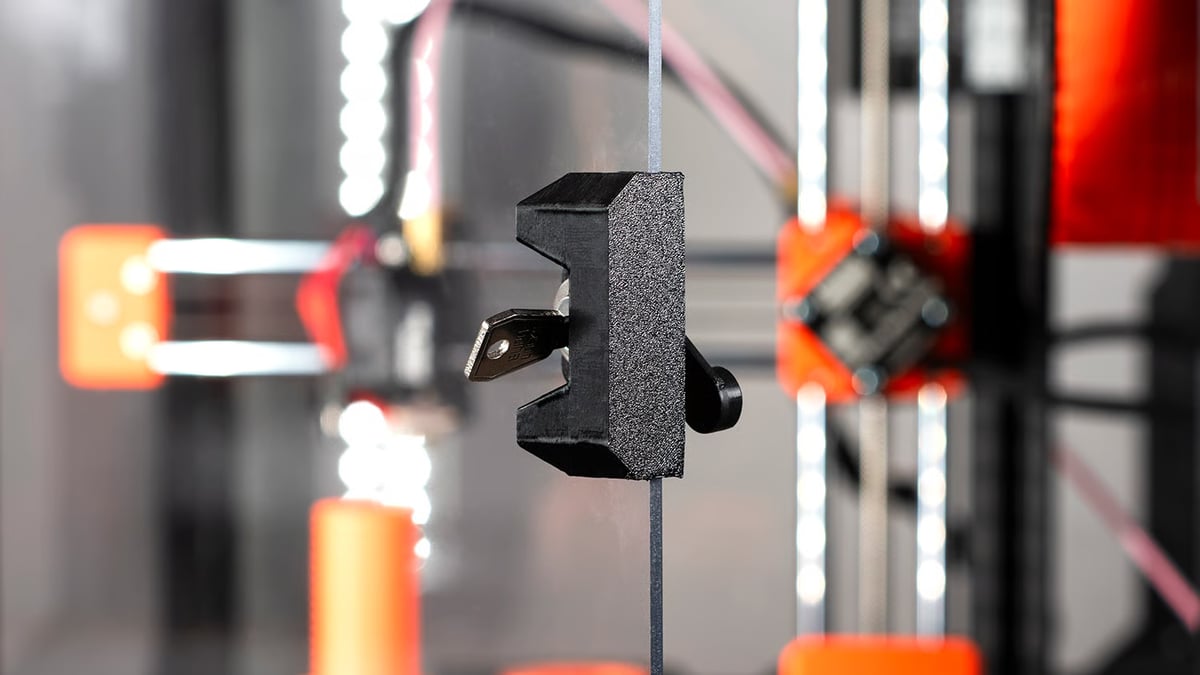
A strong security feature can be as simple as a locked printer enclosure (Source: Prusa)
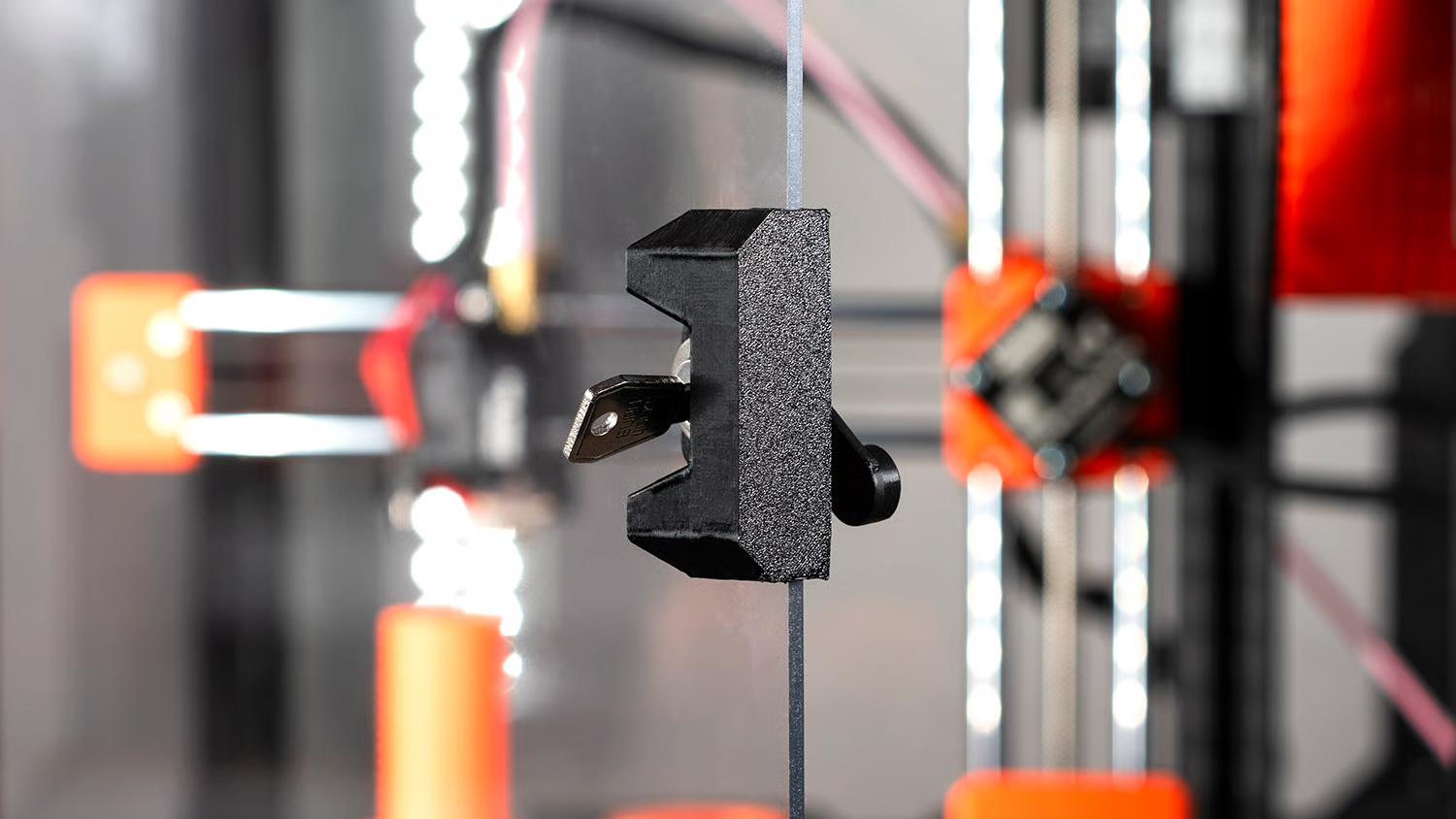
- Access Restrictions: Most 3D printer’s web dashboard or network interface are password secured, yet you may want additional access restrictions, such as the ability for multiple accounts to access one printer (to avoid login credential sharing) and PIN access to the settings on the physical machine. For workplaces where multiple people use the same printer, role-based accounts are extremely valuable. These let administrators keep control over network and firmware settings while still allowing operators to start or stop print jobs.
- Digitally Signed Firmware Updates. Firmware files should be “signed” by the manufacturer so that when they are installed on the printer, the printer checks the signature to verify that the file is authentic and hasn’t been tampered with. This prevents malicious software disguised as a update from the manufacturer from being installed on the printer.
- Encrypted Firmware Downloads. As an extra protection for your frequent updates, encryption ensures that the file cannot be intercepted or altered while being transferred from the manufacturer to your machine or computer. If you rely on automated firmware update checks to ensure that your printer is always running the latest version of its firmware, you’ll want this paired with encrypted downloads and digitally signed firmware. If your printer is in an air-gapped environment (i.e., not connected to a network or the internet), you’ll need to update it manually using physical media, such as a USB drive or SD card, that has the signed firmware saved to it.
- Physical or Hardware-Level Disconnect: Some printers have physical network kill switches or removable network modules for full hardware-level isolation.
- File-Level Security: Although not widely available, file integrity checks or sandboxed parsing of G-code or 3MF files to ensure there’s no added malicious code is another level of security. “From a physical security standpoint, enterprises should demand technical controls that make the printer itself resistant with cryptographic job signing so only verified encoded builds run,” notes Xhaferaj. “In fact, CNCs can be hacked the same way as FDM printers, and some modern CNC controllers are starting to add signed program features, user authentication, and tighter integration with MES/PLM systems, but adoption is inconsistent.”
- Standards Compliance: 3D Printers like the UltiMaker S Series and those from Markforged and Stratasys boast ISO 27001 certifications. The 3D printer itself cannot be ISO 27001 certified, but this certification denotes that the manufacturer has processes in place to assure that intellectual property is managed in a secure environment and that they follow best practices for data security.
You May Also Like:
License: The text of "Is Your 3D Printer a Security Risk? You Might Be Surprised" by All3DP Pro is licensed under a Creative Commons Attribution 4.0 International License.