The 6 Best Pro 3D Printers Under $10K for High-Uptime Workshops

From handling warping-prone engineering polymers and continuous fiber reinforcement to enforcing strict enterprise network security, discover how each system targets a completely distinct workplace bottleneck.
From machine shops and product-development teams to universities, design studios, and small manufacturers, businesses now have a broader range of capable 3D printers under $10,000 than they did when this guide was last published.
The difference between consumer and professional printers is no longer a simple list of hardware features. Lower-cost machines now offer enclosed build spaces, cameras, automatic calibration, and multi-material printing. What separates the professional systems in this guide is how well their hardware, software, materials, sensors, and automation work together to make printing easier to manage across a business.
Software now does more than slice a model. It can apply tested machine-and-material profiles, automate support and part placement, prepare multi-material jobs, preserve complete production setups, and send and monitor work across one printer or an entire fleet.
The six printers in this guide approach that idea in different ways.
- The Bambu Lab H2D Pro combines dual-nozzle printing, automated filament handling, extensive monitoring, and enterprise networking.
- The Prusa Core One L pairs a heated chamber with offline operation, repairability, reliability, and a planned upgrade to INDX tool-changing.
- The Intamsys Funmat Pro 310 Neo focuses on high-temperature materials, using a 100 °C chamber, independent dual extruders, and controlled filament storage for demanding engineering polymers.
- The Formlabs Form 4L produces large, finely detailed resin parts and supports them with a closely integrated range of materials, software, and wash-and-cure equipment.
- The UltiMaker S8 combines dual-material printing and tested material profiles with Digital Factory software tools for shared projects, remote job management, queues, and fleet oversight.
- The Markforged Onyx Pro takes the most specialized approach, placing continuous fiber inside carbon-fiber-filled nylon parts, while its Eiger software controls reinforcement, estimates cost, manages approved part files, and can simulate part performance before printing.
These are not interchangeable machines, and there is little value in ranking them by specifications alone. The right choice depends on the part your business needs to make, the material properties it requires, and how reliably that result can be reproduced by different users.
All of the printers featured here cost less than $10,000 in their basic configurations, and we have tested most of them ourselves in the All3DP lab. In several cases, the more complete workflow—including material storage, post-processing equipment, software subscriptions, or service—pushes the real investment above that figure. That broader system cost is an important part of the decision.

Consumer vs. Professional 3D Printers
The distinction between consumer and professional 3D printers is less about what a machine can do once and more about what a business can expect it to do repeatedly.
A lower-cost printer may produce excellent parts, especially in the hands of an experienced user. For occasional prototypes, common materials, or a small team willing to tune settings and troubleshoot problems, that may be entirely sufficient. Paying more does not automatically produce a better surface finish, a stronger part, or a higher success rate.
The professional case becomes clearer when the printer is part of an ongoing operation. A business may need several employees to use the same machine, established settings to remain consistent from one job to the next, and replacement parts or technical support to be available without lengthy delays. It may also need the printer to satisfy internal requirements for network access, data handling, maintenance, and purchasing.
Different professional systems address those needs in different ways. Some tightly control materials and settings to reduce variation. Others emphasize open material choice, repairability, or offline operation. A specialized machine may justify its price by producing parts that cheaper printers cannot make reliably, such as large resin models, continuously reinforced composite tooling, or engineering-plastic components printed in a high-temperature chamber.
The surrounding costs matter as well. Filament dryers, wash and cure units, filtration, software subscriptions, service plans, and proprietary consumables can change the economics considerably. A printer that appears expensive may save time by reducing failed jobs or manual setup, while a less expensive machine may require more operator attention than its purchase price suggests.
For that reason, “professional” should not be treated as a fixed class of machine. It describes how well a printer fits the demands of the organization using it: the parts it must produce, the people who will operate it, the consequences of downtime, and the level of control the business expects over materials, data, and maintenance.
If you have deeper pockets or are looking for faster speeds, higher volumes, and more bells and whistles, we also have you covered in our guides to industrial FDM 3D printers, professional resin 3D printers, industrial SLS 3D printers, and metal 3D printers.
Bambu Lab H2D Pro
Best for: Businesses seeking fast FDM printing with enterprise networking
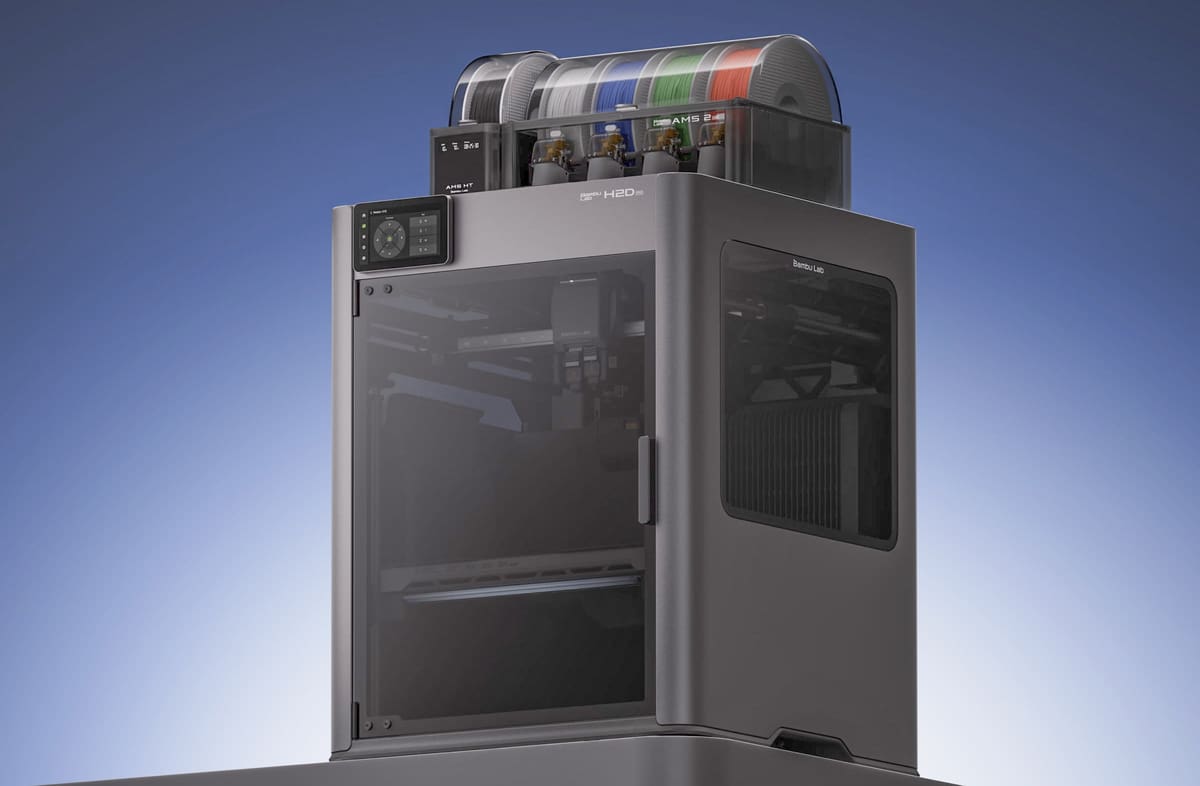
The Bambu Lab H2D Pro is a large-format, dual-nozzle FDM printer aimed at businesses, engineering teams, and institutions. It has a 350 × 320 × 325-mm build volume, a 350 °C maximum nozzle temperature, and an actively heated chamber that reaches 65 °C, giving it scope for both everyday filaments and more demanding engineering materials. Its defining features, however, are aimed less at print performance than at corporate deployment, including Ethernet, WPA2-Enterprise Wi-Fi, 802.1X authentication, and the option to physically disable or remove its network connections.
The Bambu Lab H2D Pro is essentially a business-oriented H2D. Its dual-nozzle toolhead, build volume, 350 °C nozzle, and actively heated 65 °C chamber are unchanged. The main differences concern network security and corporate deployment.

Along with Wi-Fi and USB, the Pro adds Ethernet, WPA2-Enterprise Wi-Fi, and 802.1X authentication. Physical switches can disable its network connections, and the network module can be removed for air-gapped operation. These features matter in organizations where an otherwise capable printer may be rejected by IT because it cannot meet security or device-management requirements.
The printer’s large build volume and heated chamber make it suitable for prototypes, fixtures, housings, and engineering materials. The included AMS units provide enclosed filament storage and drying, which may be more useful to businesses than their multicolor capabilities. Its dual-nozzle setup also supports practical combinations such as a model material and a separate support interface.
Bambu Lab’s H2C offers more ambitious multi-material printing, using one conventional hot end and six automatically exchanged Vortek hot ends. This reduces the purging associated with filament changes and is useful for parts that genuinely require several colors or materials.
For most business applications, however, that added complexity may not improve productivity. Production FDM jobs typically use one model material or one material plus support. Managing several filaments and hot ends, adding tool changes, and running longer multi-material jobs can tie up a printer without improving the functional part. The H2D Pro’s simpler dual-nozzle arrangement is therefore likely to be more efficient for routine engineering and production work.
You can upgrade the H2D Pro with the Bambu Lab laser modules and blade-cutting modules is that’s something useful for your business.
The Drawback: The main caveat is price. Much of the underlying print hardware is available in less expensive Bambu Lab machines. Buyers are paying primarily for Ethernet, enterprise authentication, physical network isolation, reseller support, and integration options—not significantly better print performance.

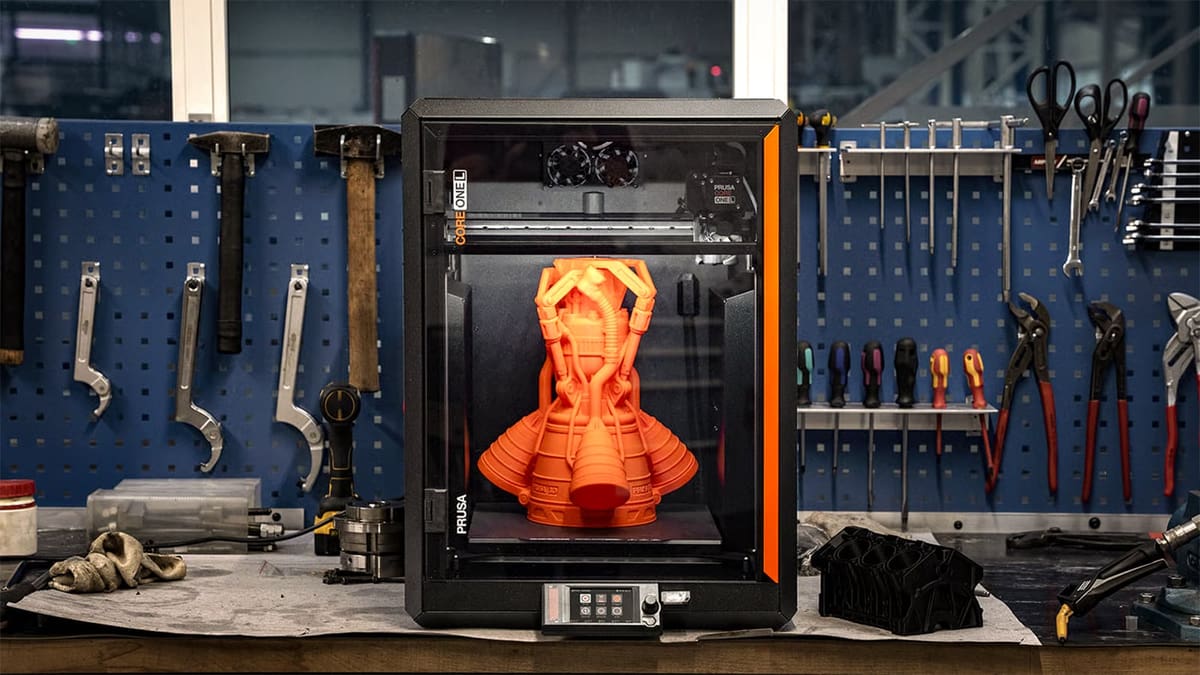
Prusa Core One L
Best for: Large engineering parts, fixtures, prototypes, and organizations that value repairability and an offline-capable workflow
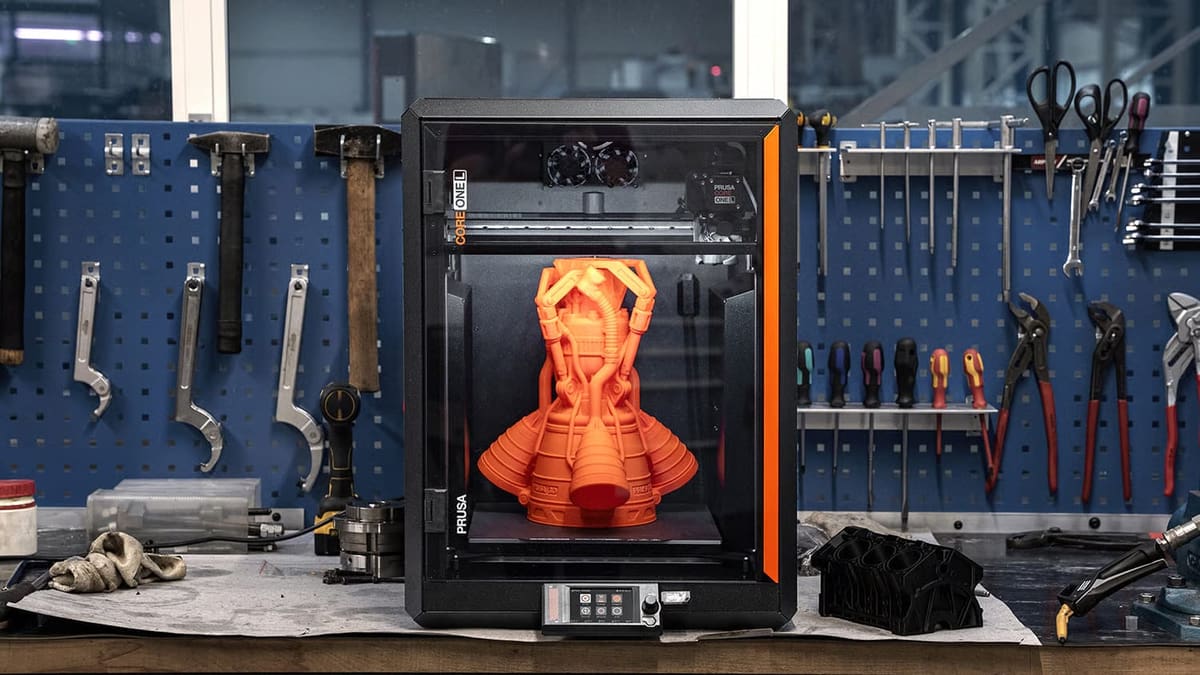
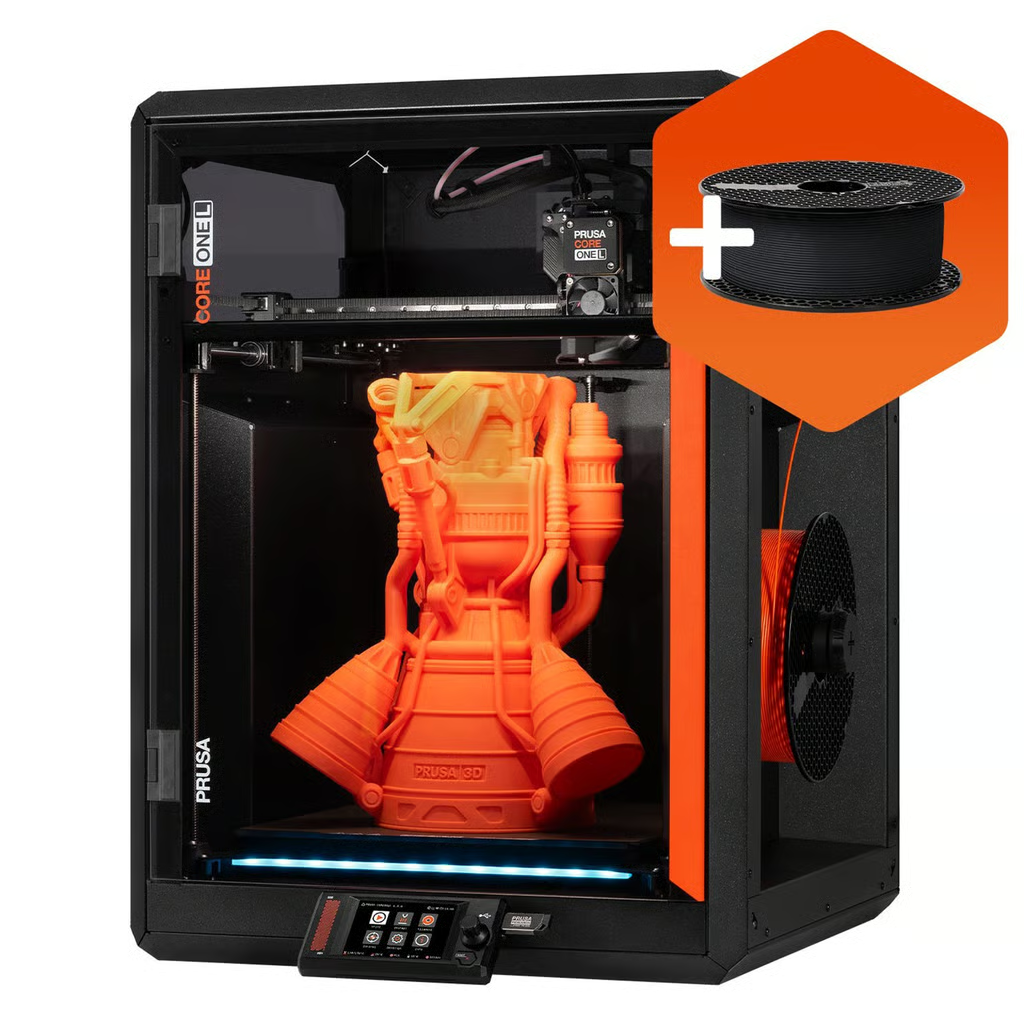
The Prusa Core One L is a large, enclosed filament printer intended for parts that would otherwise need to be divided into sections. Its 300 × 300 × 330-mm build area can accommodate sizeable housings, manufacturing fixtures, prototypes, props, and batches of smaller components while remaining compact enough for a workbench. It arrives assembled and factory-calibrated, so teams should not need a dedicated technician simply to get it running.
Its most useful feature for engineering work is the actively heated 60 °C chamber. Fans circulate air across the aluminum heatbed to maintain a more even temperature around the part, helping reduce lifted corners, cracking, and distortion when printing materials such as ABS, ASA, polycarbonate, and nylon. The bed uses two heating circuits to spread heat more evenly across its relatively large surface, which is especially important when a part reaches close to the platform’s edges.
The standard printer supports more than 200 prepared material profiles and accepts ordinary 1.75-mm filament from third-party manufacturers. It includes a high-flow nozzle for faster printing and an abrasion-resistant nozzle for filled materials. Prusa also plans a high-temperature hotend upgrade capable of reaching 400 °C for polymers such as PPS-CF, PPSU, PPA-CF, and PEKK-CF, although those materials remain demanding even with hotter hardware.

Another important part of the Core One L’s appeal is its planned compatibility with INDX, an automatic tool-changing system developed by Prusa and Bondtech. Rather than feeding several filaments through one nozzle, INDX gives each material its own toolhead and swaps between them during the print. Prusa says the system will support up to eight colors or materials with very little purge waste. For a business, the more useful applications may be combining rigid and flexible polymers, using a separate support material, or keeping several nozzle sizes ready for different features. The upgrade is not yet available, so it should be viewed as future potential rather than a capability included with the printer today.
The Core One L can work entirely offline and does not require a cloud connection. Its Wi-Fi module can also be physically removed. Organizations with stricter requirements can instead purchase the separate Critical Infrastructure Edition, which removes the Wi-Fi circuitry and internal camera and adds an encrypted USB-drive workflow. The standard model includes a detachable camera, allowing businesses to leave it uninstalled when monitoring is not required.
The machine is currently limited to one material at a time until INDX becomes available, and filtration is an optional extra. Its strongest case is therefore not automation or multicolor printing, but a combination of generous build volume, useful chamber heating, broad filament compatibility, offline operation, and a design that can be repaired and upgraded rather than treated as a sealed appliance.
Intamsys Funmat Pro 310 Neo
Best for: Functional parts made from warping-prone engineering plastics
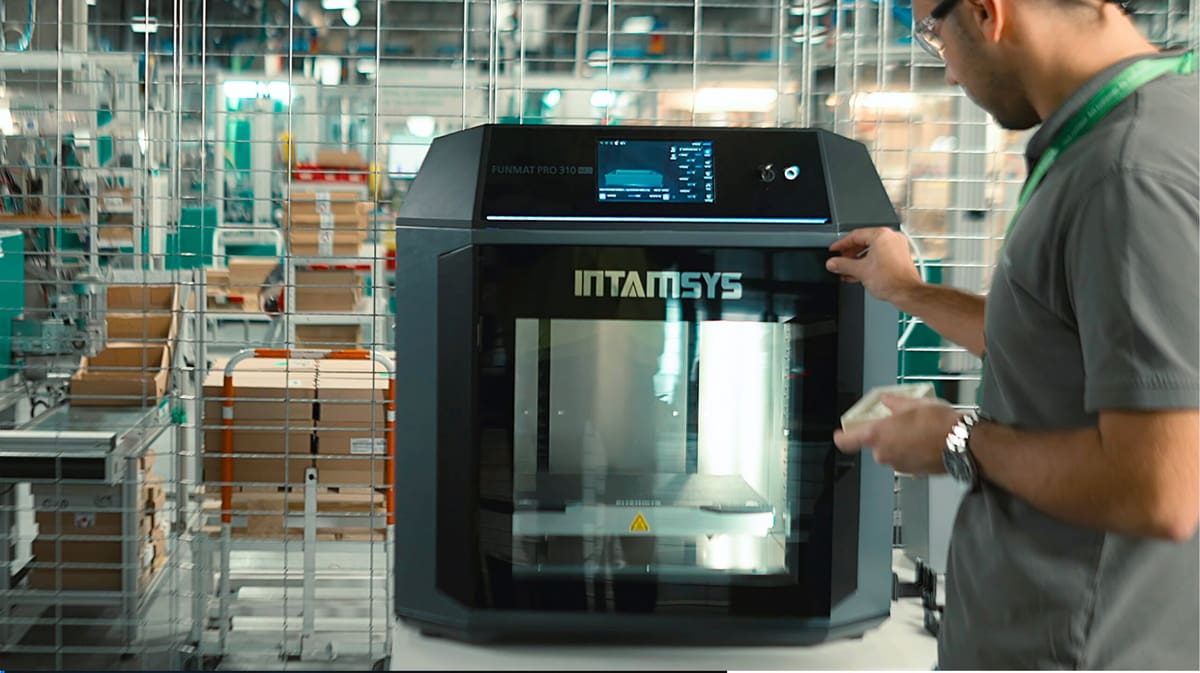
The Intamsys Funmat Pro 310 Neo is built around thermal control rather than multicolor printing or desktop convenience. Its enclosed build chamber can reach 100 °C, supported by a 160 °C print bed and 350 °C nozzles. That combination is intended for engineering plastics that are difficult to print reliably in an unheated or lightly warmed enclosure.
A hot chamber keeps the entire part closer to its glass-transition temperature as it prints. This reduces the temperature difference between newly deposited material and the layers below it, helping to limit warping, corner lift, cracking, and weak layer bonding. The benefit becomes more noticeable with larger parts and materials such as ABS, ASA, polycarbonate, nylon, PPA, and fiber-reinforced compounds.
Those materials are commonly used for functional prototypes, jigs, fixtures, housings, brackets, manufacturing aids, and low-volume end-use parts that need more heat resistance, stiffness, or durability than PLA or PETG can provide. The hotter chamber may also allow a company to print larger engineering parts as single pieces rather than redesigning them to avoid distortion or splitting them into sections.
The printer has two independent extruders, so one can carry the model material while the other prints soluble or breakaway supports. They can also work in duplication mode to produce two smaller parts at the same time. An enclosed dual-spool dry box helps protect moisture-sensitive materials such as nylon and support filament.
The trade-off is that this thermal capability is unnecessary for businesses mainly printing PLA, PETG, or visual prototypes. The Funmat Pro 310 Neo makes the most sense for teams that regularly use demanding engineering polymers and need better control over dimensional accuracy and layer strength than a conventional enclosed desktop printer can provide.
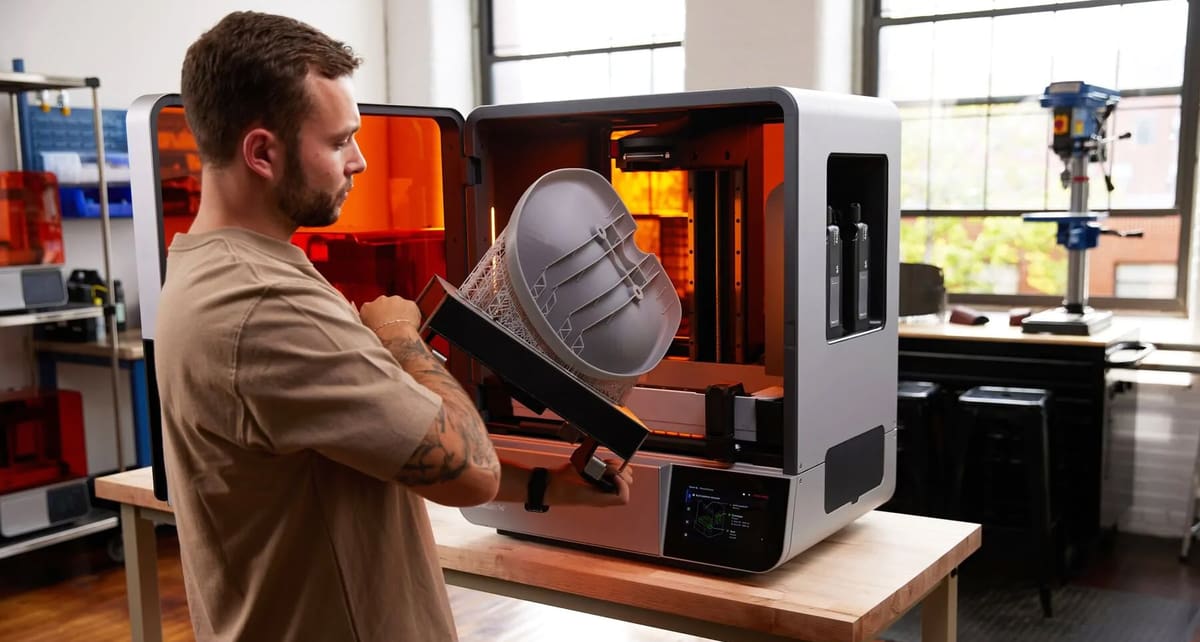
Formlabs Form 4L
Best for: Large parts that need smooth surfaces, fine detail, or specialized material properties
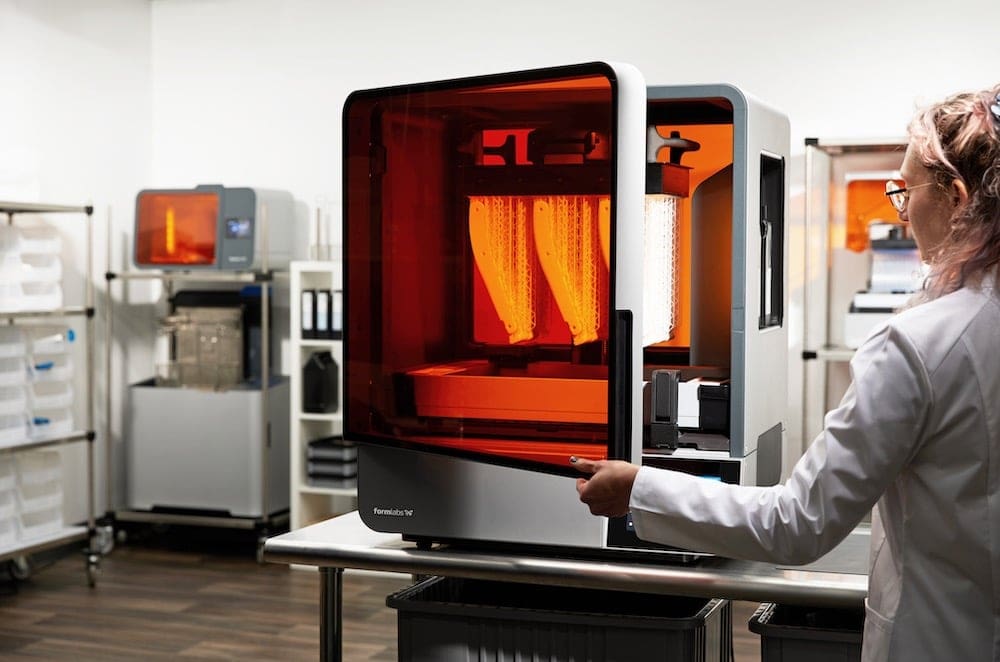
The Formlabs Form 4L is designed for parts where appearance, detail, and surface finish matter. Unlike filament printers, which build parts from visible lines of melted plastic, it uses liquid resin cured by light. This allows it to produce smoother surfaces, sharper edges, smaller text, thin walls, and more intricate features.
Its large build area makes it possible to print substantial housings, presentation models, anatomical models, tooling, molds, and prototypes as single pieces. It can also produce batches of smaller parts in one job.
The printer’s light engine cures very small areas with each layer, helping it reproduce fine features consistently across the build platform. In practical terms, that means better definition around holes, textures, lettering, snap fits, and closely spaced details. Actual accuracy still depends on the material, part design, orientation, and post-processing.
Formlabs also offers a wide range of resins with different properties. These include materials that are rigid, impact-resistant, flexible, heat-resistant, flame-retardant, castable, ceramic-filled, or approved for certain medical and dental uses. This gives businesses options for producing display models, functional prototypes, seals, casting patterns, tooling, anatomical models, and some low-volume end-use parts.

The broader Formlabs system is another part of the appeal. Its software prepares the print, adds supports, and checks for common problems. Resin is dispensed automatically, while matching wash and cure units handle the cleaning and final hardening stages. These tools do not eliminate the extra handling involved in resin printing, but they make the workflow easier to repeat across different users.
The main drawback is cost. A complete setup with washing, curing, resin, and service can be much more expensive than the printer alone. The Form 4L makes the most sense when smooth surfaces, fine detail, large single-piece models, or specialized materials are important to the final part.
Note that the separate, but essential, part washing and part curing machines are sold separately but as a bundle will bump your investment to about $19,769.
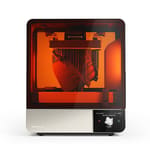
UltiMaker S8
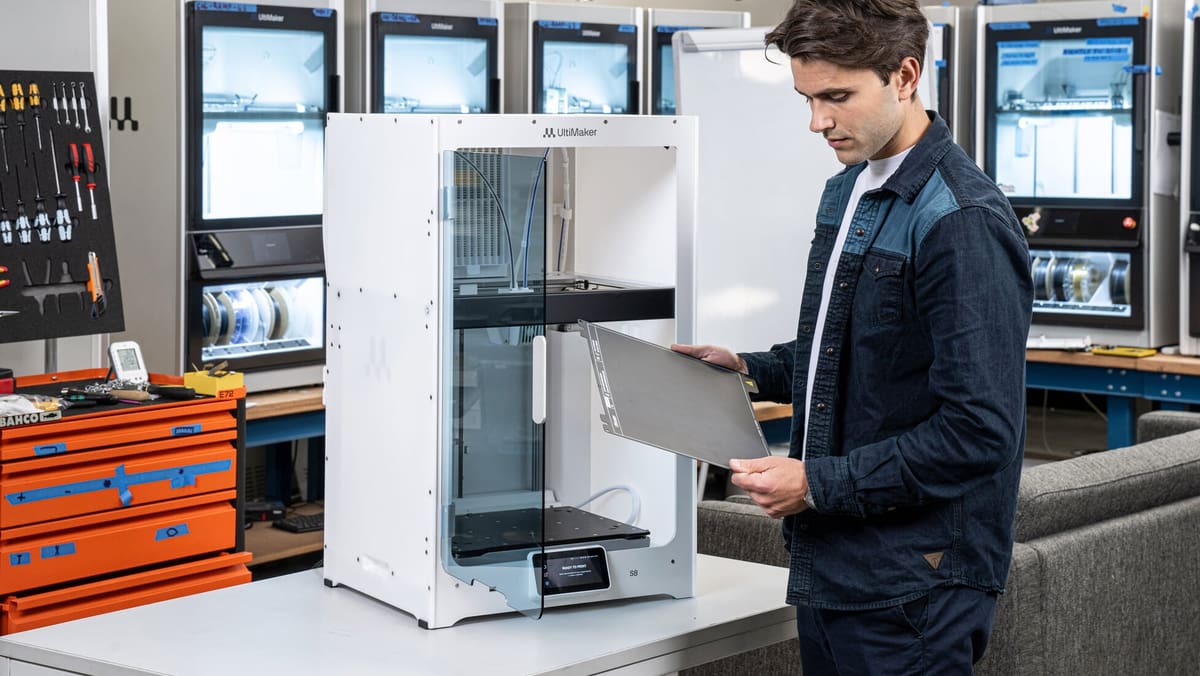
Best for: Engineering teams that need dependable dual-material printing and a broad choice of tested materials
The UltiMaker S8 is designed for teams producing functional prototypes, manufacturing aids, housings, and other parts that may require a combination of engineering plastic and a separate support material. Its two nozzles can print different materials in the same job, allowing complex internal passages and overhangs to be supported with material that can later be dissolved or broken away.
The S8 keeps the same 330 × 240 × 300-mm build volume as the previous S7, but most of the meaningful changes concern speed and material flow. A new motion-control system, faster feeders, an accelerometer, and redesigned high-flow print cores allow the printer to move and extrude material more quickly. UltiMaker says productivity can be up to four times higher than on the S7, although the actual improvement will vary with the part, material, nozzle, and print settings. The flexible steel build plate is also easier to remove parts from than the glass plate used on older UltiMaker machines.
The main reason to consider the S8 is its established material and software ecosystem. UltiMaker Cura includes prepared profiles for hundreds of materials, including tough plastics, flexible filaments, soluble supports, and fiber-reinforced composites. For a company with several users, that can be more useful than having operators develop and maintain their own settings for every material combination. Digital Factory adds shared file management, remote job submission, and fleet monitoring.
We would prefer to recommend the S8 with UltiMaker’s Material Station. The accessory holds six spools, keeps them in a humidity-controlled compartment, and automatically switches to another spool when material runs out. That makes long prints and unattended operation more practical, especially when a job uses both model and support material. The problem is price: the printer already sits close to this guide’s $10,000 limit, while the Material Station alone costs about $3,799. A properly equipped S8 package therefore lands well outside the range.
That leaves us somewhat reluctantly recommending the standalone S8. It retains the useful dual-nozzle system, integrated air filtration, flexible build plate, and extensive material profiles, but users must load and manage the two external spools themselves. Competing printers offer hotter chambers, larger build volumes, or automated material handling for less money. The S8 is most convincing for organizations that value a well-established Cura workflow, tested material combinations, and continuity with existing UltiMaker equipment.
The S8 is easier to justify over the Prusa Core One L when a company needs dual-material printing today rather than waiting for a future upgrade. Its two nozzles can combine a model material with soluble support, and UltiMaker backs that workflow with prepared Cura profiles covering hundreds of material combinations. The S8 also supports UltiMaker’s Metal Expansion Kit, which uses metal-filled filament followed by outsourced debinding and sintering to produce stainless-steel parts. The Prusa offers a larger build area and hotter chamber for less money, while its planned INDX upgrade promises broader multi-material capability, but that system is not yet included with the printer.
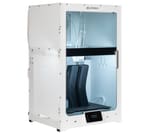
Markforged Onyx Pro (Gen 2)
Best for: Strong, lightweight jigs, fixtures, tooling, and functional parts
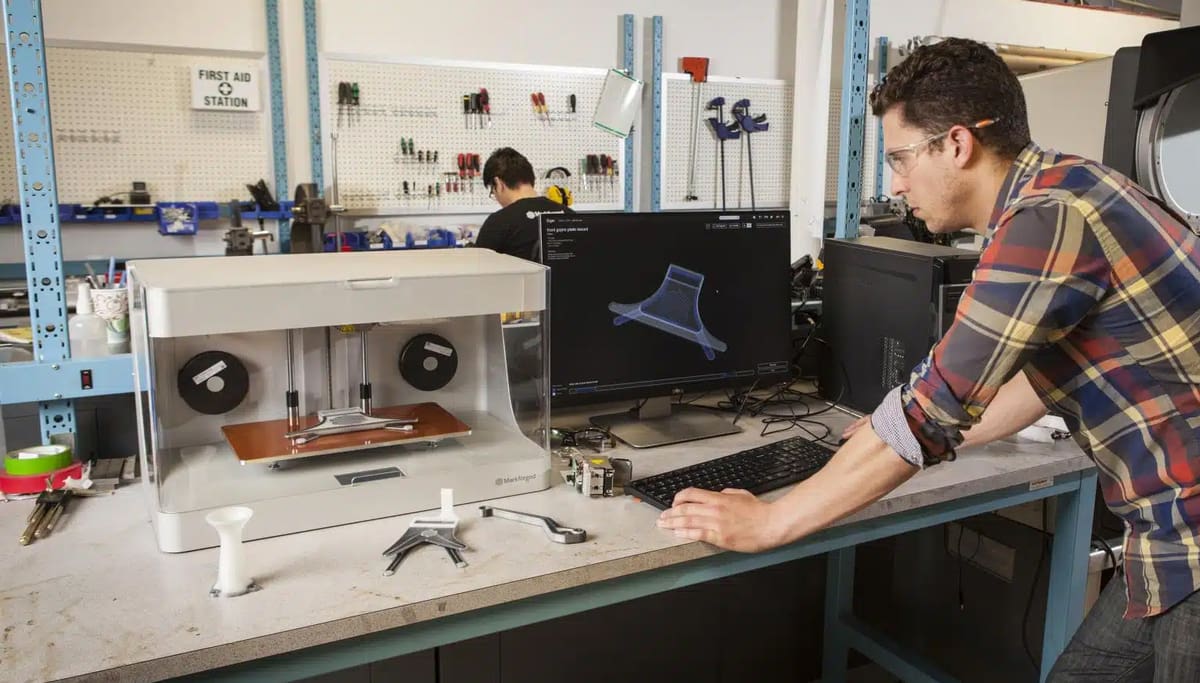
The Markforged Onyx Pro is designed for parts that need to be stiffer and stronger than ordinary filament prints without being machined from metal. It prints the main shape in Onyx, a nylon filled with chopped carbon fiber, then uses a second nozzle to place continuous strands of fiberglass inside selected layers.
The chopped carbon fiber makes the base material relatively stiff and dimensionally stable, while the continuous fiberglass carries loads through the part much like reinforcement in concrete. The fiber does not fill every layer or every feature; users choose where it is added in Markforged’s Eiger software. This makes the printer particularly useful for jigs, fixtures, grippers, brackets, drill guides, housings, and other parts that need strength in known directions.
The Onyx Pro is not a general-purpose dual-material printer. Its second nozzle is dedicated to fiberglass reinforcement rather than soluble supports or another model material. It also cannot print the carbon fiber, aramid fiber, or high-temperature fiberglass available on some of Markforged’s more expensive systems.
Much of the machine’s appeal lies in its controlled workflow. Eiger prepares the build, lets users position reinforcement within the part, and stores designs in a shared digital library. Optional simulation tools can estimate how a reinforced design will behave before printing, which can reduce trial and error when replacing an aluminum part or conventional manufacturing tool.
The hardware has not changed substantially in recent years. Markforged still sells it as the Onyx Pro Gen 2, although it has added a faster Turbo Print mode through software. That makes it a mature rather than cutting-edge platform: its build area is narrow, its material choice is tightly controlled, and newer printers offer more automation and larger chambers for less money.
Its case remains the parts it can produce. A shop that repeatedly needs rigid, lightweight tooling may find continuous fiberglass more useful than a larger build volume or multicolor capability. Businesses that only need conventional prototypes, however, will pay a considerable premium for reinforcement they may rarely use.
Stratasys announced plans to acquire Markforged in May 2026. The transaction is expected to close later in 2026, so Markforged is not yet a completed Stratasys acquisition. The proposed deal may eventually broaden service and distribution options, but buyers should not assume any immediate change to the Onyx Pro or its support structure.
You May Also Like:

License: The text of "The 6 Best Pro 3D Printers Under $10K for High-Uptime Workshops" by All3DP Pro is licensed under a Creative Commons Attribution 4.0 International License.
CERTAIN CONTENT THAT APPEARS ON THIS SITE COMES FROM AMAZON. THIS CONTENT IS PROVIDED ‘AS IS’ AND IS SUBJECT TO CHANGE OR REMOVAL AT ANY TIME.