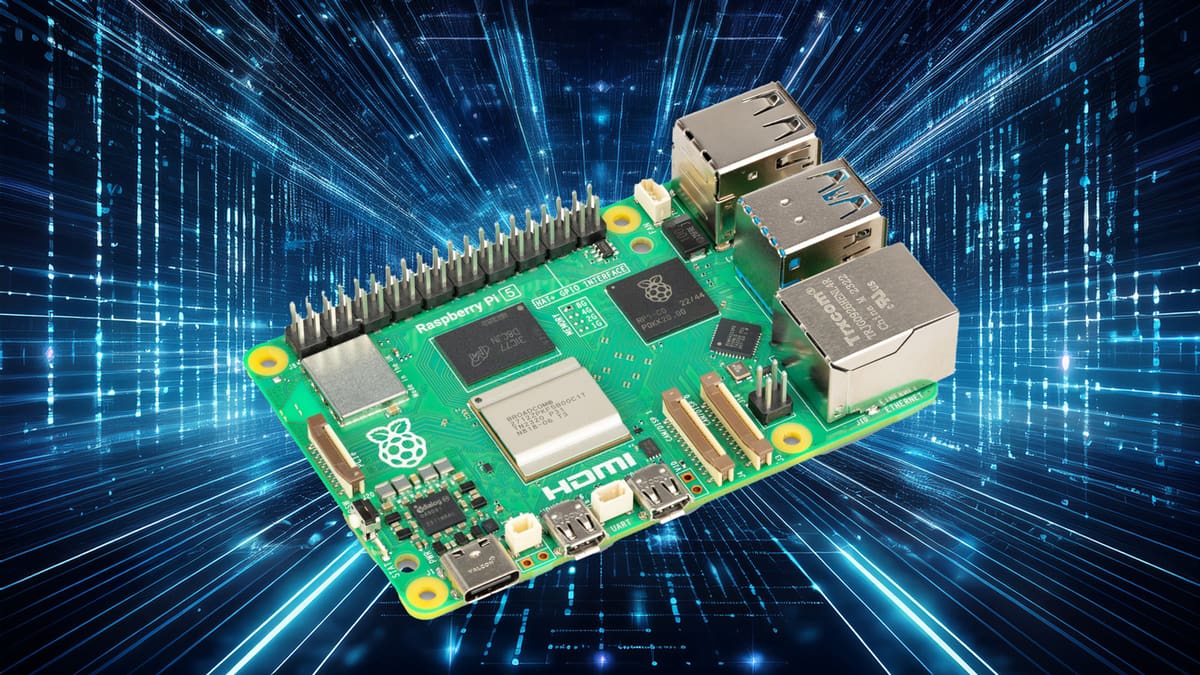
40 Raspberry Pi Projects to Build This Weekend, From Easy to Expert

On the lookout for an exciting Raspberry Pi project? We've compiled this list of 40 of the best around.
If you need a tiny computer to bring a DIY idea to life, it’s hard to go wrong with a Raspberry Pi. Compact, affordable, hackable, and backed by an enormous maker community, Raspberry Pi boards can power everything from simple sensors and displays to home servers, robots, cameras, and AI projects.
So, what should you build with one? We’ve searched the maker community for 50 of the best Raspberry Pi projects you can build right now, with ideas for beginners, experienced makers, and everyone in between. We’ve also updated our hardware recommendations for the current Raspberry Pi lineup, so you can see which Pi and accessories make the most sense for each project.
Get Your Pi Gear!
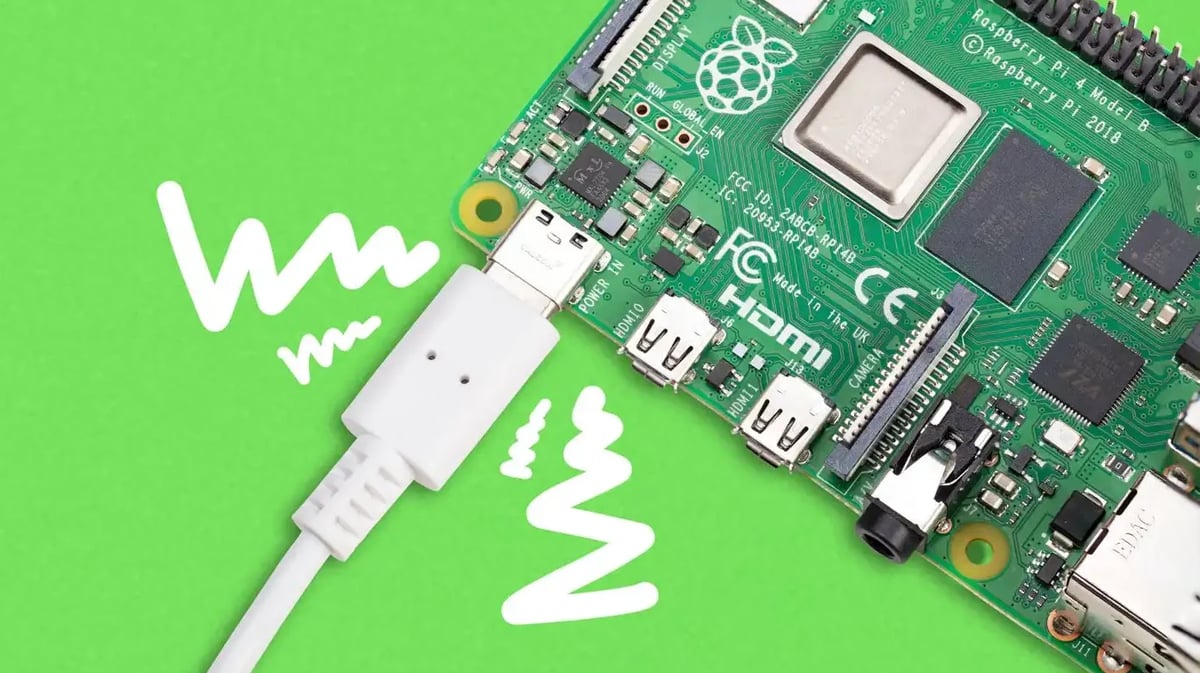
You don’t need the most powerful Raspberry Pi for every project. In fact, choosing the right board can save you money, power, and space. Here’s a quick guide to the current Raspberry Pi family and where each one makes the most sense.
- Raspberry Pi 5: The best all-round choice if you’re buying a full-size Raspberry Pi today. It’s substantially faster than previous generations and is well suited to desktop projects, servers, media centers, computer vision, AI, and other demanding builds. It’s available with 1 GB to 16 GB of RAM, but most DIY projects don’t need the highest-capacity versions; 4 GB is a sensible starting point for general use.
- Raspberry Pi Zero 2 W: A tiny Linux computer that’s ideal when size and power consumption matter more than outright performance. It’s a particularly good fit for compact cameras, lightweight servers, smart-home devices, displays, and other always-on projects.
- Raspberry Pi Pico 2 / Pico 2 W: Unlike the Pi 5 and Zero 2 W, the Pico is a microcontroller rather than a complete Linux computer. It’s the better choice for many straightforward electronics projects involving buttons, LEDs, motors, sensors, and other hardware. Choose the Pico 2 W when you also need Wi-Fi or Bluetooth.
- Raspberry Pi 4: Still perfectly capable of running many of the projects in this list, so there’s usually no reason to replace one you already own. If you’re buying new for a performance-intensive project, however, the Pi 5 is generally the better starting point.
- Compute Module 5: Essentially Raspberry Pi 5 hardware packaged for custom carrier boards and embedded products. It’s powerful and flexible, but it’s primarily of interest to advanced makers and product designers rather than someone building their first Raspberry Pi project.
There are also keyboard computers such as the Raspberry Pi 500 and 500+, but these are aimed primarily at desktop computing rather than the GPIO-heavy DIY projects featured here.
Don’t Forget the Extras
The Pi itself is only part of many builds. Depending on the project, there are a few current Raspberry Pi accessories worth knowing about.
For a Raspberry Pi 5, use a suitably powerful USB-C supply; Raspberry Pi’s official 27W USB-C Power Supply is the recommended option, particularly when powering USB drives and other demanding peripherals.
Cooling is also worth considering for sustained Pi 5 workloads. The official Active Cooler is a compact option designed specifically for the board.
For projects that benefit from faster or more reliable storage, Raspberry Pi 5 can use an NVMe SSD through an M.2 HAT+. Raspberry Pi now offers its own M.2 HAT+, SSDs, and SSD Kits, making NVMe especially appealing for servers, NAS builds, databases, and other storage-heavy projects.
For photography and computer-vision builds, Camera Module 3 is the general-purpose camera to look at first. It uses a roughly 12-megapixel autofocus sensor and is available with standard or wide-angle lenses, as well as infrared-sensitive NoIR versions.
And if AI is the point of your project, Raspberry Pi 5 can be paired with the AI HAT+ for accelerated computer-vision workloads or the newer AI HAT+ 2 for more demanding generative-AI applications.
We’ll recommend the most appropriate Pi and important extra hardware alongside each project below.
Beginner
These projects are easy enough for everyone to achieve and are great for classrooms. They are properly documented and don’t require special tools or skills.
Home Assistant Smart Home Hub
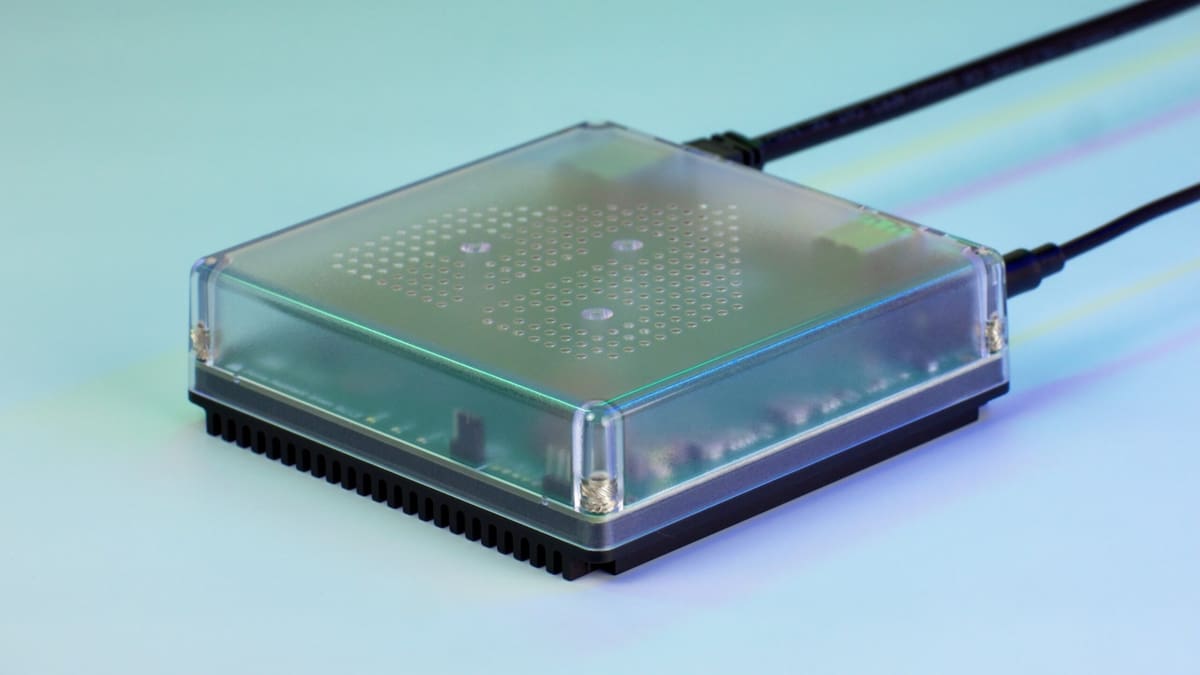
Smart homes are great until every light, plug, sensor, and thermostat expects you to install another app. Home Assistant takes a different approach, bringing compatible smart-home devices together in one locally controlled system – and a Raspberry Pi makes an excellent hub for it.
Home Assistant OS can be installed directly from Raspberry Pi Imager, so getting started is surprisingly straightforward. Once running, you can create dashboards and automations, connect sensors and smart devices, and keep much of your home automation working even if your internet connection goes down. Home Assistant currently recommends a Raspberry Pi 4 or 5 with at least 2 GB of RAM, a 32-GB or larger A2-rated microSD card, and Ethernet for the most reliable connection.
Best Pi: Raspberry Pi 4 or 5
Key gear: 32-GB+ A2 microSD card, Ethernet cable, compatible smart-home devices
Difficulty: Beginner
More information: Home Assistant
Night Vision Camera

Want to see in the dark? This Raspberry Pi-powered night vision camera uses infrared light to capture surprisingly detailed photos and Full HD video in darkness.
At the heart of the build is a Raspberry Pi Camera Module 3 NoIR. Unlike the standard version, the NoIR camera doesn’t have an infrared-cut filter, so its 12-megapixel sensor can pick up infrared light that’s invisible to the human eye. The project pairs it with 830-nm infrared LEDs to illuminate the scene.
A Raspberry Pi 5 provides plenty of processing power for smooth video capture, while a constant-current power supply helps keep the IR LEDs at a stable brightness and reduces visible flicker in recordings. The creator has also provided files for a suitably creepy 3D-printable “all-seeing eye” camera mount.
If you’re connecting Camera Module 3 to a Raspberry Pi 5, don’t forget that you’ll need a Standard–Mini camera cable rather than the standard cable supplied with the camera.
Best Pi: Raspberry Pi 5
Key gear: Raspberry Pi Camera Module 3 NoIR, Standard–Mini camera cable, 830-nm IR LEDs, constant-current power supply
Difficulty: Beginner
More Information: GitHub
Pi-hole Network-Wide Ad Block
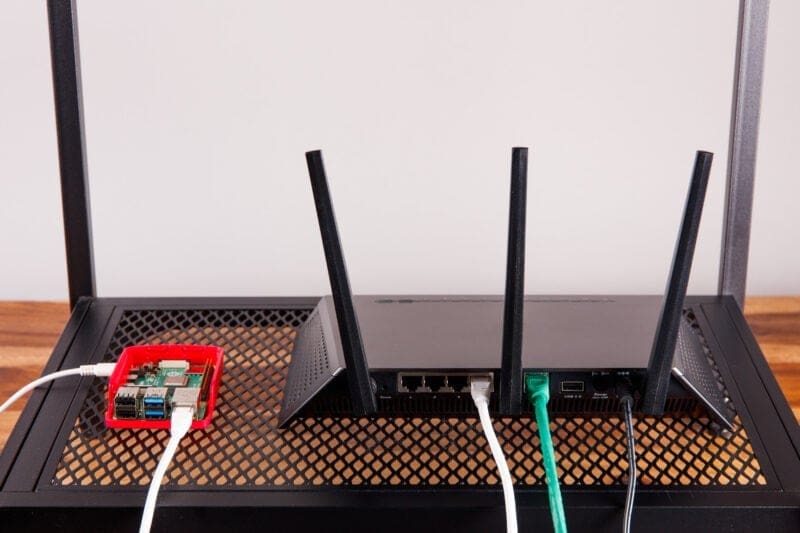
The ads in your browser are one thing, but what about all those smart TVs, phones, tablets, and other devices on your network? Pi-hole is a software that acts a lightweight DNS filtering system that can block requests to known advertising and tracking domains before the unwanted content reaches your devices.
Install Pi-hole on a spare Raspberry Pi, configure your router to use it as the network’s DNS server, and one little computer can provide filtering across much of your home network without installing browser extensions or apps on every device. There’s also a web interface for monitoring requests and adjusting block and allow lists. It won’t magically remove every ad on the internet, but for such a small project, it can have a surprisingly big effect.
Best Pi: Raspberry Pi 4
Key gear: microSD card, Ethernet connection recommended
Difficulty: Beginner
More information: Pi-hole
Alcoclock
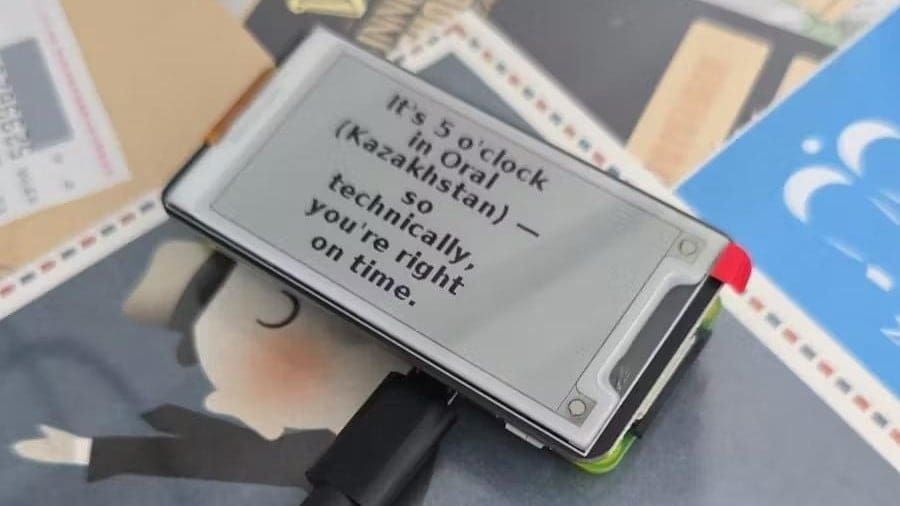
There’s a certain time of day workers worldwide look forward to. The Alcoclock is a clever Raspberry Pi Zero project that solves the internationally-recognized common dilemma: finding an excuse to start drinking.
This device combines a Pi Zero with a Waveshare e-Paper display, scans the globe to find where it’s exactly 5 p.m. Once it finds a location, Alcoclock displays a random, humorous justification to kick off happy hour, bringing the classic phrase, “It’s 5 o’clock somewhere,” to life.
The project includes the Python code and instructions for configuring the display, enabling SPI, and scheduling automatic updates. One thing to check before buying: the e-paper HAT plugs into the Pi’s GPIO pins, so you’ll need a Zero 2 W with a 40-pin header already fitted or be prepared to solder one yourself.
Best Pi: Raspberry Pi Zero 2 W
Key gear: Waveshare 2.15-inch e-Paper HAT+ (G), 40-pin GPIO header if required
Difficulty: Beginner
More Info: Instructables
Retro Gaming Console
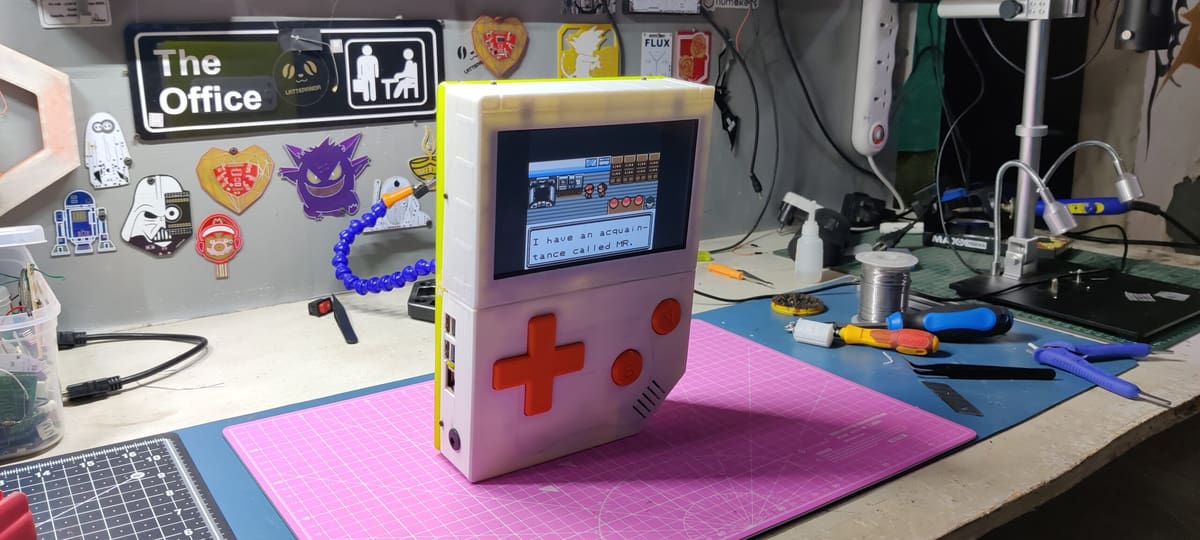
Want to turn a Raspberry Pi 5 into a full-on retro gaming machine? Arnov Sharma’s Gameboy XL packages the Pi into an oversized, 3D-printed Game Boy-style enclosure with a 7-inch display, built-in controls, speaker, and battery. It runs Recalbox for emulating classic systems, while a regular game controller can be plugged in for more comfortable tabletop play. The project includes downloadable printable parts and detailed assembly instructions.
Best Pi: Raspberry Pi 5
Key gear: microSD card or SSD, controller, active cooling, HDMI cable
Difficulty: Beginner
More information: Hackaday
Dice
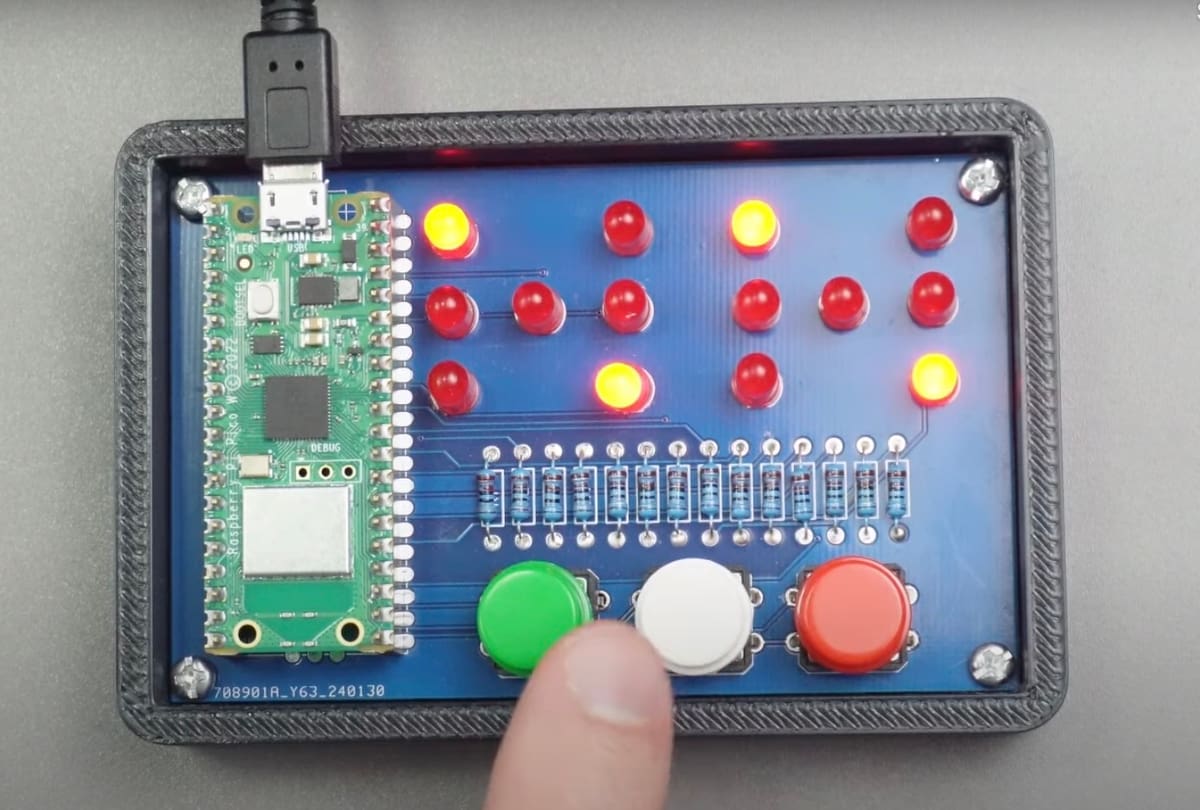
Are you looking for a properly documented beginner’s project for your Raspberry Pi Pico? Then turn your Pi it into two dice. Guitarman9119 already wrote the code; you only need 12 LEDs to display the numbers, a custom PCB, some buttons, and a 3D-printed enclosure.
Best Pi: Raspberry Pi Pico
Key gear: 0.96-inch SSD1306 OLED display, push button, breadboard, jumper wires
Difficulty: Beginner
More information: Instructables
Private Second Brain
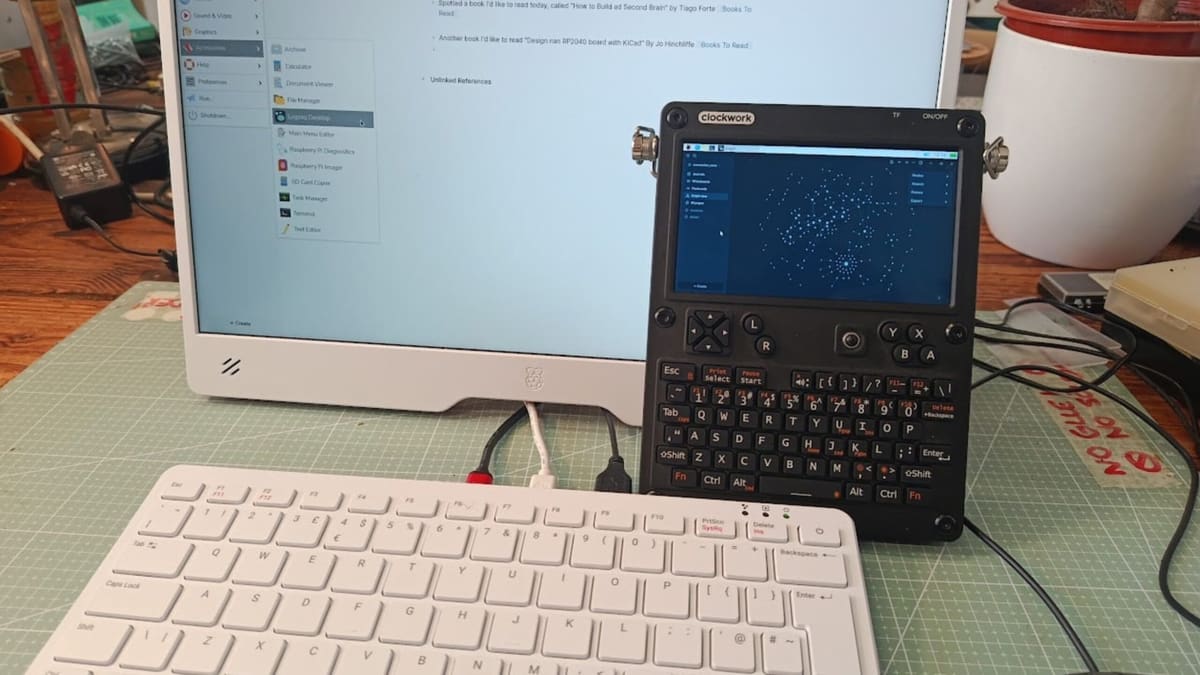
Got useful notes scattered between notebooks, computers, and half-forgotten apps? This Raspberry Pi project creates a private “second brain” for collecting ideas, appointments, documents, and anything else you want to find again later.
The setup is centered around the open-source Logseq knowledge-management app, while Syncthing keeps its files synchronized between your devices. Unlike a conventional cloud sync service, Syncthing transfers files directly between your machines and encrypts the data in transit. A Raspberry Pi can therefore act as an always-available part of your personal knowledge system without handing all of your notes to somebody else’s cloud. You can even attach files, annotate PDFs, and organize information using tags and links.
Best Pi: Raspberry Pi 5
Key gear: microSD card or SSD, network connection
Difficulty: Beginner
More information: Raspberry Pi
Burglar Alarm
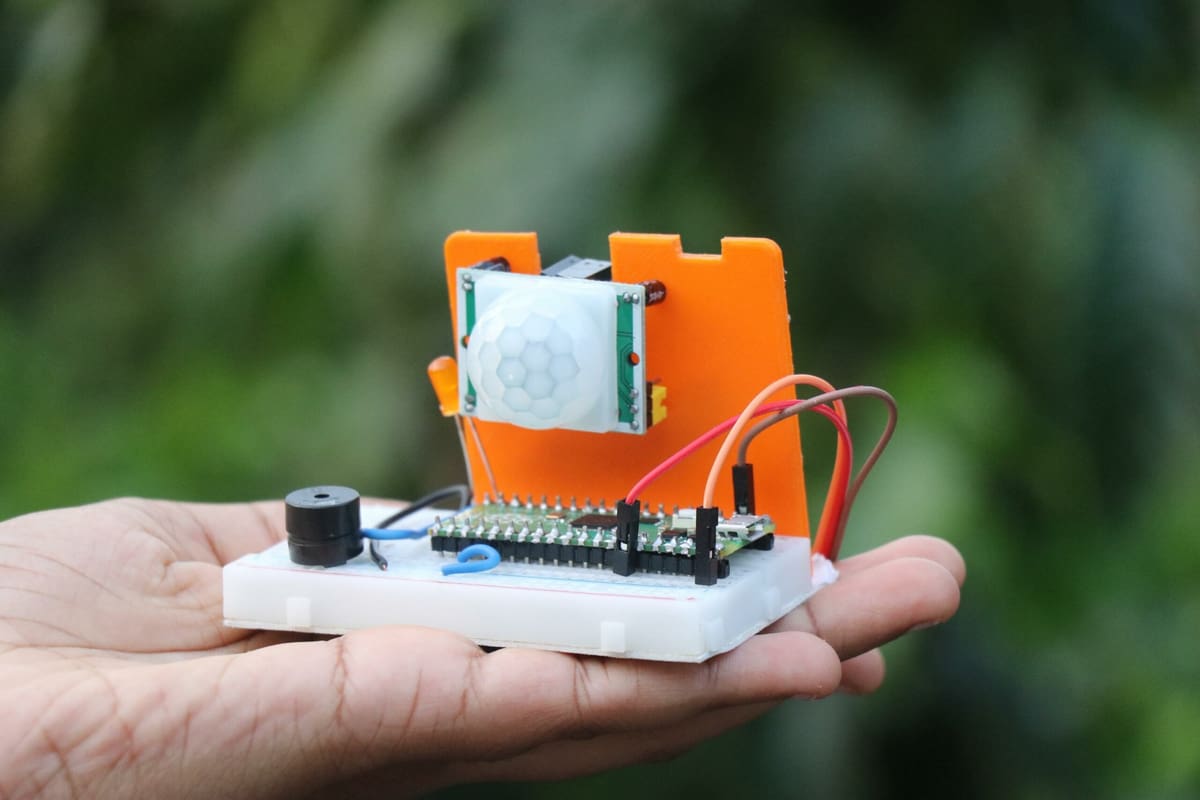
Imagine you have a farm, and some animal is stealing your crop. Or that gluttonous colleague of yours is fond of the chocolate bars in your desk drawer. Not so good, right? Obviously, we will need an alarm system that scares them away. Robo Hubs came up with a $10 solution that does the trick.
You will need a Raspberry Pi Pico, a PIR sensor module, a speaker, and a power bank if you want to power your device outside. The circuit is really easy to build, and the program has already been written for you. The passive infrared sensor will pick up movement, and your Raspberry Pi will ring the alarm.
Best Pi: Raspberry Pi Pico
Key gear: PIR motion sensor, speaker, breadboard, jumper wires
Difficulty: Beginner
More information: Instructables
Network Monitor
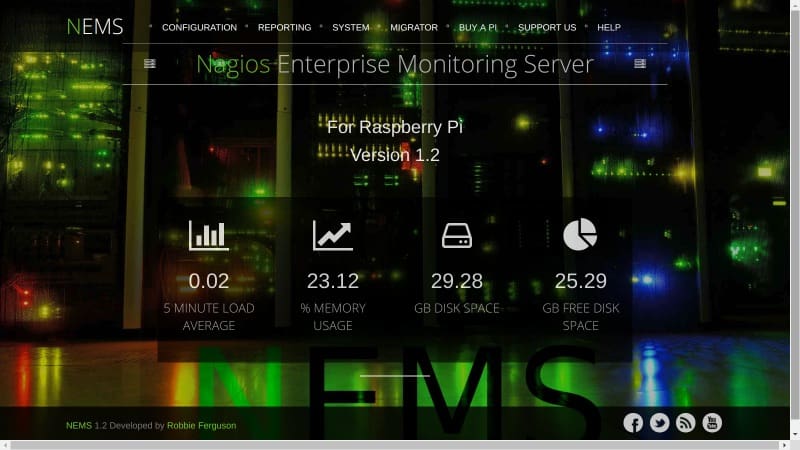
The initial idea for the Raspberry Pi may have been to teach children how to code, but nowadays, you see it in a professional context a lot. If you’re looking for a network monitoring solution, best give the NEMS Linux distro a spin. It can monitor multiple servers at once, track the status of your system, issue warnings, and detect failures. It has evolved to include enterprise builds for VMWare ESXi, Amazon Web Services’ EC2, Docker, and more. The UI is browser-based, feels modern, offers countless extras, and is easy to use.
Best Pi: Raspberry Pi 4
Key gear: MicroSD card, Ethernet cable
Difficulty: Beginner
More information: MUO
International Space Station Tracker
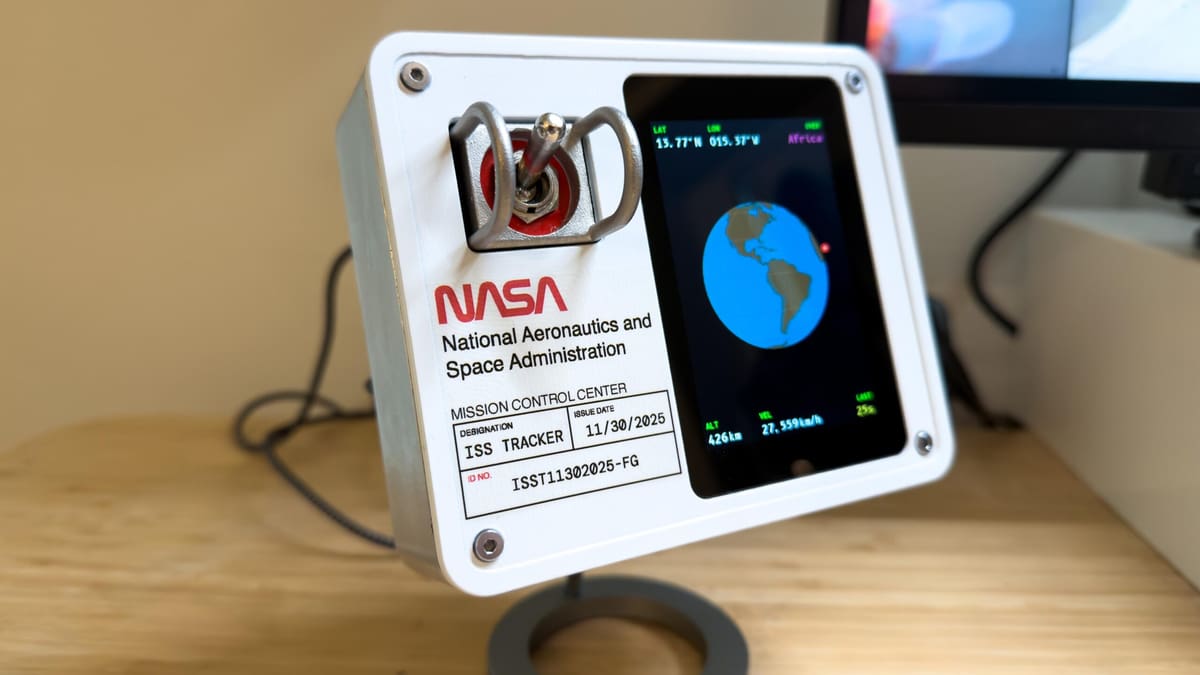
Track the International Space Station in real time with a Raspberry Pi-powered display. This 2026 build shows the ISS moving around a 3D globe alongside its latitude, longitude, altitude, and speed.
A toggle switch can also bring up a list of the people currently in space, while 3D-printable enclosure available on MakerWorld gives the finished tracker a suitably NASA-inspired look.
Best Pi: Raspberry Pi 4
Key gear: Waveshare 3.5-inch RPi LCD (F), toggle switch, 3D-printed enclosure
Difficulty: Beginner
More information: GitHub
Media Center
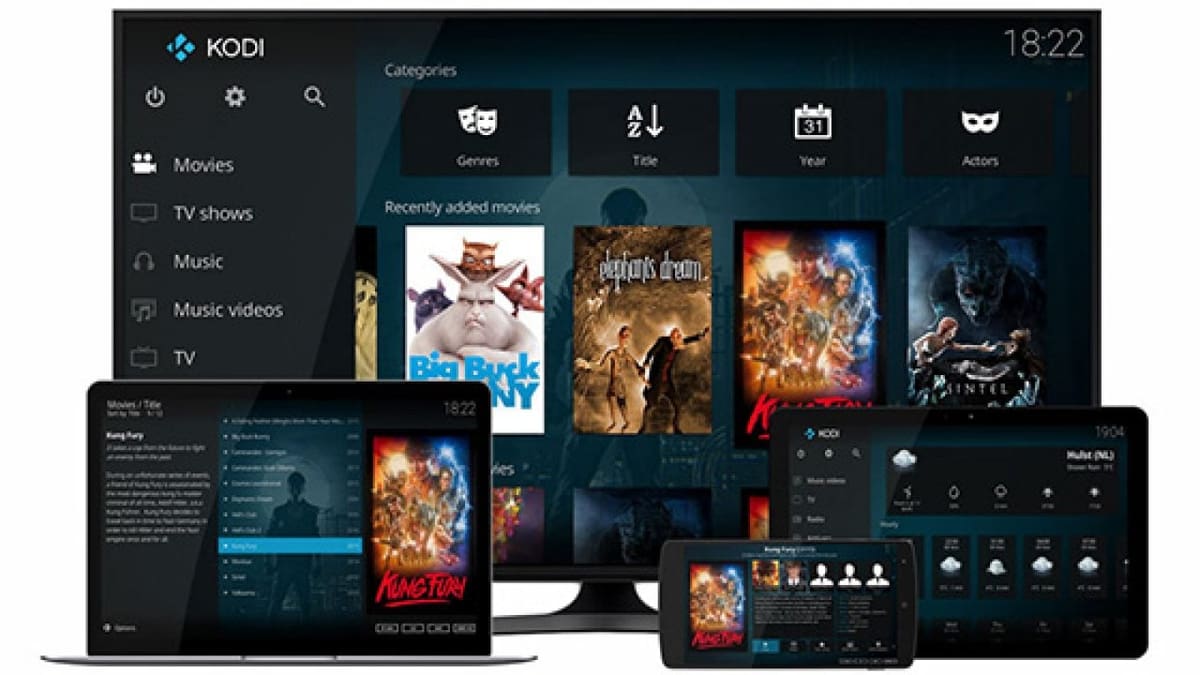
Kodi is a versatile media center and entertainment hub that brings digital media together into a user-friendly package. A Raspberry Pi 5 provides enough performance for a capable 4K setup, and the project guide walks through installing LibreELEC, configuring storage, and setting up Kodi.
Best Pi: Raspberry Pi 5
Key gear: microSD card or SSD, HDMI cable, active cooling, optional USB storage or NAS
Difficulty: Beginner
More information: Github
LED Lamp
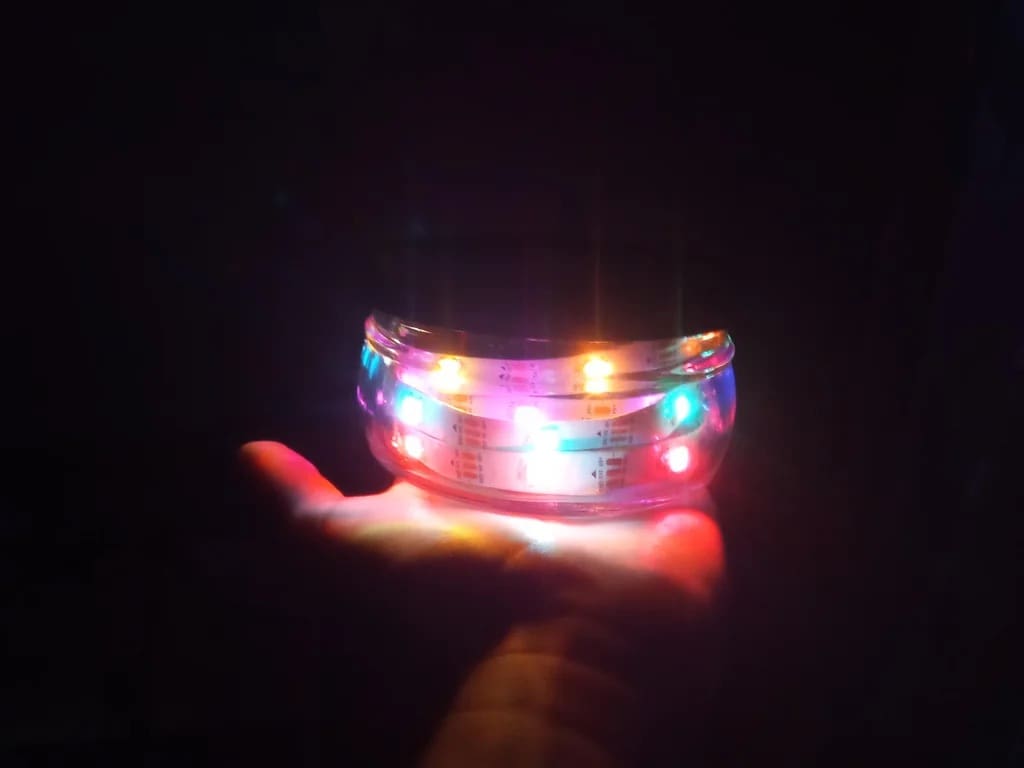
Upcycling obviously is something that computer scientist Nick Programmer is interested in. With the help of a Raspberry Pi Pico, an LED light strip, and some electrical components, you can turn an old glass container into a lamp that can shine in different colors. The project is well-documented, so you should be able to complete it in one evening.
It’s a simple, inexpensive introduction to controlling LEDs with a microcontroller, with plenty of scope to customize the enclosure and lighting patterns.
Best Pi: Raspberry Pi Pico
Key gear: RGB LED strip, push button, resistor, capacitor, glass container
Difficulty: Beginner
More information: Instructables
Intermediate
You know where to hold a soldering iron, repair most of the stuff at home, and aren’t afraid to alter code to fit your needs. Well, these intermediate Raspberry Pi projects should be perfectly achievable for you.
Network Attached Storage (NAS)
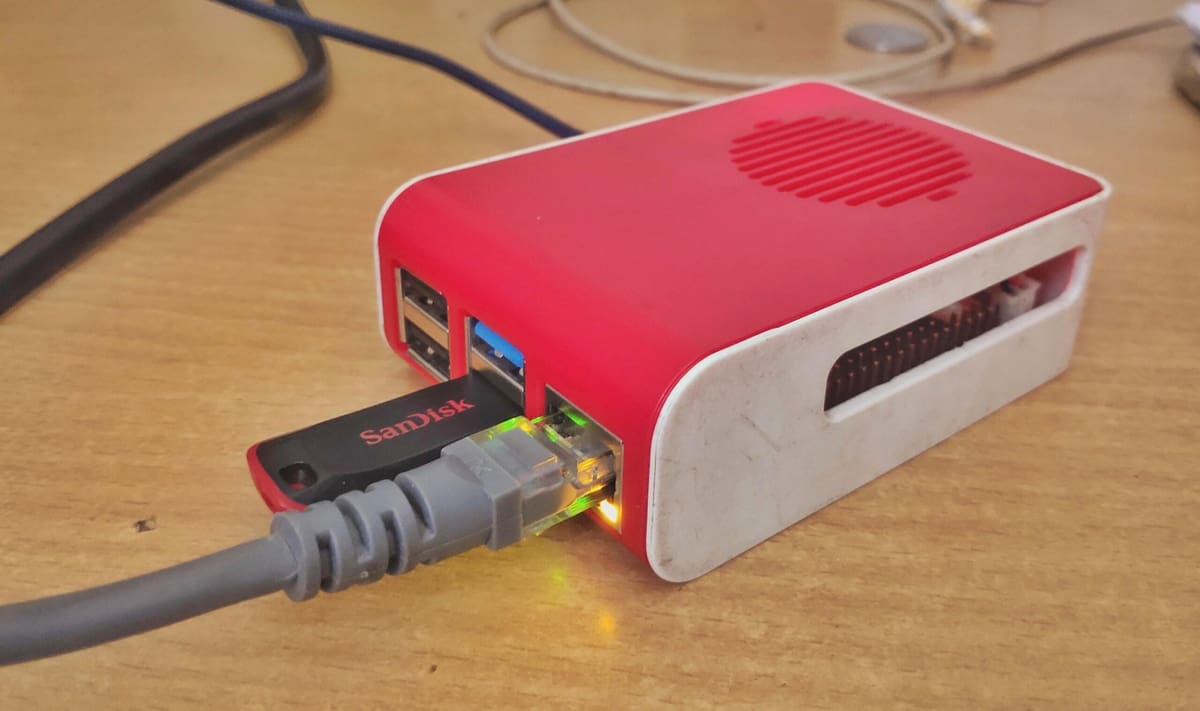
So, what is an NAS, and why would you need one? Network Attached Storage (NAS) devices act as a file sharing server, perfect for databases or file transfer. This way, multiple users can access common resources on attached hard drives, pen drives, or SD cards.
With clear instructions provided by user sidG, you can turn any Raspberry Pi 4 or 5 into a Network Attached Storage (NAS) device so that you can easily transfer files or back up them over your home network, especially if you pair it with fast NVMe storage and use Ethernet for the best network performance.
Best Pi: Raspberry Pi 5
Key gear: M.2 HAT+, NVMe SSD, Ethernet cable, active cooling
Difficulty: Intermediate
More information: Instructables
Raspberry Pi Cyberdeck
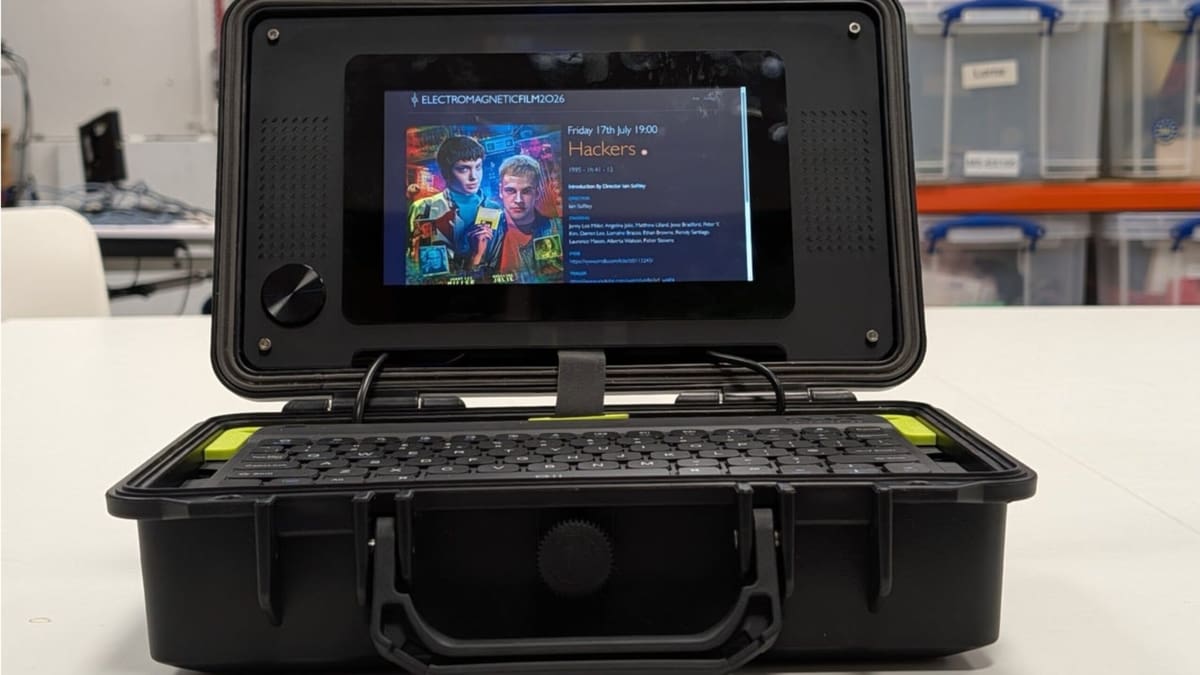
Build a rugged portable computer around a Raspberry Pi 5 and a 7-inch Raspberry Pi Touch Display 2. The official Raspberry Pi build adds a compact keyboard, speakers, storage, and battery power inside a hard case, with room for custom 3D-printed or laser-cut panels.
It’s a flexible platform for coding, retro gaming, networking, or field use, but power management and enclosure fabrication make it better suited to experienced makers.
Best Pi: Raspberry Pi 5
Key gear: Touch Display 2, compact keyboard, storage, portable power
Difficulty: Intermediate
More information: Raspberry Pi
Smart Security Camera
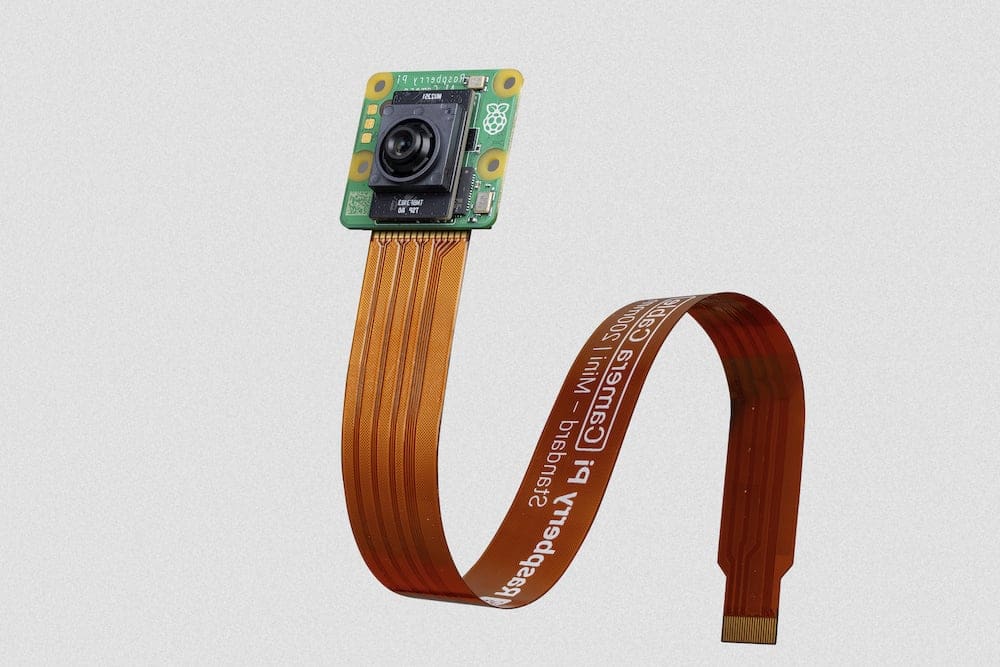
A security camera becomes a lot more useful when it can tell the difference between a person walking toward your door and a tree moving in the wind. Raspberry Pi’s AI Camera makes that sort of computer vision much easier by putting a Sony IMX500 AI-enabled image sensor directly into the camera module.
Connect it to a Raspberry Pi 4 or 5 and you can run ready-made neural networks for tasks such as object detection and pose estimation. With the supplied MobileNet SSD model, the actual object detection takes place on the AI Camera rather than loading the Pi’s CPU with all of the inference work. From there, you can use the detection results as the basis for recording footage, triggering an alert, or building your own smart-camera application.
Best Pi: Raspberry Pi 5
Key gear: Raspberry Pi AI Camera, camera cable, suitable enclosure
Difficulty: Intermediate
More information: Raspberry Pi
Pi-Sky Flight Tracker
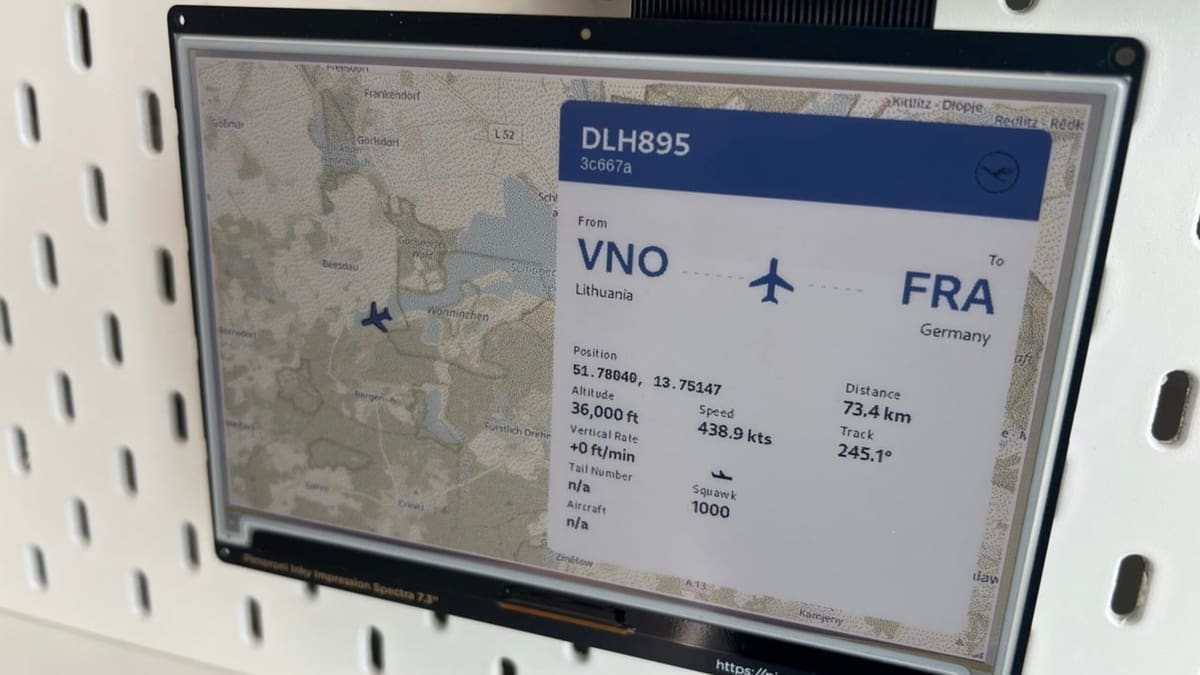
Ever hear an aircraft overhead and wonder where it’s going? Instead of asking an online flight-tracking service, Pi-Sky lets your Raspberry Pi listen to the aircraft itself.
Add a 1090-MHz ADS-B receiver (the project recommends FlightAware’s Pro Stick Plus) and your Pi can decode radio broadcasts from nearby aircraft. Pi-Sky turns that data into a local web dashboard with live aircraft maps, flight cards, and searchable history. It can even replay previous flights and show information on an optional Pimoroni Inky e-paper display. Some route, registration, and airport details are enriched using public APIs, but the aircraft positions themselves come from radio signals received right at your location.
Best Pi: Raspberry Pi 5
Key gear: 1090-MHz ADS-B receiver, ADS-B antenna
Difficulty: Intermediate
More information: Raspberry Pi
LoRa Sensor Node
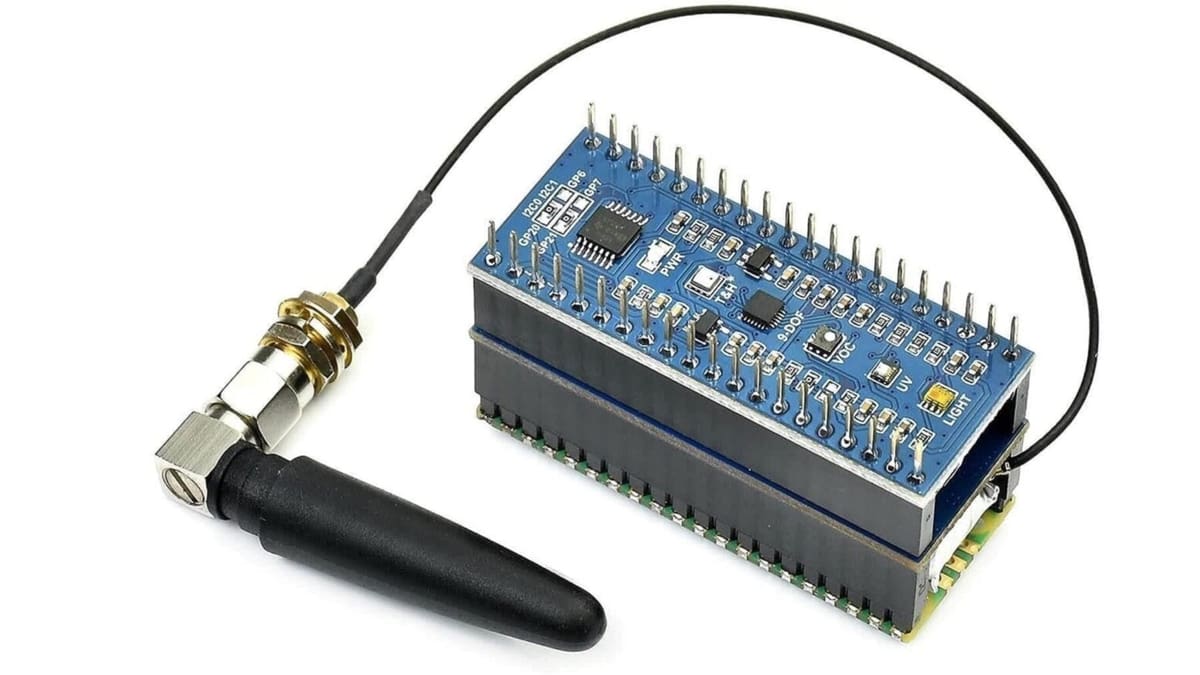
Wi-Fi is handy, but eventually you reach the end of the garden – quite literally. LoRa is designed for sending small amounts of data across much greater distances, making it ideal for remote weather stations, environmental sensors, sheds, allotments, and other projects sitting far beyond your router.
One particularly neat option combines a Raspberry Pi Pico with an SX1262 LoRa module. The Waveshare version even includes a small LiPo battery and exposes a Qwiic/STEMMA QT connector for adding sensors. LoRa only offers low data rates, but under favorable rural conditions its range can stretch to several kilometers. Just make sure you buy a radio for the correct frequency band in your region and follow your local rules governing radio frequency, transmission power, and duty cycle.
Best Pi: Raspberry Pi Pico
Key gear: SX1262 LoRa module, antenna, sensor of your choice
Difficulty: Intermediate
More information: Raspberry Pi
GPS Tracker
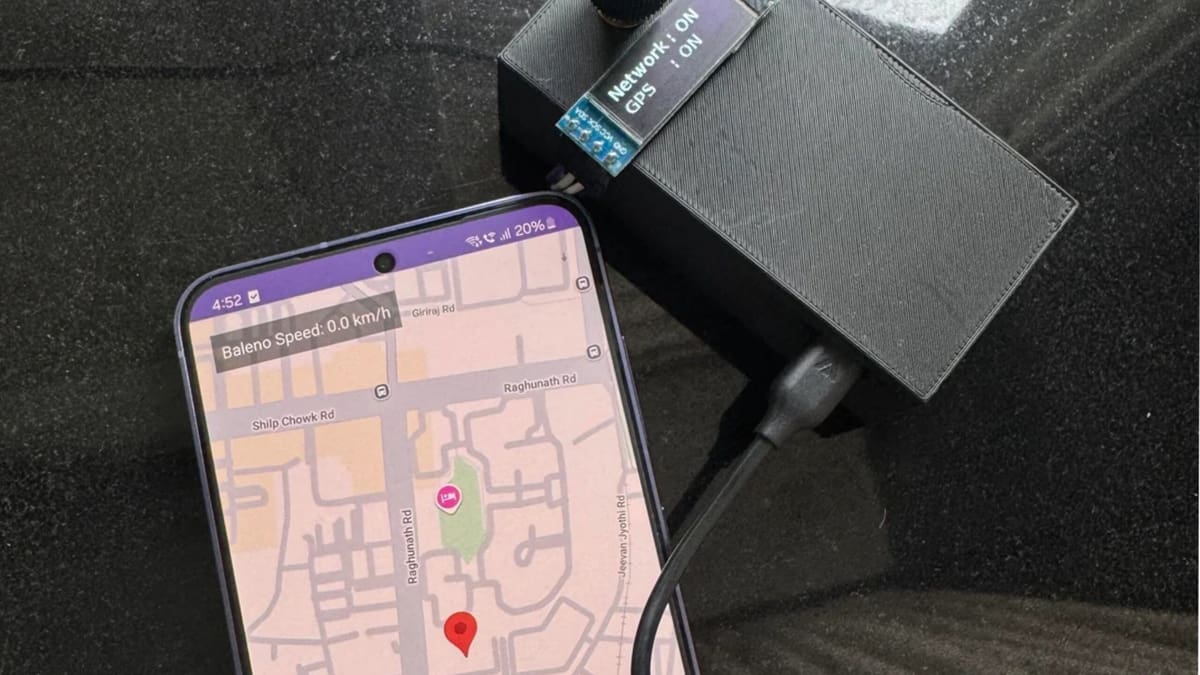
Designed as a tracker for your own vehicle, the project reads its location from the cellular HAT, sends updates to a Traccar server, and displays GPS and network status on a tiny OLED screen. A system service launches the tracker automatically when the Pi starts, while an optional Telegram message can let you know the system has come online. You will, of course, need a SIM with an active data plan – and should only use location tracking on vehicles or other property you own or have permission to monitor.
Best Pi: Raspberry Pi Zero 2 W
Key gear: SIM7600G-H 4G HAT, SIM/data plan, GPS and LTE antennas, optional OLED
Difficulty: Intermediate
More information: GitHub
The Simpsons TV

This little Simpsons TV is a desktop gadget that brings the random, “always on” nature of a traditional television to life in a miniature form.
This build is an updated version of a hugely popular original, and uses a Waveshare screen that’s easier to install and requires less soldering. Its designer — Brandon Withrow – was inspired by a childhood spent watching TV and playing with LEGOs, aiming to recreate the simple joy of turning on a screen and watching whatever is on, without the endless choices of the internet. Except, it’s always The Simpsons this time!
The guide walks you through every step of building your own tiny Simpsons TV, from 3D printing the enclosure to coding the Raspberry Pi that powers it. Once complete, you’ll have a TV that plays a continuous loop of videos you provide (make sure its The Simpsons, obviously) and it includes functional power and volume controls. Best attempted by users with an intermediate level of skill, the entire process, including printing the enclosure, takes about 14 hours to complete.
Best Pi: Raspberry Pi Zero 2 W
Key gear: 2.8-inch Waveshare 640×480 display, mono audio amplifier, 1.5-inch speaker, microSD card, buttons, potentiometer, 3D-printed enclosure
Difficulty: Intermediate
More Info: Brandon Withrow
PiKVM / Remote PC Control
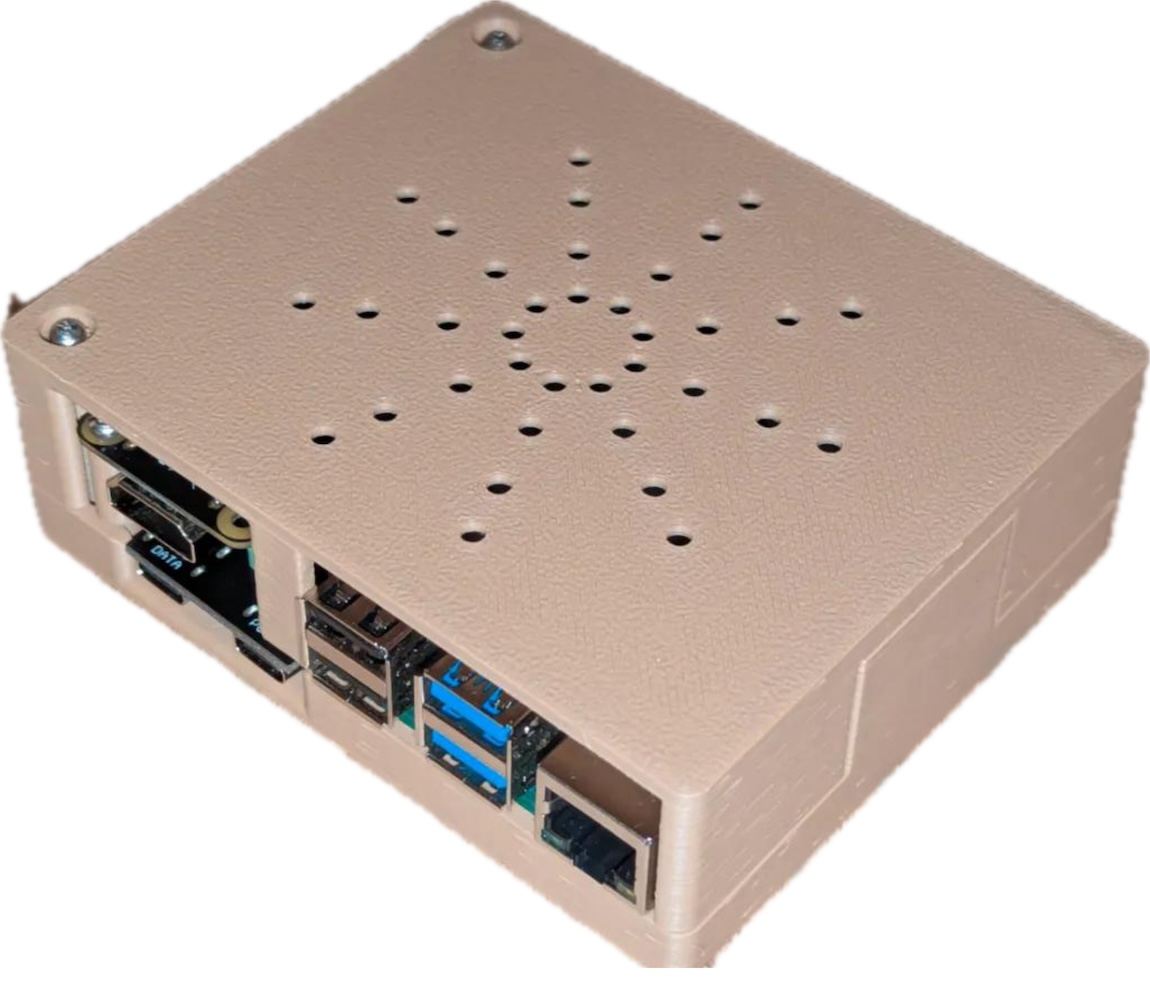
PiKVM turns a Raspberry Pi into a hardware-level remote control system for another computer. Through a web browser, you can view its display, control the keyboard and mouse, access BIOS or UEFI settings, and even reinstall an operating system using virtual media.
A Raspberry Pi 4 is the best fit for a DIY build, paired with HDMI capture hardware and a USB connection to the target machine. Optional ATX control can also let you power the computer on, off, or reset it remotely.
Best Pi: Raspberry Pi 4
Key gear: HDMI capture device, microSD card, USB connection to target PC; optional ATX-control hardware
Difficulty: Intermediate
More information: PiKVM DIY V2 guide
Chicken Guardian
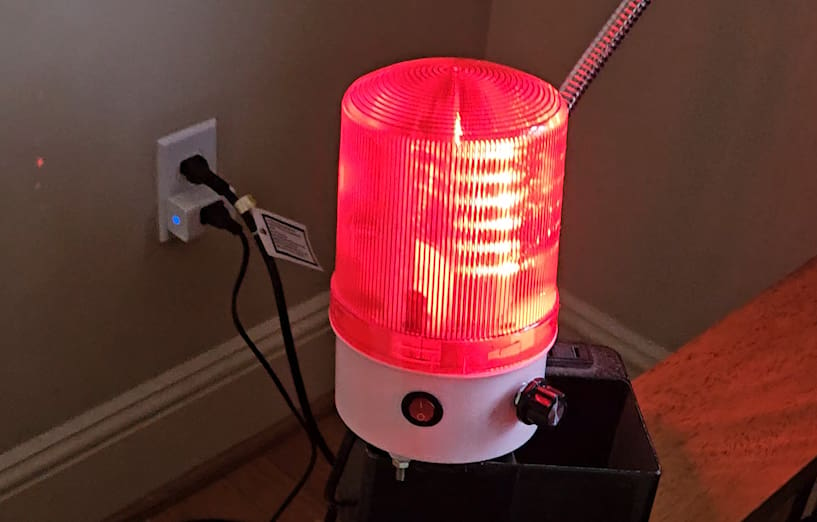
The “Chicken Guardian” puts to use a Raspberry Pi 4, a USB webcam, and a speaker to protect your chickens from predators. The system utilizes a YOLOv8 object detection model, trained to identify specific animals like coyotes, foxes, and raccoons. When a predator is detected, the device plays pre-recorded audio to scare it away.
To keep the chicken manager informed, the system sends an alert to a custom smart home setup using a Blues Wireless Notecarrier-F. This alert then triggers a siren connected to a smart plug, providing a clear indication of a threat. The creator of the project also included additional code to detect if a predator and a chicken are in the same frame, which could be used to escalate the alert level in the future. The project’s goal is to provide an automated, effective way to keep backyard chickens safe.
Best Pi: Raspberry Pi 4
Key gear: USB webcam, speaker, network connection, optional cellular module and smart siren or plug
Difficulty: Intermediate
More Info: Instructables
InkyCal
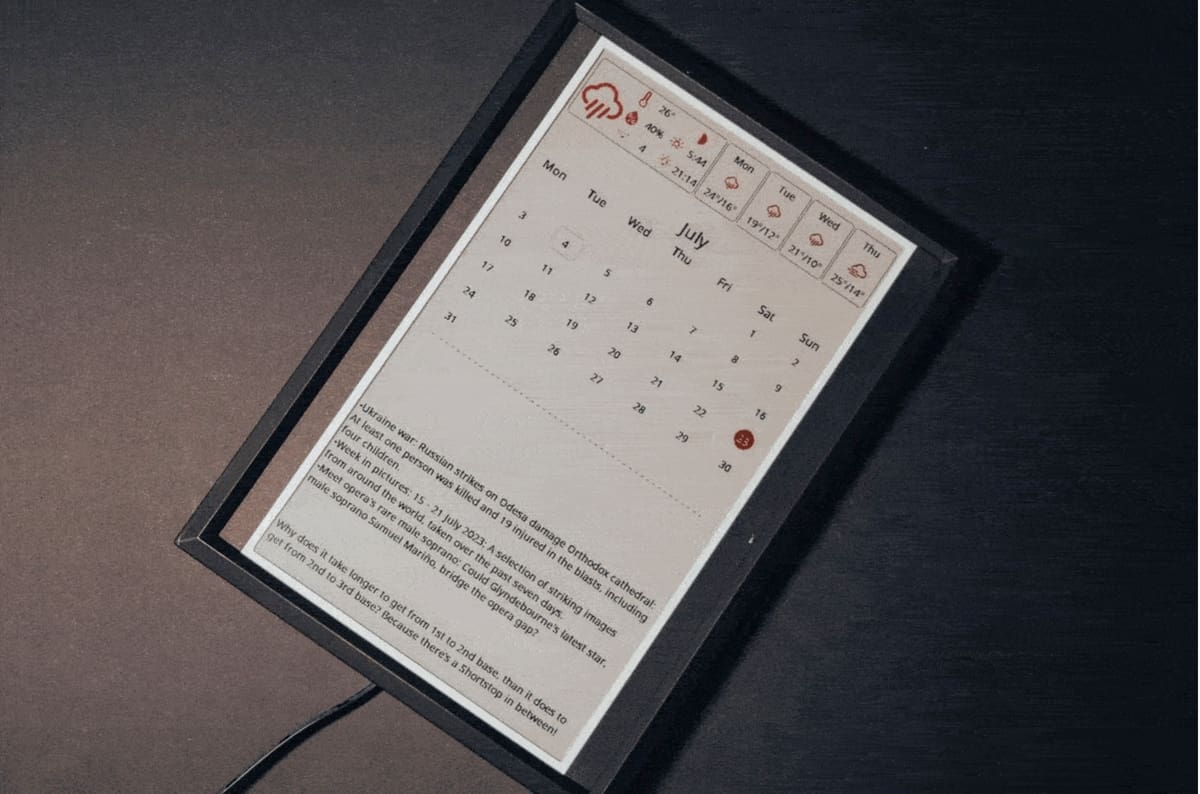
InkyCal turns an e-paper screen into a customizable information dashboard for your desk or wall. It can display calendars, weather forecasts, tasks, reminders, photographs, and other information without the constant glow or power consumption of a regular monitor.
The open-source software remains actively developed and now includes a local web interface, custom Python modules, display tools, and support for printable cases.
Best Pi: Raspberry Pi Zero 2 W
Key gear: supported e-paper display, microSD card, Wi-Fi connection, optional 3D-printed frame
Difficulty: Intermediate
More information: GitHub
Music Streamer
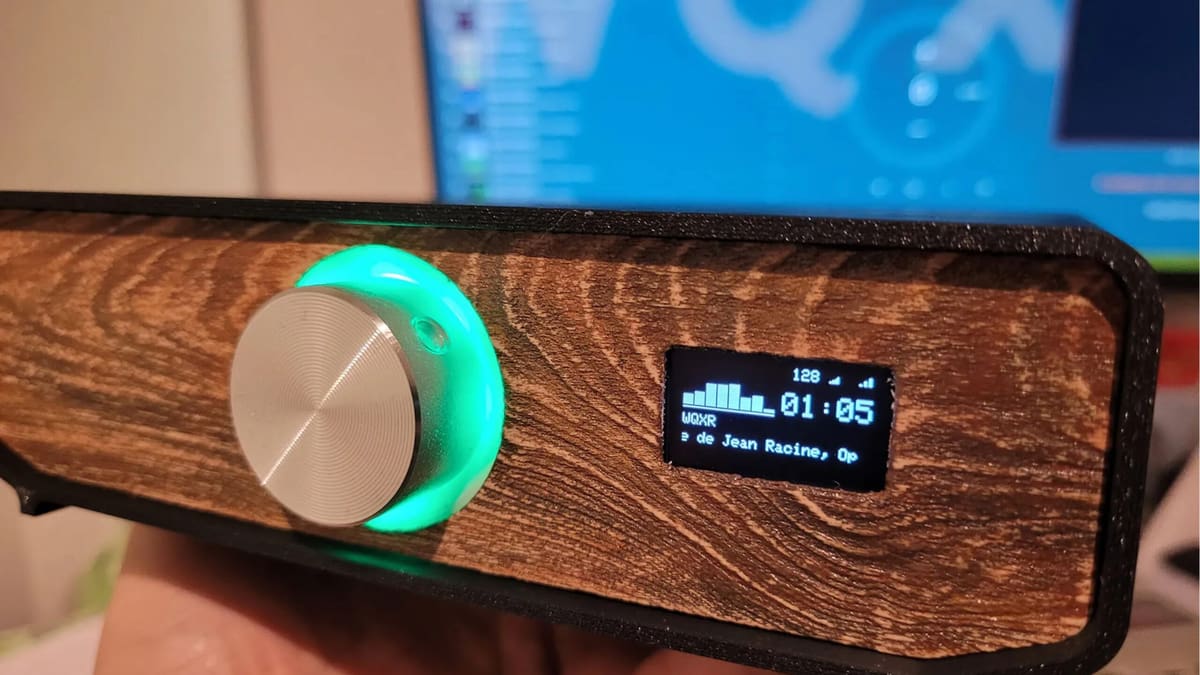
Turn an old amplifier or pair of powered speakers into a networked music system with a Raspberry Pi and moOde Audio Player. The dedicated audio software can play music from local or network storage, internet radio, AirPlay, Spotify Connect, and other sources, all controlled through a browser.
Add a USB DAC or Raspberry Pi audio HAT and the Pi becomes a compact headless streamer that can give older hi-fi equipment modern network playback without replacing the rest of your setup. moOde remains actively developed for current Raspberry Pi hardware and Raspberry Pi OS.
Best Pi: Raspberry Pi Zero 2 W
Key gear: USB DAC or audio HAT, amplifier or powered speakers, microSD card, Wi-Fi or Ethernet
Difficulty: Intermediate
More information: GitHub
Smart Planter
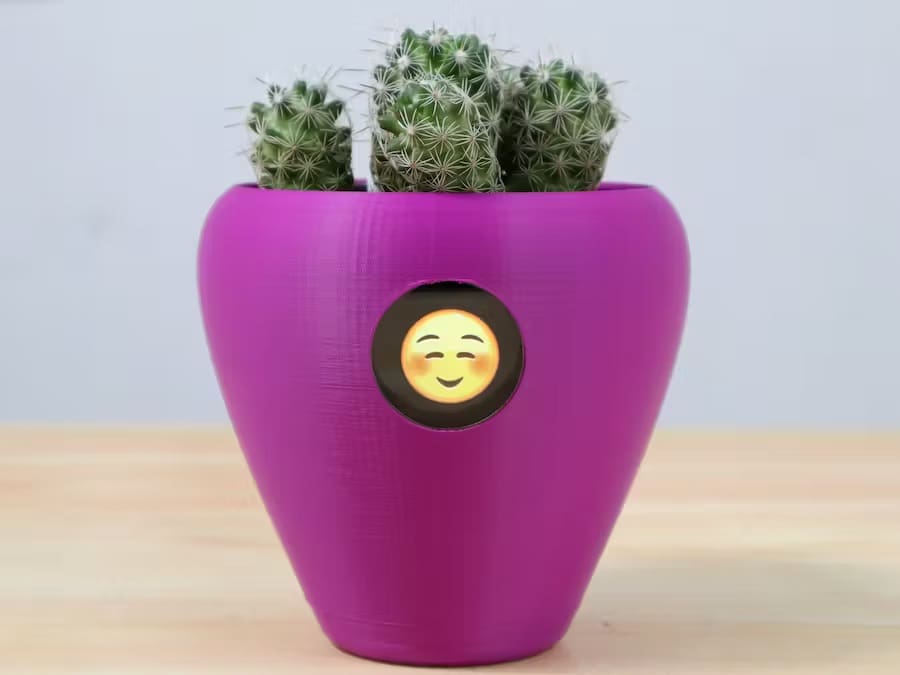
Fyto is a smart planter pot thought up by Team CodersCafe. It is 3D printed, and houses sensors that measure light exposure, temperature, and humidity. Depending on these factors, a smiley represents six different “emotions” of your plant, like being cold, thirsty, or sleepy. You can then react accordingly. The “brain” for all this is a Raspberry Pi Zero 2W.
Best Pi: Raspberry Pi Zero 2 W
Key gear: 2-inch LCD, soil-moisture sensor, temperature sensor, light sensor, ADS1115 ADC, planter/enclosure
Difficulty: Intermediate
More information: Hackster
Possessed Portrait
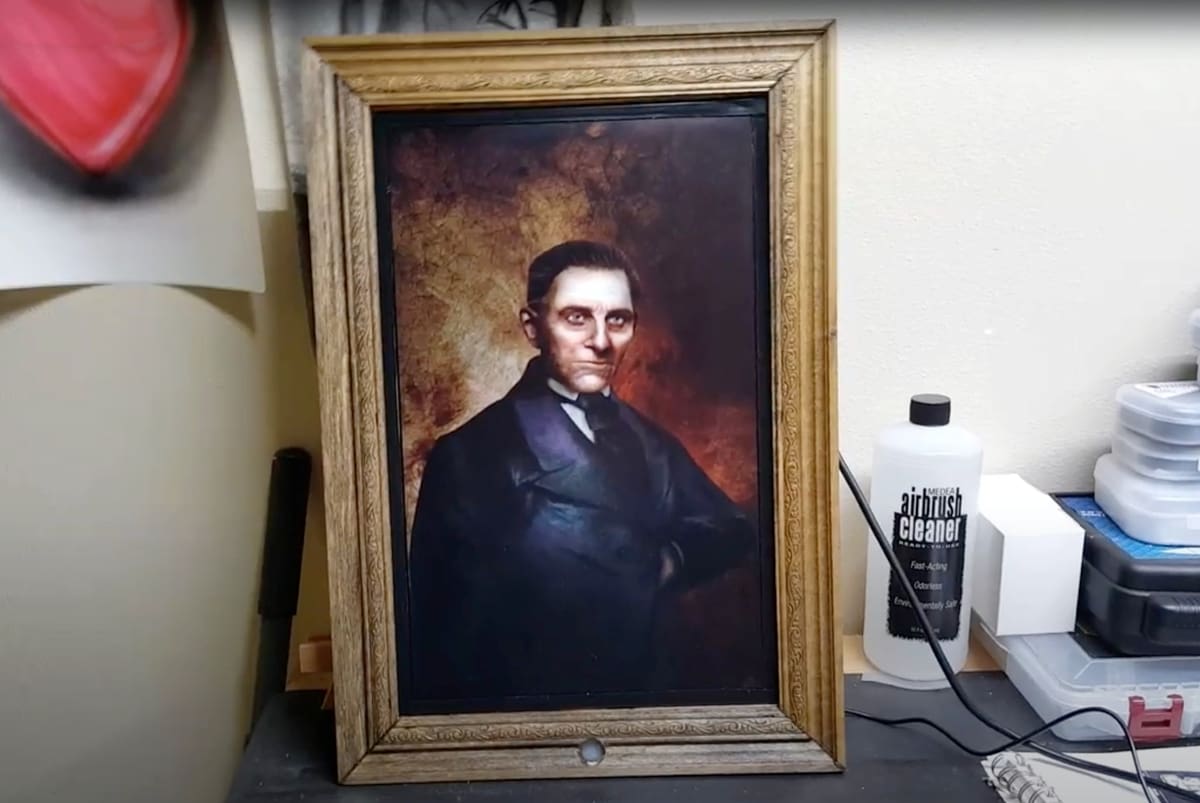
If you like a good jump scare, this is a really fun one. Mounted in a picture frame is an LCD screen showing a portrait of a gentleman … until you pass the frame and the picture comes alive. Couple the visual with good speakers, and rest assured it will have an effect on passersby. Besides a Raspberry Pi, you’ll need to buy some sensors and the movie itself. Although the project from Dominick Marino is well documented, it’s best for intermediate makers.
Best Pi: Raspberry Pi 4
Key gear: LCD monitor, PIR motion sensor, speakers, frame, video assets, optional Camera Module
Difficulty: Intermediate
More information: Hackster
Weather & News Station
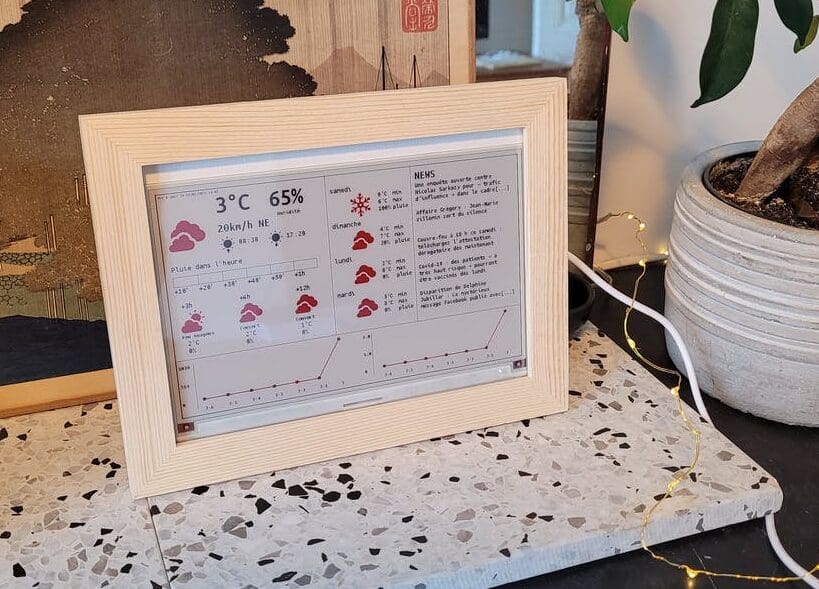
With the help of a Raspberry Pi Zero W, an old picture frame, and a 7.5-inch e-paper display, you’ll get your weather forecast, an air pollution tracker, and the top news headlines. The project was thought up by the maker Aerodynamics.
Best Pi: Raspberry Pi Zero 2 W
Key gear: 7.5-inch Waveshare e-paper display, microSD card, Wi-Fi connection, frame or enclosure
Difficulty: Intermediate
More information: Hackster
Smart Mirror
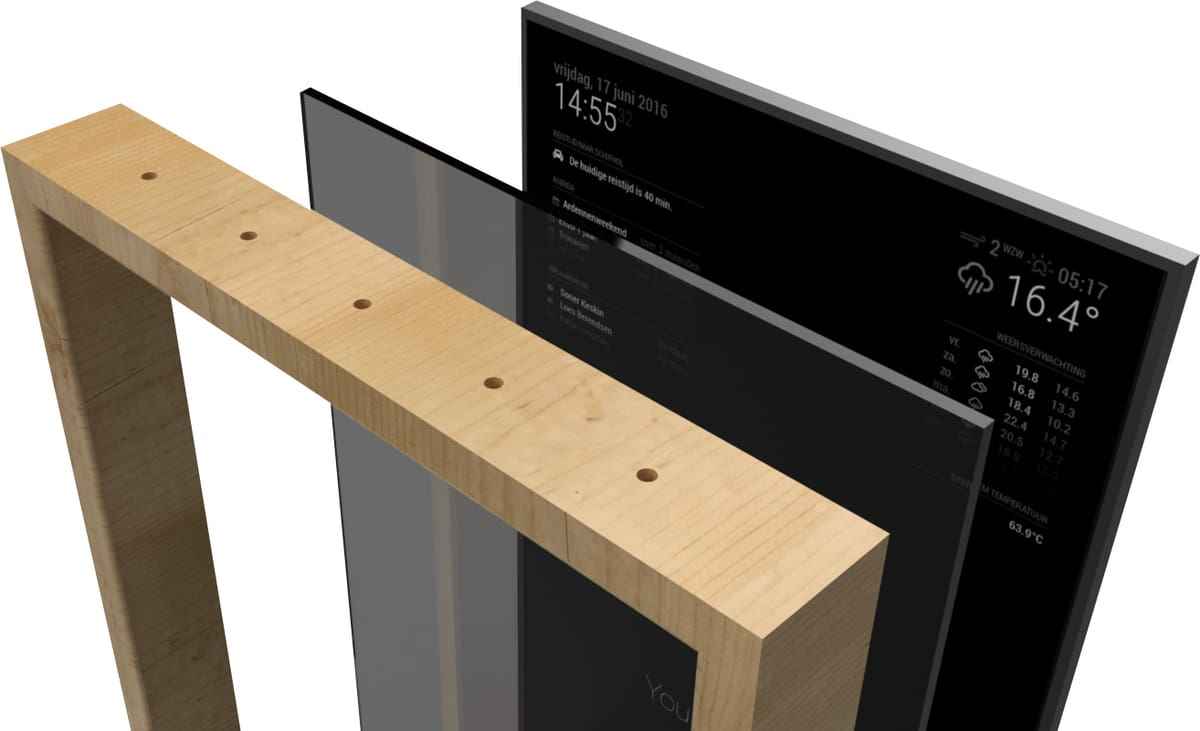
“Mirror, mirror on the wall …” – if you have a question, this smart mirror can answer it. With a growing list of compatible apps, MagicMirror² allows you to convert your hallway or bathroom mirror into a personal assistant. The software is easy to configure, and you can choose from a variety of different modules, such as voice control, news, weather forecasts, transport, sports, and communication. The mirror can also be voice-activated.
Best Pi: Raspberry Pi 4
Key gear: monitor, two-way mirror or mirrored acrylic, frame, microSD card, HDMI cable
Difficulty: Intermediate
More information: MagicMirror
Macro Keyboard
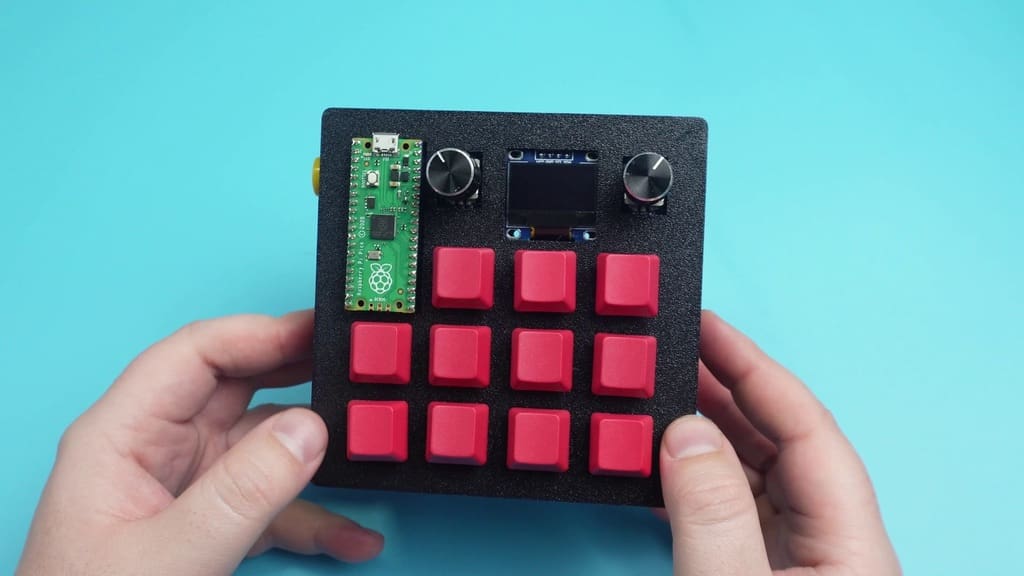
Guitarman9119 has a knack for the Raspberry Pi Pico, and with this DIY macro keyboard, he shows one of its many use cases. The macro keyboard can be programmed to your liking; it sports 11 programmable keys, two clickable encoders, and RGB lighting that tells you which mode the keyboard is in.
Best Pi: Raspberry Pi Pico
Key gear: mechanical switches or push buttons, keycaps, wiring or PCB, USB cable, optional 3D-printed enclosure
Difficulty: Intermediate
More information: Instructables
Advanced
These advanced Raspberry Pi projects will keep you busy for some time. They also require deep knowledge of electronics, building stuff, and coding.
Automated Hydroponic System
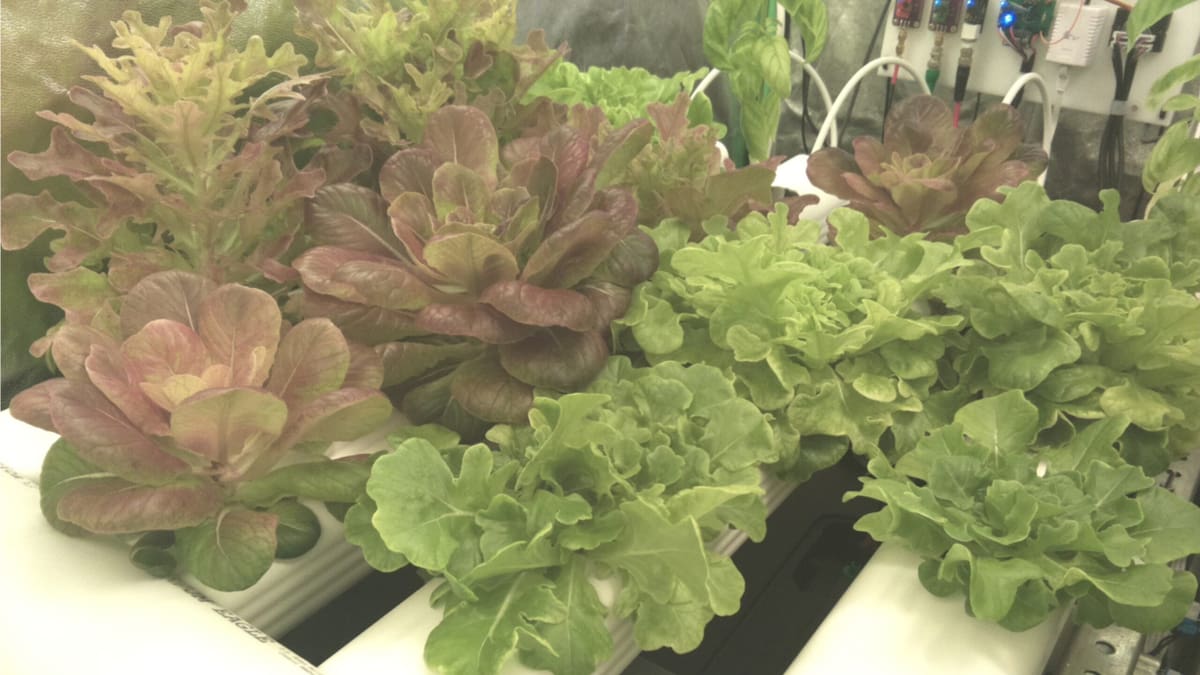
Take some of the daily maintenance out of hydroponic growing with an automated Raspberry Pi controller. This build uses Mycodo to monitor environmental conditions and control equipment such as pumps, lighting, and nutrient-dosing hardware from a web interface.
The system can monitor variables including pH and electrical conductivity and automatically dispense corrective solutions when readings move outside configured limits.
Best Pi: Raspberry Pi 4
Key gear: pH and EC sensors, temperature and water-level sensors, peristaltic pumps, relay modules, reservoir, tubing, grow lights
Difficulty: Advanced
More information: Kyle Gabriel
3D Printing Fail Detection
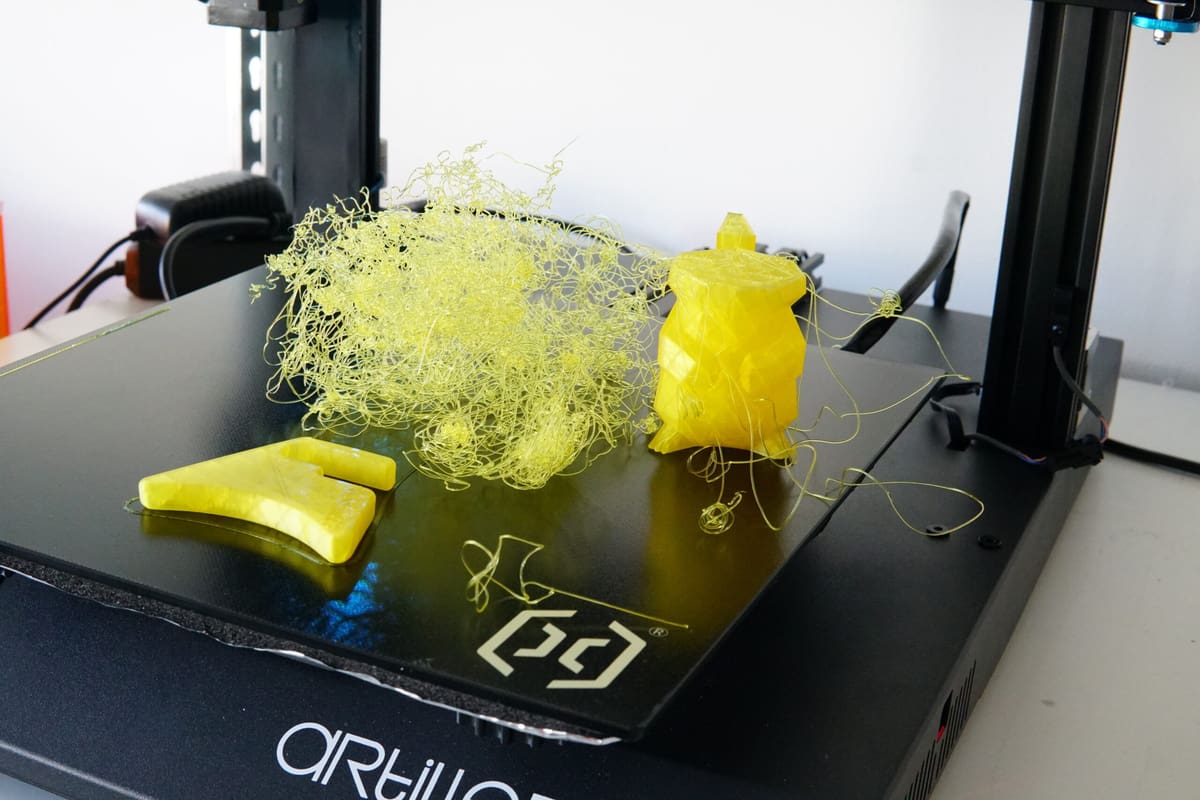
Keep an eye on long prints without actually keeping an eye on them. This Raspberry Pi 5 project uses a camera and a locally running YOLO computer-vision model to spot spaghetti failures and send an alert when something goes wrong.
The system also provides a live browser view of the print, with all image processing and detection handled directly on the Pi rather than in the cloud.
Best Pi: Raspberry Pi 5
Key gear: Raspberry Pi Camera Module 3 NoIR
Difficulty: Advanced
More information: Fab Academy
Offline AI Voice Translator
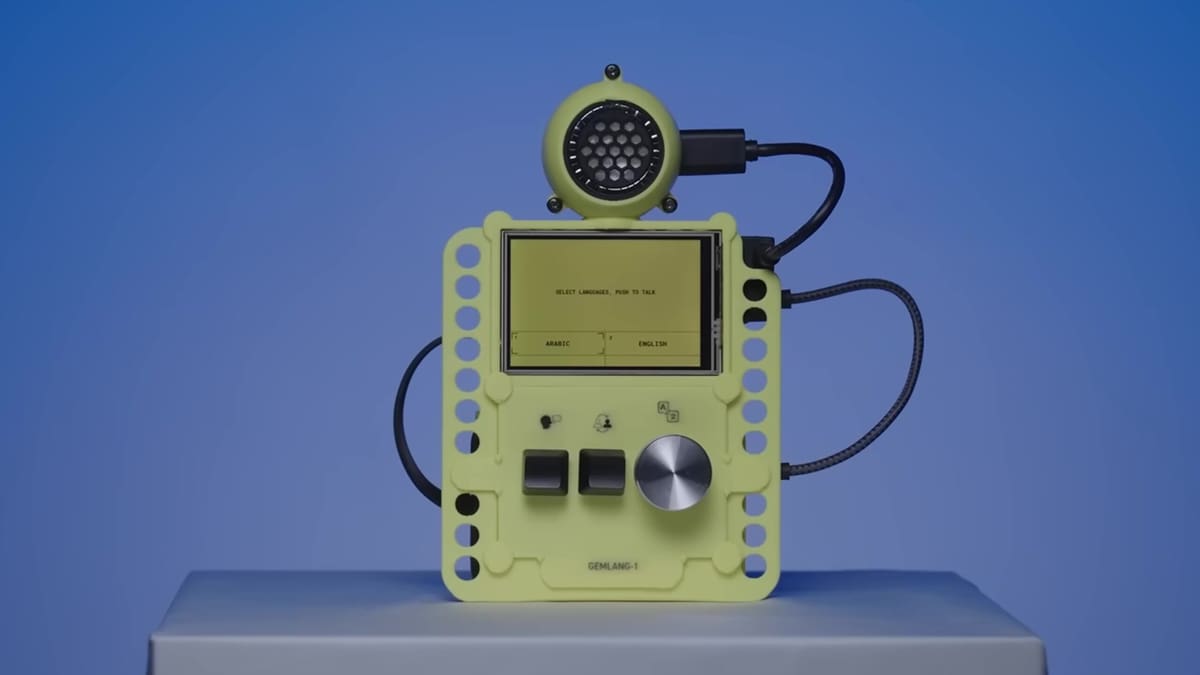
Lost for words? This Raspberry Pi-powered translator can listen to what you say, translate it into another language, and speak the result back – all without relying on the cloud.
Built around a Raspberry Pi 5 with 8 GB of RAM, the project uses Google’s Gemma 4 model and LiteRT-LM to perform the AI processing locally. Once everything has been downloaded and set up, no internet connection is required, making it an interesting alternative to translation apps that send your conversations to remote servers. A microphone handles voice input, while a speaker and small display turn the Pi into a standalone translation device.
Google has made the project open source, with scripts to simplify installation on Raspberry Pi OS and a touchscreen-friendly interface designed for compact displays. There are even STL files in the repository for 3D printing an enclosure, so you can turn the setup into a proper handheld gadget rather than leaving another Pi dangling from a nest of wires.
Best Pi: Raspberry Pi 5
Key gear: Active cooling, ample storage; microphone, speaker, small display
Difficulty: Advanced
More information: Raspberry Pi / GitHub
Pioreactor
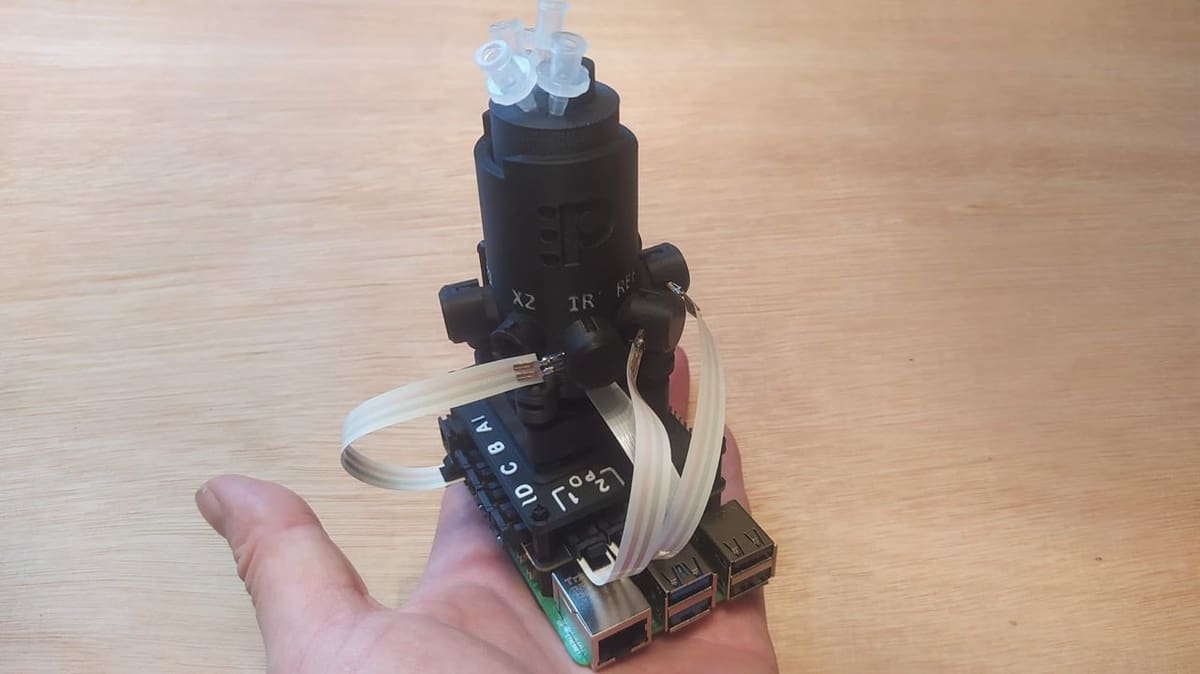
A bioreactor sounds like something that should occupy half a laboratory and cost more than your car. Pioreactor scales the idea down to a 20-ml vial sitting on top of a Raspberry Pi.
Designed for biology and chemistry experiments, the open system can automate stirring, heating, and optical-density measurements over long periods while logging the results for you. The cleverest bit might be the stirring system: magnets attached to what looks like a cooling fan spin a tiny stir bar inside the vial. There’s also a browser-based dashboard for controlling experiments and monitoring results, and multiple Pioreactors can be managed together. Various Raspberry Pi models are supported, but the current Raspberry Pi build guide uses a 4-GB Pi 5.
Best Pi: Raspberry Pi 5 4 GB
Key gear: Pioreactor HAT/kit, vial chamber, optical sensors, microSD card
Difficulty: Advanced
More information: Raspberry Pi
OpenScan Mini
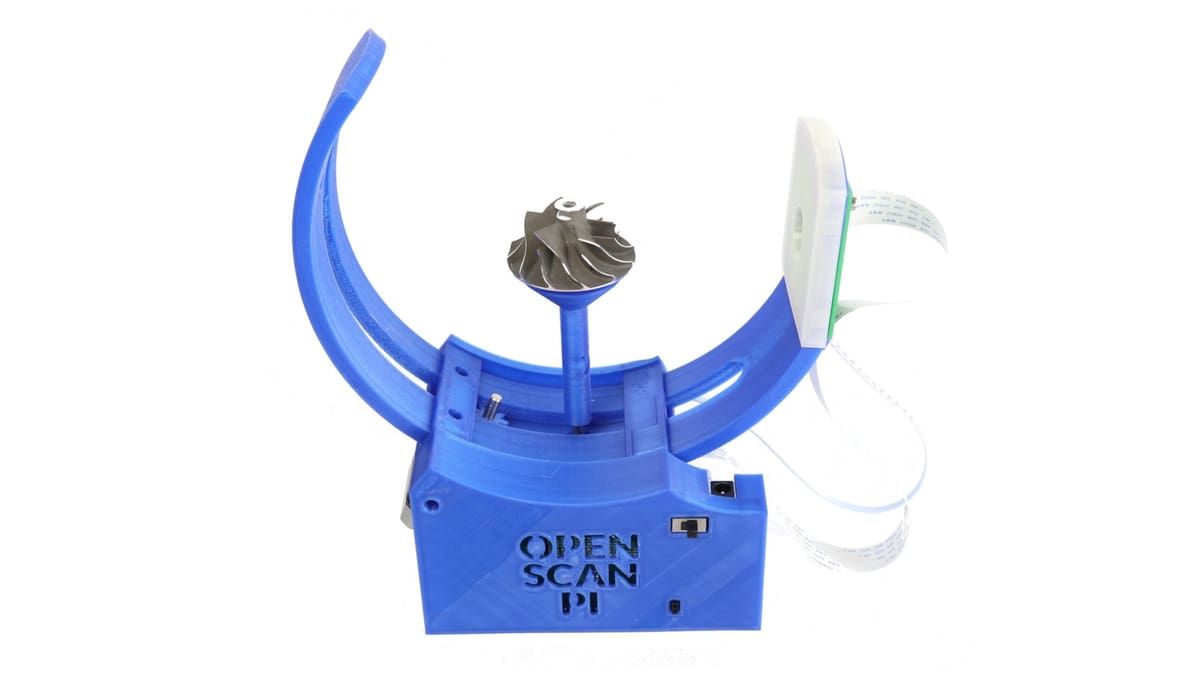
Want to turn a real object into a 3D model without spending thousands on professional scanning hardware? OpenScan Mini combines a Raspberry Pi, camera, motors, lighting, and a largely 3D-printed frame to automate the photography needed for photogrammetry.
Place a small object inside, and the scanner moves it through a series of positions while capturing photographs from multiple angles. Built-in lighting and cross-polarization help reduce reflections and shadows, while the Raspberry Pi provides a local browser-based interface for controlling the scanning process. The resulting image set can then be processed in photogrammetry software to create a detailed 3D model. OpenScan publishes its printable parts, bill of materials, firmware, and build documentation, making this a project you can actually reproduce rather than just admire from afar.
Best Pi: Raspberry Pi 4
Key gear: Pi camera or Arducam IMX519, OpenScan Pi Shield, two NEMA 17 motors, ring light, 3D-printed frame
Difficulty: Advanced
More information: GitHub
AI-powered Interdimensional Phone
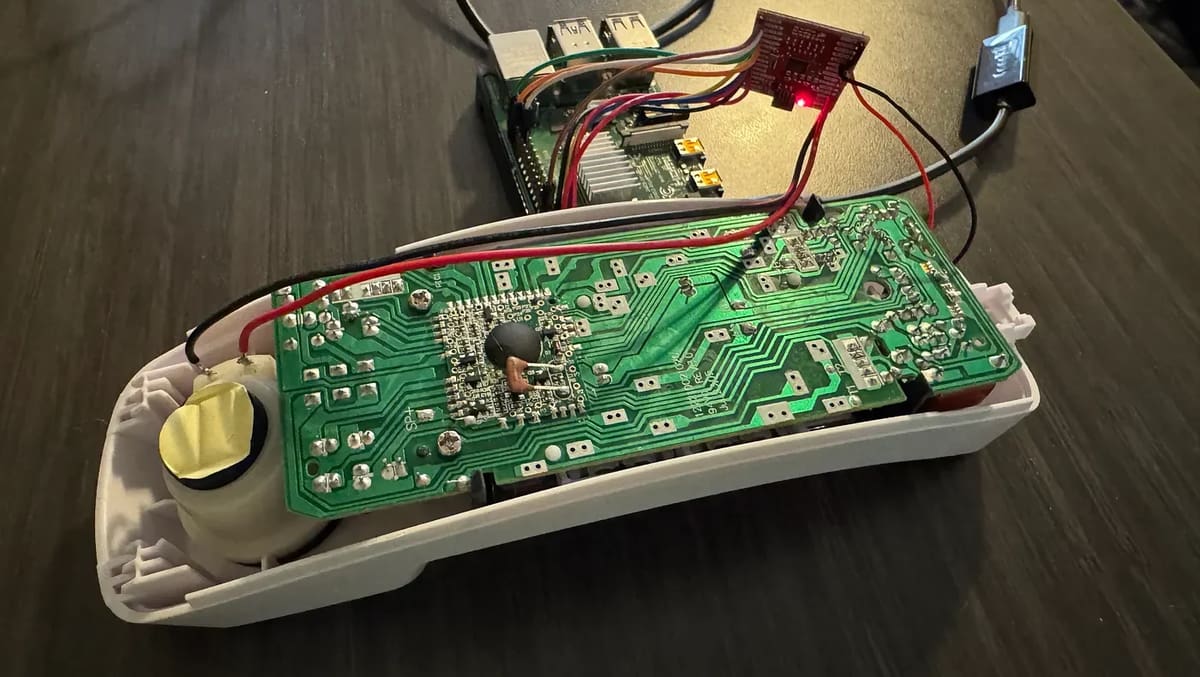
This fantastic AI-powered phone was created for a 90s-themed birthday party to serve as a centerpiece that would call guests and send them on interactive, story-driven adventures. The project combines a conventional telephone with a Raspberry Pi-hosted VoIP system and an AI backend that creates fictional characters able to hold conversations with callers.
The creator, Austin Mutschler-Hickam, has a background in software engineering and integrated a Raspberry Pi into a landline phone to deliver a unique experience. Setting up a VoIP server on a Raspberry Pi 4 presented some challenges, such as outdated guides and audio feedback issues, but the project was refined and evolved into this build.
Using AI to develop characters and interact with them using voice activity detection and other features creates an exciting, immersive, and engaging experience. Very, very cool!
Best Pi: Raspberry Pi 4
Key gear: landline phone, VoIP/FXS adapter, network connection, audio hardware as required, AI API access
Difficulty: Advanced
More Info: Medium
Pico Powered Quadcopter
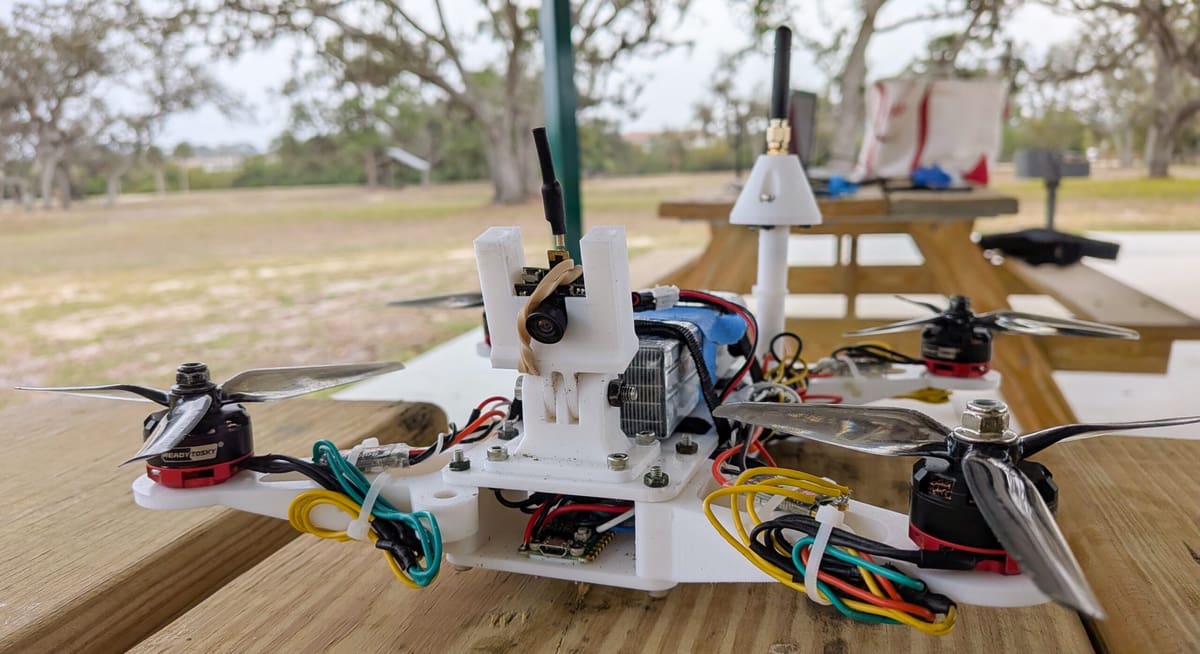
Centauri is a fully custom quadcopter built around a Raspberry Pi Pico running a MicroPython flight controller. The Pico reads motion data from an MPU-6050 IMU, receives pilot commands over an HC-12 433-MHz radio link, and continually adjusts four ESC-controlled brushless motors to stabilize the aircraft. Even the 225-mm airframe is 3D printable, with downloadable STL files for the frame, electronics mounts, antenna mast, and GoPro mount. The project also includes a custom transmitter system and tools for extracting and analyzing flight telemetry.
Best Pi: Raspberry Pi Pico 2
Key gear: MPU-6050 IMU, HC-12 radio module, 433-MHz antenna, four brushless motors, four ESCs, 5-inch propellers, 4S LiPo battery, LM2596 buck converter
Difficulty: Advanced
More information: GitHub
Companion Robot
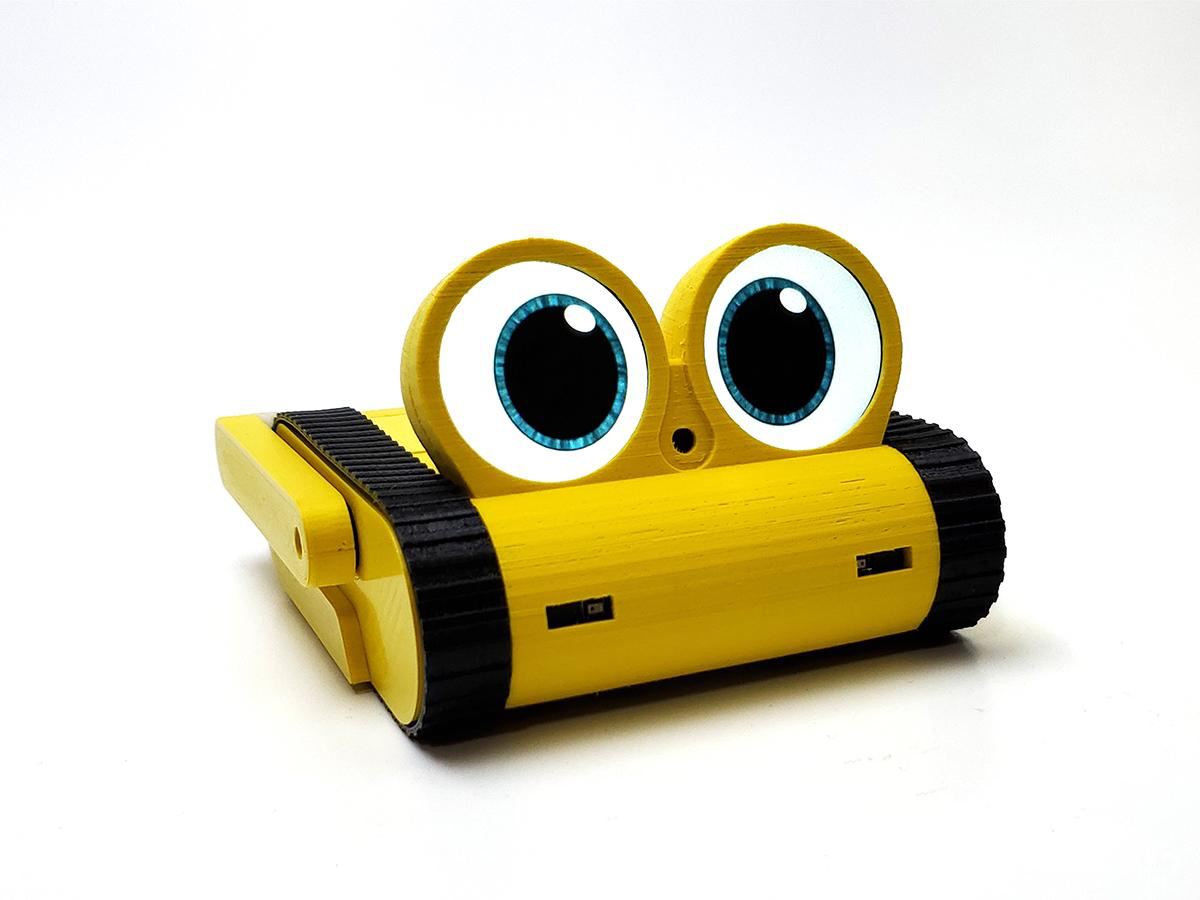
Doly, the Raspberry Pi-powered companion robot, has been around for a year. Since then, the little machine has learned a lot of new tricks. Built from open hardware and open design components and fed with the latest AI, it recognizes faces, develops new skills, and responds to voice commands. It will keep you up to speed with its two round monitors (the “eyes”) or via distinct movement. Packed with sensors, the robot operates autonomously and can even find its charging station.
This sophisticated project will definitely get your creative juices flowing, with the open build provides printable parts, electronics files, and assembly information.
Best Pi: Raspberry Pi 4
Key gear: Doly electronics/PCBs, camera, LCD modules, motors and servos, sensors, battery, charging hardware, 3D-printed body
Difficulty: Advanced
More information: Hackster
3D Printed Gamepad
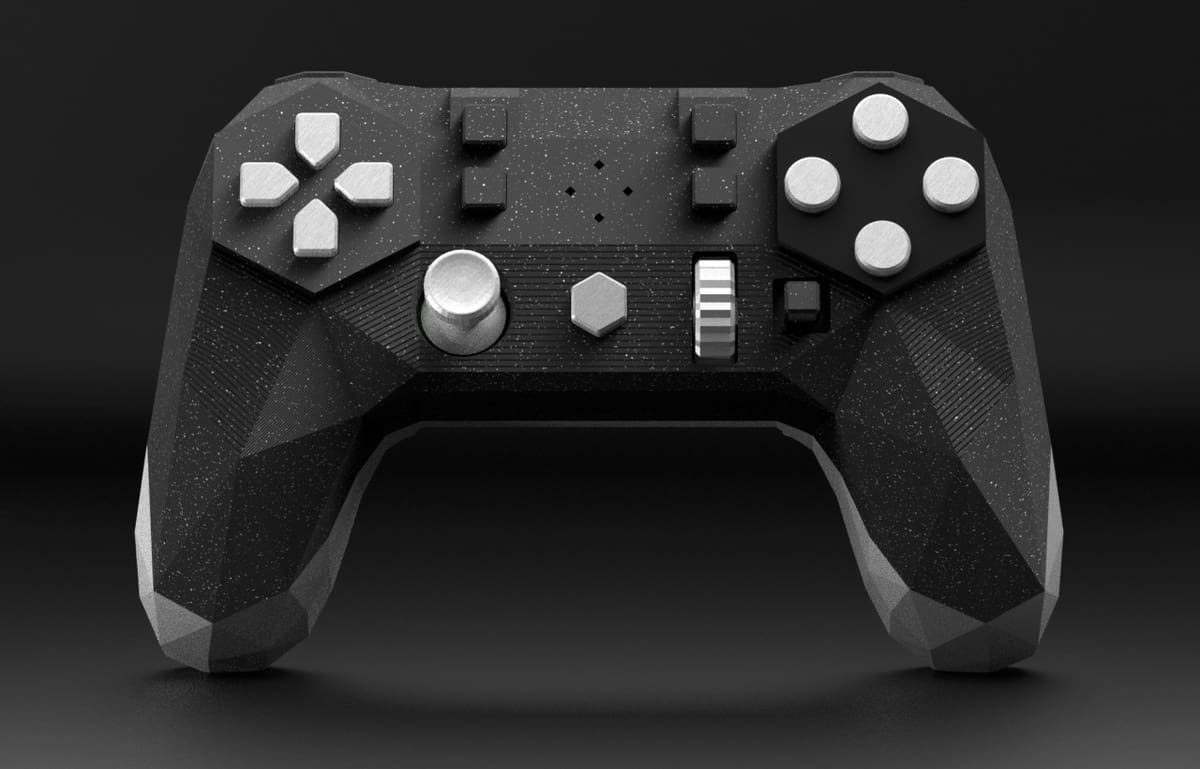
To call the Alpakka a “gamepad” is, perhaps, doing it an injustice: What Input Labs has created is a gadget that includes both digital and analog controls plus a pair of gyroscopic sensors – providing what the company claims are mouse-like performance in competitive games. “Having the performance of a mouse combined with the convenience of a gamepad,” the company promises, “you won’t have to make any compromise anymore.”
Inside the customizable 3D printed shell is a Raspberry Pi Pico microcontroller board, which has a high enough performance to drive the controller at 250Hz with ultra-low latency. The entire controller design is open source, including the 3D printable body – and the firmware includes eight profiles for different game genres, including first-person shooters and real-time strategy games.
Best Pi: Raspberry Pi Pico
Key gear: Alpakka PCB and components, thumbsticks, gyro sensors, switches and buttons, USB connection, 3D-printed shell
Difficulty: Advanced
More information: Input Labs
Mini Pupper 2
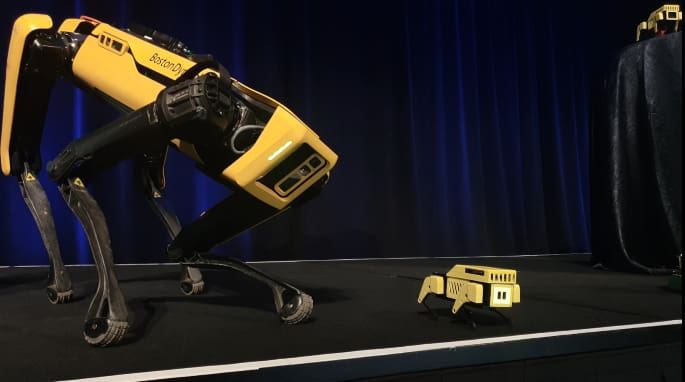
Mini Pupper 2 is an open-source robot dog designed as a platform for learning robotics rather than simply following pre-programmed tricks. Its Raspberry Pi Compute Module 4 runs the higher-level software, while the quadruped hardware provides a compact platform for experimenting with movement, sensors, and autonomous behavior.
The official documentation covers assembly, calibration, ROS 2, computer vision, SLAM, navigation, and simulation. Add a camera or LiDAR sensor and the robot can graduate from remote-controlled walking to mapping and navigating its surroundings.
Best Pi: Raspberry Pi 4
Key gear: Mini Pupper 2 chassis and servos, controller board, battery, microSD card; optional LiDAR or camera
Difficulty: Advanced
More information: Mini Pupper
You May Also Like:



License: The text of "40 Raspberry Pi Projects to Build This Weekend, From Easy to Expert" by All3DP is licensed under a Creative Commons Attribution 4.0 International License.